

Account Monitoring Software: The Modern Sales Playbook
Discover how account monitoring software finds real buying signals, enriches CRMs, and replaces stale databases for smarter B2B prospecting.
You've got a target account list, a CRM full of contacts, and a sequence ready to send. Then the problems start. One prospect has just changed jobs, another has already replaced the technology you sell, and a third is actively visiting your pricing page while sitting untouched in a spreadsheet. Your team isn't short of data. It's short of a reliable way to decide which change matters now, who should act, and what they should say.
That's the practical role of account monitoring software. It moves prospecting away from static contact collection and toward continuous account intelligence, where new information is ranked, explained, and routed into a usable sales or customer success action.
Table of Contents
- What Account Monitoring Software Actually Does
- Core Signals That Drive Account Intelligence
- Live Web Data Versus Static Lead Databases
- Practical Use Cases for Sales and CS Teams
- Evaluating Features and Building a Roadmap
- Measuring ROI and Operational Efficiency
What Account Monitoring Software Actually Does
Traditional prospecting starts with people. A sales rep searches for a title, exports a contact, checks a few firmographic fields, and adds the record to an outbound sequence. That workflow can produce a large list, but it rarely answers the question that determines timing: why should this company talk to us today?
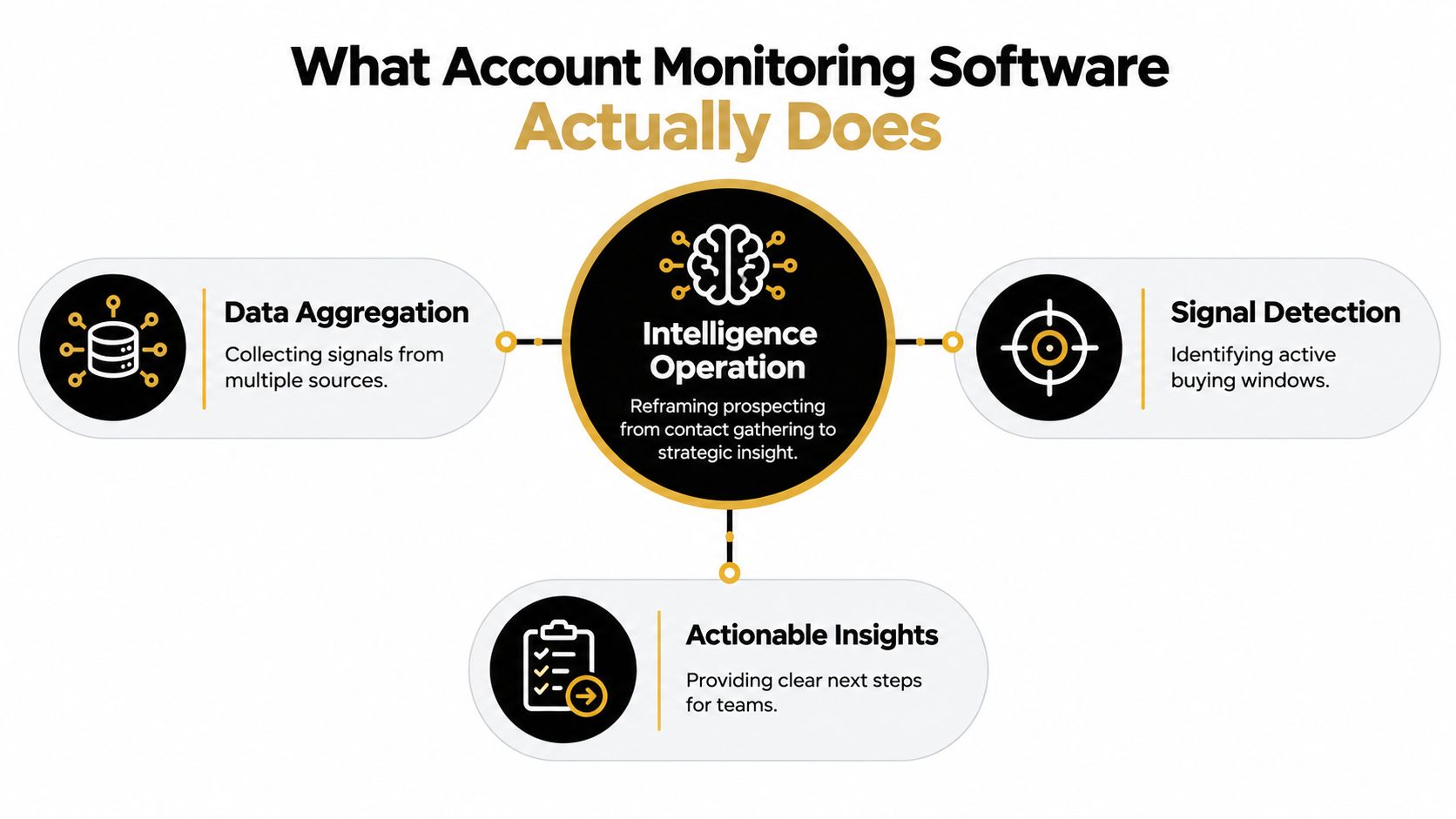
Account monitoring software starts from the company instead. It watches selected accounts for changes across the live web and combines those changes into an ongoing picture of business movement. The monitored account might show new hiring activity, a leadership transition, a technology change, a funding event, a return visit to a pricing page, or a customer feedback shift. The software's value isn't just that it finds the event. It helps the team decide whether the event deserves attention.
From contact gathering to account surveillance
Consider a software company selling workflow automation. A static list might identify an operations director at a company that fits the ideal customer profile. That record is useful, but incomplete. The company may have no active initiative, no budget movement, and no reason to respond.
A monitoring workflow adds context. The company begins hiring implementation specialists, posts a role involving a new data platform, and returns to an integration page. None of those events proves that a purchase is imminent. Together, however, they create a stronger reason to investigate than the original contact record did. The next step might be a relevant email to the operations leader, a task for an account executive, or a request for human research before outreach.
This is why account monitoring should be treated as an intelligence operation, not another database. A database stores what was known when someone created the record. Monitoring keeps asking what has changed and whether that change alters the commercial priority.
Practical rule: An alert is useful only when a human can understand its significance and act without repeating the entire research process.
What the workflow needs to produce
A productive system usually has four layers:
- Account selection: Choose companies based on fit, territory, customer status, technology, location, or strategic importance.
- Signal collection: Gather first-party activity and external changes from relevant sources.
- Prioritization: Combine signals, account fit, recency, and confidence instead of presenting an undifferentiated alert stream.
- Action routing: Send a task, CRM update, message draft, or escalation to the person responsible for the account.
The category has evolved through these layers. Industry histories trace account software from contact-management databases in the 1980s, through Salesforce's cloud CRM launch in 1999, to workflow-oriented systems that expanded during the 2000s and 2010s (MarketsandMarkets' account intelligence guide). Modern tools therefore need to do more than preserve notes. They need to connect changing account data with decisions.
Core Signals That Drive Account Intelligence
Not every account change has the same commercial meaning. A new executive appointment may matter for one product category and be irrelevant for another. A hiring surge may indicate expansion, replacement hiring, or a shift in strategy. A technology change can reveal an active project, but it can also reflect a short-lived experiment.
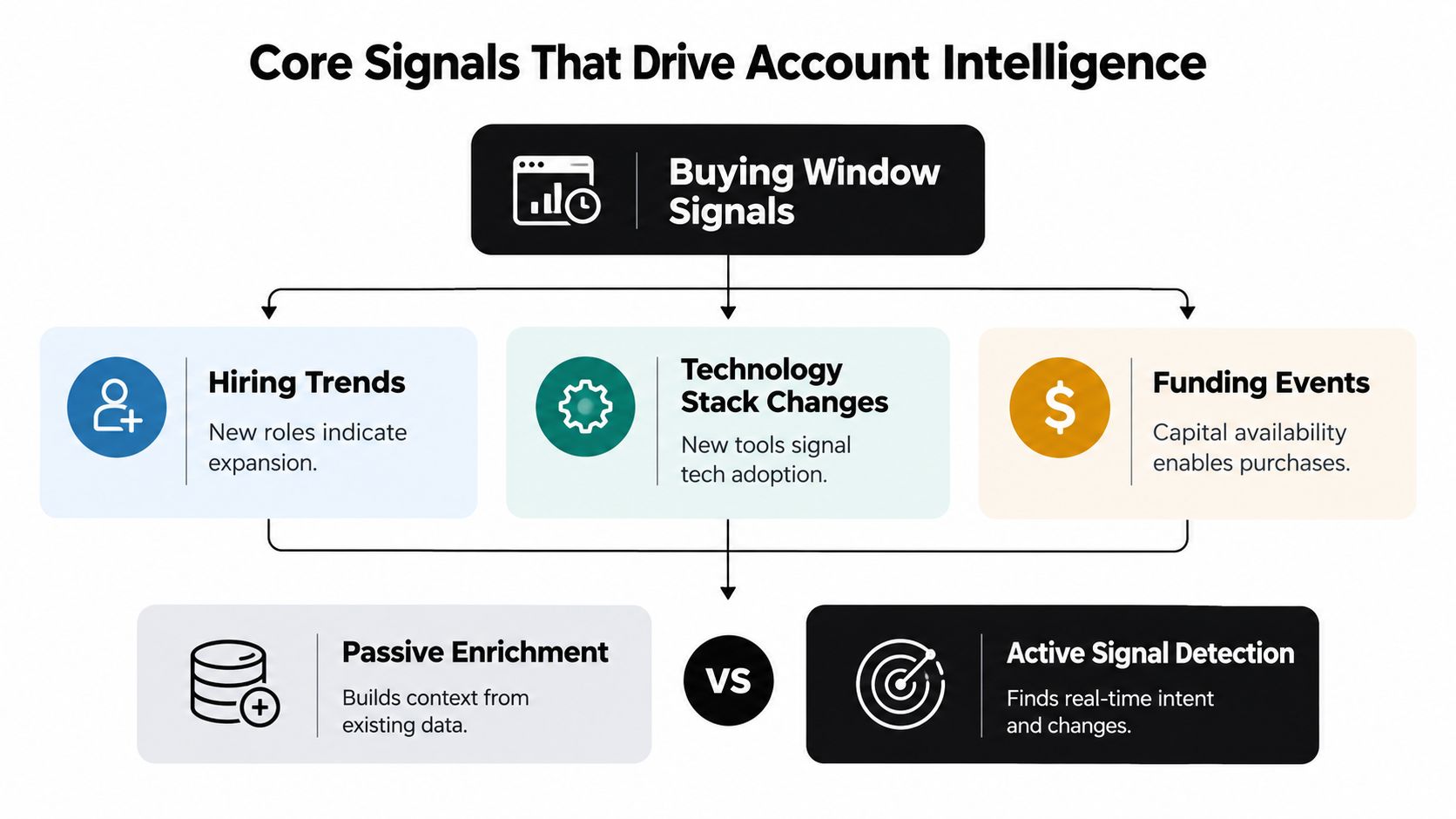
The useful distinction is between passive enrichment and active signal detection. Passive enrichment tells you what an account is, such as its industry, location, employee profile, or current technology. Active detection tells you what has changed and whether the change may create a buying window.
Read signals as evidence, not conclusions
The most useful sources generally fall into a few groups:
- Hiring activity: New roles can indicate expansion, capacity pressure, or investment in a function connected to your offer.
- Technology changes: A newly detected platform, integration, or infrastructure shift can reveal an implementation project or an upcoming replacement decision.
- Funding events: New capital can create room for operational purchases, although it doesn't establish that your category is a priority.
- Leadership changes: A new executive may bring different priorities, preferred vendors, or pressure to review existing processes.
- Website intent: Visits to pricing, demo, or integration pages are stronger first-party evidence of evaluation than a generic page view.
- Customer feedback: Review movement, sentiment changes, or a stalled review profile can create an opening for agencies and service providers.
These signals should not be scored in isolation. Public examples describe systems that monitor more than 25 buying signals per account and others that combine events into a 0–100 signal score (Swan's buying signal software overview). The important design principle is not the size of the signal library. It's the ability to fuse several observations into one explainable priority.
When three signals arrive together
Suppose an account shows a new head of revenue, starts hiring sales operations staff, and returns to your integration documentation. Treating those as three separate alerts creates work. Treating them as one account-level pattern creates a decision.
A sensible interpretation might be:
- The leadership change creates a possible shift in priorities.
- The hiring activity suggests the team is building capacity or changing its operating model.
- The first-party visit indicates that someone at the account may be evaluating a solution category.
The combination should raise the account's priority, but it still shouldn't dictate an aggressive pitch. The first action might be to check whether the new leader owns the relevant function, review the existing CRM history, and draft an opening that references the operational change rather than claiming the company is ready to buy.
The best alert doesn't say only what happened. It explains why the combination matters and identifies the next responsible action.
For teams that need to operationalize this logic, a dedicated signals workflow can help organize account events around recency, relevance, and routing. BDRs also need a repeatable process for turning those priorities into thoughtful outreach, especially when several accounts compete for attention. A practical resource on how BDRs can support signal-led prospecting is useful when the handoff between research and outbound execution is still inconsistent.
The operating principle is simple: signal convergence improves prioritization, but only if the system preserves the evidence behind the score. Reps should be able to see the events, their sources, their timing, and the reason the account moved up the queue.
Live Web Data Versus Static Lead Databases
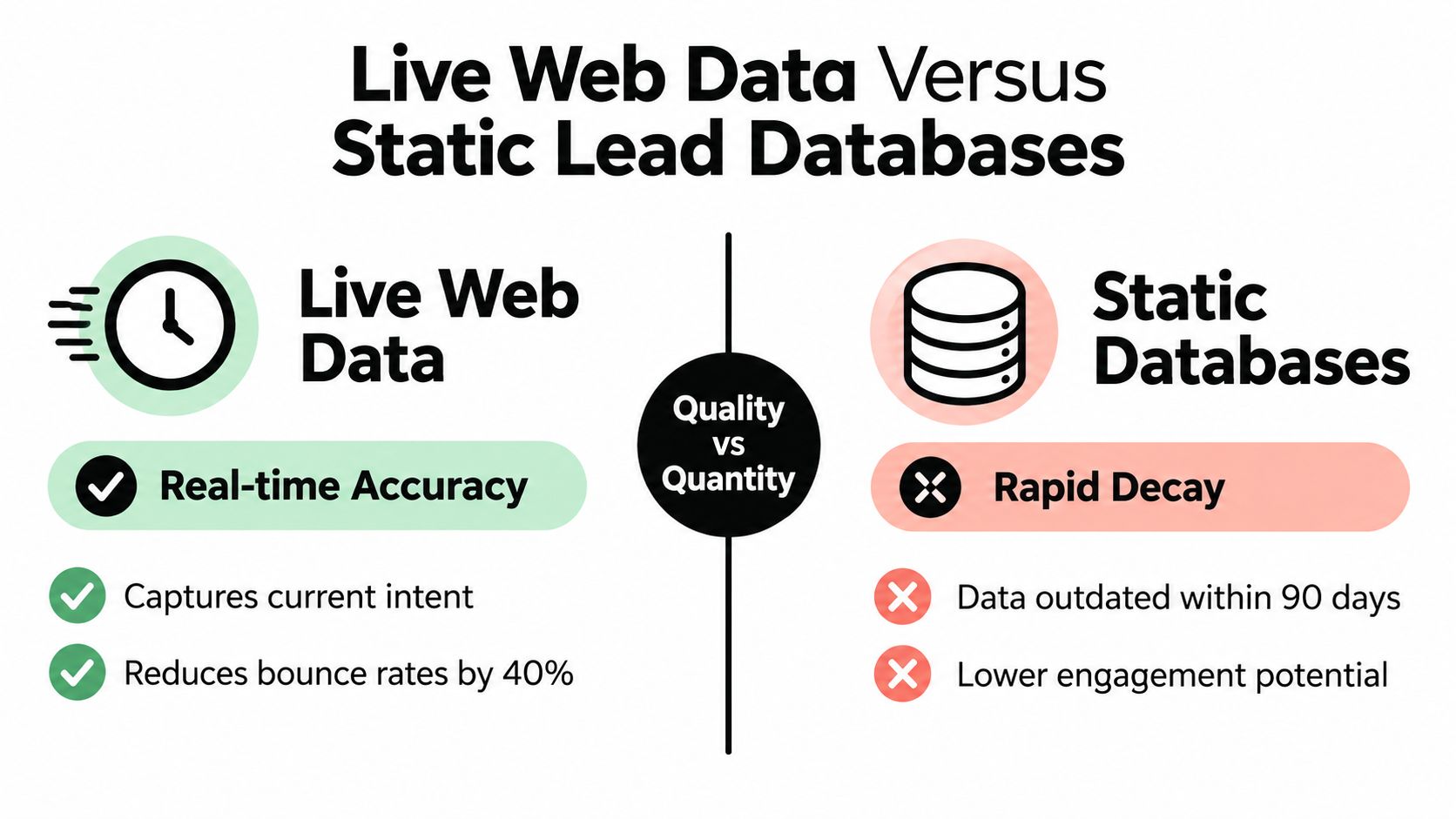
A static lead database answers, “Who matched our filters when this record was collected?” Live account monitoring asks, “What has changed at this company since the last review?” Those are different jobs, and confusing them creates avoidable waste.
Precompiled records decay because companies change. People move roles, teams reorganize, technologies are replaced, websites are redesigned, and priorities shift. Even an accurate contact record can be commercially useless if the account has no current reason to engage. A clean spreadsheet doesn't solve a timing problem.
Live web data provides a different operating model. First-party website activity can reveal direct evaluation, while external events such as hiring, leadership changes, funding, and job postings provide context around the account's operating direction. Guidance on intent data and account-level activity describes how web visits can be combined with other touchpoints, including email activity, ad clicks, meetings, and form fills, while external signals add company-level context.
Account timing beats contact guessing
A contact-first workflow often looks like this:
- Find a person with a relevant title.
- Verify an email address.
- Add the person to a sequence.
- Hope the account's priorities align with the message.
An account-first workflow reverses the order:
- Identify a company that fits the commercial profile.
- Watch for meaningful changes.
- Confirm the likely owner of the problem.
- Route a message or task when the account enters a relevant window.
The second model doesn't eliminate contact research. It changes when that research happens. Reps spend less time investigating every possible prospect and more time verifying the people connected to accounts that already show a reason to pay attention.
The trade-off is freshness versus coverage
Live monitoring requires more deliberate setup. Teams need to define watched accounts, decide which signals matter, set routing rules, and prevent irrelevant events from flooding the queue. Static databases feel easier because the work is front-loaded into a list purchase or export.
That convenience often hides the operational cost. Reps may waste time correcting records, researching outdated context, and sending messages based on assumptions that no longer hold. Live data can also be noisy, so the platform must refresh information, preserve source evidence, and let teams suppress weak or repetitive alerts.
The right comparison goes beyond live data versus static data. Many teams still need firmographic enrichment and contact information. The practical choice is whether the system adds a current account layer that tells sales and customer success when the existing record has become more relevant.
A useful evaluation should include a guide to buying signals and how to find them, then test whether the selected signals lead to better decisions rather than merely producing more notifications.
Practical Use Cases for Sales and CS Teams
Account monitoring becomes valuable when it changes a daily workflow. The strongest use cases don't ask a team to inspect another dashboard for its own sake. They connect a specific event to a defined owner, decision, and response.

B2B SaaS prospecting
A SaaS sales team can monitor target accounts for technology changes, hiring, leadership movement, funding, and website intent. The workflow works best when each signal has a playbook attached.
A return visit to a pricing page might create a high-priority review task for an account executive. A new operations hire might route to an SDR for research. A technology change might go to a solutions consultant if the next conversation requires technical credibility. The same account can produce different actions depending on the signal and the account's existing relationship with the company.
The common failure is to send every alert to the same sales queue. That creates competition between urgent buying activity and low-value news. Routing should reflect ownership, account tier, customer status, and the type of expertise required to respond.
Local agencies and reputation teams
A local marketing or reputation agency has a different monitoring problem. Its prospects may not announce funding or publish technology changes, but customer feedback can reveal a concrete business issue.
A rating drop, a change in review sentiment, or a long period without new reviews can prompt a useful conversation with a service-business owner. The outreach can focus on a visible customer experience problem rather than a generic offer to “improve marketing.” The agency can also monitor existing clients and use the same signals to trigger retention or reputation-recovery work.
This use case shows why account monitoring shouldn't be designed only for enterprise sales. The account may be a local business, and the signal may come from public customer feedback rather than corporate news.
Customer success and account management
Customer success teams can use monitoring to detect changes that affect retention, expansion, or stakeholder coverage. A leadership transition may require a new relationship map. Hiring in a customer's department may create expansion potential. A technology change could indicate that an integration needs review or that the customer is moving toward a competing workflow.
The action must be explicit. A signal might create a check-in task, an executive escalation, a renewal brief, or an internal account review. It shouldn't automatically trigger a sales message to a customer who is already in a sensitive support situation.
A CRM signal monitoring workflow can connect these changes to existing records, ownership rules, and account plans. The relevant CRM monitoring scenario is most useful when the CRM remains the system of record while monitoring adds the missing layer of current context.
Inbound screening and enrichment
Inbound signup screening is another practical application. A new signup can be enriched with firmographics, fit indicators, and risk context, then routed to sales, nurture, or a hold queue. That prevents the team from treating every form fill as equally valuable and gives representatives a reason for the recommended response.
The operating test is whether a rep can open the record and understand three things quickly: does the account fit, why might now matter, and what should happen next.
Evaluating Features and Building a Roadmap
Buying account monitoring software before defining the operating process usually produces an expensive alert inbox. Start with the decision the team needs to make, then assess whether the platform supplies enough evidence and routing control to support it.
Use a decision matrix
| Capability | What to verify | Why it matters |
|---|---|---|
| Source-backed briefs | Can users inspect the evidence behind each alert? | Reps need context they can trust before contacting an account. |
| Signal controls | Can teams select, combine, suppress, and prioritize signals? | Different segments require different definitions of relevance. |
| CRM synchronization | Does the platform update existing records without creating duplicate noise? | Account intelligence must reach the workflow where ownership already lives. |
| Alert routing | Can alerts reach Slack, Teams, email, webhooks, or assigned CRM users? | A useful signal should arrive where the responsible person works. |
| Suggested actions | Does the system recommend a task, route, hold, or message direction? | The team needs a decision layer, not another research feed. |
| Refresh behavior | Can the system re-check watched accounts and identify stale information? | Monitoring loses value when old events continue to look new. |
Test the product with a small group of accounts from different segments. Include a few high-fit accounts with little visible activity, accounts showing several conflicting changes, and existing customers with known relationship history. The point isn't to collect the most alerts. It's to see whether the queue helps a human make a better decision.
Build in stages
Start with one workflow, such as routing high-intent accounts to an SDR or flagging customer leadership changes for account managers. Define the owner, the response window, the evidence required, and the outcome that closes the task.
Then connect the system to the tools the team already uses. HubSpot, Pipedrive, and Attio integrations can keep account context close to CRM records, while Slack, Teams, email, and webhooks support operational routing. Avoid forcing reps to work from a separate dashboard unless that dashboard adds decision quality the CRM cannot provide.
Implementation test: If an alert doesn't change a task, a record, a conversation, or a prioritization decision, it probably doesn't belong in the first workflow.
Finally, document the exceptions. Decide what happens when signals conflict, when a customer is already in an escalation, when an account has multiple owners, or when an event cannot be verified. Teams evaluating adjacent monitoring categories can also find the right compliance software with SOSfinder, particularly when evidence quality and auditability are part of the purchasing criteria.
Measuring ROI and Operational Efficiency
Account monitoring software should earn its place by improving the operating system around revenue work, not by producing an impressive number of alerts. The most useful measures connect the technology to time, responsiveness, data quality, and action.
Track how long representatives spend researching an account before a call or message. Compare the time required to understand a monitored account with the time required to reconstruct the same context manually from search results, job pages, company news, reviews, and CRM notes.
Measure response behavior as well. Useful indicators include:
- Research time: How much pre-call work does the team complete before outreach?
- Queue quality: How often do reps accept, dismiss, or reclassify suggested priorities?
- Routing speed: How quickly does a relevant signup or account change reach its owner?
- CRM freshness: Are records receiving current context instead of accumulating outdated notes?
- Action completion: Do alerts produce calls, tasks, reviews, renewal actions, or qualified conversations?
- Signal precision: Which combinations lead to useful action, and which create noise?
The final metric is not alert volume. It's whether the team spends more of its day on accounts with a defensible reason for contact. A strong system reduces repetitive research, preserves source evidence, and gives managers a clearer view of why the team is prioritizing one account over another.
The account management software market reflects growing demand for software-first visibility. One industry estimate values the market at $2.63 billion in 2025 and projects $5.79 billion by 2034, with a 9.2% CAGR. The same estimate assigns software 73.0% of market value, or $1.92 billion in 2025 (DataIntelo's account management software market estimate). Those figures are projections and estimates, not a guarantee that every implementation will create value.
The practical conclusion is narrower and more useful. Choose monitoring software when your team already has enough accounts and contacts, but lacks a dependable way to recognize meaningful change, rank competing signals, and route the next action.
CapyScout searches the live web, monitors watched accounts for buying signals, enriches CRM records, and turns source-backed changes into prioritized actions and outreach drafts. Visit CapyScout to see how account intelligence can replace static lead-list work with a current, action-oriented workflow.