

Buying Signals Sales Guide to Timing and Outreach
Learn buying signals sales teams use to spot purchase intent, prioritize accounts, and time outreach with CRM workflows that convert.
You know the account.
It matches your ICP. The team is the right size. The industry fits. Someone on the buying committee even accepted your connection request a week ago. You sent outreach, got a polite reply, then silence. A month later, the company bought from someone else.
Most reps treat that as a messaging problem. Often it's a timing problem.
That's why buying signals matter. They help you stop asking only, “Is this a good account?” and start asking, “Is this account moving toward a decision right now?” That shift changes everything. A clean list of ideal prospects is useful, but a live cue that a real account is evaluating, changing tools, adding budget owners, or revisiting your pricing page is what gives outreach urgency.
Modern sales teams didn't always work this way. The category evolved from static lead lists toward intent-based, account-level timing cues, where website visits, product usage, messages exchanged, and marketing engagement are treated as measurable evidence of purchase readiness rather than just background attributes, as explained in Dock's guide to buying signals in sales. That change matters most when the account is already in motion, especially with sales-qualified leads inside an active cycle.
The harder part isn't spotting one signal. It's knowing which signal deserves action now, which one belongs in nurture, and which one is already stale.
That's where most SDRs and founders get stuck. They build a list of “things to watch” but don't have a way to weigh freshness, context, and urgency. A pricing-page revisit from yesterday and a funding announcement from two months ago aren't equal. A new AI tool showing up in the tech stack may matter more than a burst of generic hiring. If you treat all signals the same, you create noise for yourself.
Table of Contents
- Introduction Why Timing Beats More Outreach
- What Buying Signals Mean in Modern Sales
- The Main Types of Buying Signals With Real Examples
- How to Detect and Prioritize Signals That Actually Predict Purchase
- Outreach Playbooks for Timing and Messaging That Converts
- Integrating Signals With Your CRM and Alerting Workflows
- Measuring Impact and Avoiding Common Pitfalls
Introduction Why Timing Beats More Outreach
A lot of outbound breaks for a simple reason. The rep did the work, but the account wasn't ready yet. Or the account was ready, but the rep reached out after the window had cooled.
The familiar miss
Think about two accounts.
The first account looks perfect on paper. Good ICP match. Healthy team size. Familiar problem space. But nothing in its recent behavior suggests active evaluation. You can still prospect it, but you're pushing uphill.
The second account is slightly less obvious at first glance. Then you notice repeated visits to pricing and integration pages, more than one person from the same company showing up, and a leadership change that likely resets priorities. That account may be smaller or less famous, but it's warmer in the only way that matters. It's moving.
Practical rule: Fit tells you who could buy. Signals tell you who might buy now.
That distinction is the center of good buying signals sales work. It's not about replacing prospecting with alerts. It's about giving your team a better trigger for when to act.
Why more activity isn't better
Many teams respond to weak timing by adding volume. More contacts. More sequences. More calls. More follow-ups. That can create pipeline, but it also burns energy on accounts that aren't in a decision window.
Signal-based selling flips the sequence. You still care about fit, but you prioritize accounts showing evidence of change, evaluation, or urgency. The account becomes a live situation to read, not just a row in a CRM.
A useful way to think about it is this:
- Static data tells you what an account is.
- Behavioral data tells you what an account is doing.
- Trigger data tells you what just changed.
When all three line up, outreach becomes easier to write and easier for the buyer to answer.
What strong timing gives you
Good timing improves more than open rates. It sharpens your first line, helps you choose the right stakeholder, and gives your AE a cleaner reason to engage.
It also keeps SDRs from overreacting to weak clues. One click doesn't mean much. One job post doesn't always mean a project. One news mention without follow-through may be irrelevant. The goal isn't to chase every event. The goal is to read account behavior clearly enough that you know when the account is entering a buying moment.
What Buying Signals Mean in Modern Sales
Buying signals are easiest to understand if you stop thinking of them as “events” and start thinking of them as footprints.
A footprint doesn't just tell you someone exists. It tells you where they're headed, how recently they passed through, and whether they were alone or with others. Buying signals work the same way.
A simple definition that actually helps
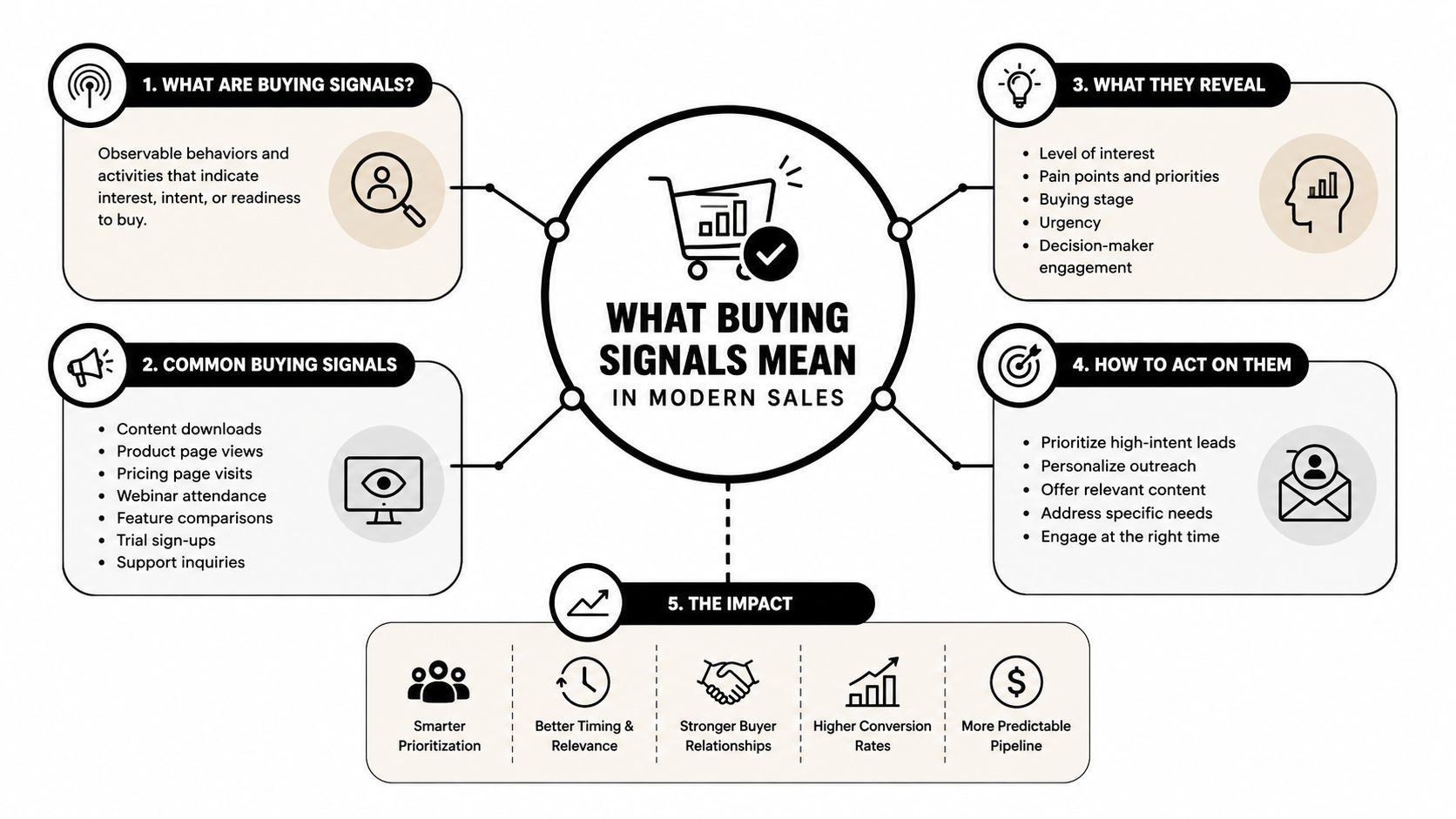
In modern sales, buying signals are measurable indicators that a prospect is approaching a purchase decision, and they're commonly split into hard and soft signals, according to Dock's overview of buying signals. What changed over time is just as important as the definition. Sales moved from static lead lists to intent-based signals, where website visits, product usage, exchanged messages, and marketing engagement became evidence of readiness rather than just background data.
That's why many teams now pair classic outbound with sales prospecting with intent data. It helps reps focus on accounts showing evaluation behavior rather than only accounts that look right demographically.
If you want a broader primer on how these behavioral patterns fit into go-to-market systems, CapyScout's explanation of what intent data is and why it matters in B2B is a useful companion read.
Hard signals and soft signals
The hard-versus-soft split is where new reps often get confused.
Hard signals usually show explicit movement toward a decision. A prospect asks for pricing, requests a demo, or revisits high-intent pages multiple times.
Soft signals are more indirect. Someone new from the company engages with content. Product usage increases. A leadership change creates a likely reason to revisit a process or tool.
Neither category is “good” or “bad.” The difference is how much interpretation you need. Hard signals are louder. Soft signals require context.
Why context matters more than the signal alone
The strongest buying signals usually come from sales-qualified leads already inside the sales cycle, because timing and urgency are closer to a decision point. A pricing question from an unknown account is interesting. A pricing revisit from an open opportunity with a champion, a security stakeholder, and an internal deadline is much stronger.
That's the core lesson: buying signals aren't isolated facts. They're clues inside a sequence.
A signal gets stronger when it answers three questions at once: who acted, what changed, and why now.
If you only track what happened, you miss half the story. If you add account fit, stage, stakeholder role, and recency, the signal becomes operational. That's when an SDR knows whether to send a lightweight nudge, call the champion, or pull in an AE for a more direct next step.
The Main Types of Buying Signals With Real Examples
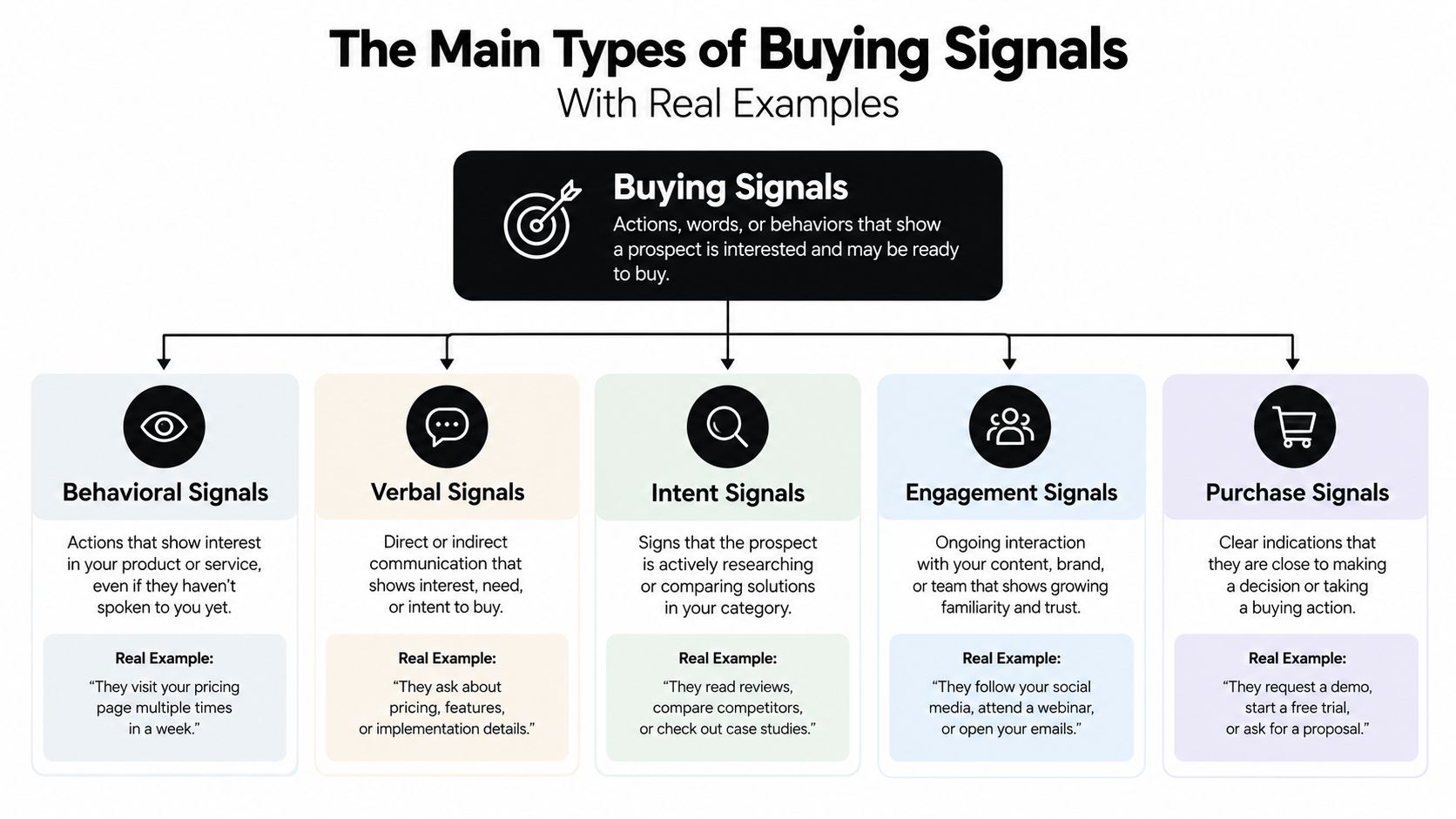
Many teams know the phrase “buying signal,” but they don't organize signals well. The easiest fix is to sort them by source. That helps you understand what kind of change you're seeing and what buying stage it may suggest.
Website and content behavior
This is the category most reps recognize first.
Repeated visits to pricing, product, comparison, demo, or integration pages, especially from several people at the same company, are stronger than isolated clicks. ZoomInfo's sales guidance notes that repeated, account-level evaluation behavior is more actionable because recurrence raises signal quality and breadth across stakeholders suggests a buying committee is forming, especially when those visitors revisit pricing pages or consume case studies and comparison content in late-stage evaluation intent data signals that matter.
A real example looks like this: one person from Acme visits your homepage. That's weak. Three people from Acme revisit pricing and integration pages over several days, then someone reads a case study. That starts to look like internal validation work.
When one person clicks, stay curious. When several people from the same company return to decision pages, assume the conversation has moved inside the account.
Hiring and team changes
Hiring can mean expansion, replacement, or a new initiative. The key is to read the role, not just the volume.
If a company starts hiring for RevOps, data engineering, or AI operations, that may indicate active investment in systems that your product supports. If they're hiring for a role that would use or manage your category, you may be seeing the early setup for a buying project.
By contrast, a random increase in generic job posts often creates noise. It may reflect broad growth, but not a defined buying motion.
Here's a quick explainer before the next category.
Funding and leadership changes
These are classic trigger events because they can reset priorities fast.
A new VP of Sales may review tools, team process, or reporting structure. A newly hired COO may push operational change. A funding event may create budget, but by itself it doesn't tell you what will be purchased or when. The most useful read is when leadership or funding connects to your category.
For example, if a company hires a Head of Customer Success and your product supports onboarding or retention, that's not a guarantee. It is a clear reason to start a conversation.
Technology changes
Tech-stack movement is often underrated.
If an account adopts a neighboring tool, removes a competitor, or adds infrastructure that makes your product easier to use, that can be a sharper cue than broad firmographic growth. Technology changes often reveal active implementation work, integration planning, or a shift in strategy.
Reputation and review shifts
This matters most in service businesses and local outreach.
A drop in reviews, a pattern of negative feedback, or stalled reputation activity can signal pain that's current and visible. For agencies and service providers, this often creates a concrete opening because the buyer can see the issue in public, not just in a dashboard.
How to Detect and Prioritize Signals That Actually Predict Purchase
The biggest mistake in buying signals sales is simple. Teams collect signals but don't rank them.
That leads to two bad outcomes. Reps jump on noisy accounts that are active but low fit, or they ignore quieter signals that are much closer to a real purchase. The fix is a weighted model.
Start with fit, intent, and triggers together
Industry guidance recommends combining firmographic fit, behavioral intent, and trigger events into a weighted score rather than relying on intent alone. The same frameworks recommend scoring by recency, frequency, depth, and seniority, because recent, repeated, high-depth actions from senior stakeholders line up more closely with active evaluation than old or shallow activity, as outlined in this guide to buying signals in B2B.
In plain English, that means:
- Fit asks whether the account belongs in your market.
- Intent asks whether the account is researching or engaging.
- Triggers ask whether something changed that creates urgency.
If you only score intent, you'll chase busy accounts that were never likely to buy. If you only score fit, you'll prioritize companies that look great but aren't moving.
Add signal half-life
This is the part that often gets skipped.
One recent guide argues that a buying signal has a source, a timestamp, and a half-life, and that the value comes from all three together, not just the action itself, in its discussion of buying signals in sales. That idea is practical because signals decay at different speeds.
A fresh pricing-page revisit may matter for a short window. A leadership change may stay useful longer, especially if the new executive is still setting direction. A technology adoption signal can be urgent if it indicates implementation is underway, but less useful if discovered long after the rollout.
Fresh beats famous. A recent, relevant change is usually more useful than an older signal from a marquee account.
Which signals correlate best right now
Not every popular trigger deserves top priority.
A recent analysis summarized by Prospeo reported that across 1 million B2B software purchases, AI tool adoption correlated with purchases at +46%, ahead of headcount growth at +38%, recent software purchases at +38%, VP-level hires at +28%, and funding at +25%. It also reported that job posting increases were much weaker at +7% and SOC compliance was neutral, which is a useful correction for teams that still over-weight hiring and funding in every sequence B2B buying signals.
That doesn't mean funding or hiring are useless. It means they shouldn't automatically outrank stronger technology-change signals in an AI-driven market.
Which Buying Signals Deserve Priority Right Now
| Signal Type | Purchase Correlation | Half Life | Priority Action |
|---|---|---|---|
| AI tool adoption | Strongest in the Prospeo summary | Short to medium if tied to current rollout | Reach out quickly with a point of view tied to implementation, integration, or adjacent workflow change |
| Recent software purchases | Strong in the Prospeo summary | Medium, especially when the new tool connects to your category | Contact the likely systems owner and frame your product around stack fit or downstream needs |
| Repeated pricing or integration page visits by multiple stakeholders | High-intent late-stage evaluation behavior | Short, because page-level intent cools fast | Prioritize same-day or next-day outreach to the active champion or account owner |
| VP-level hires | Moderate in the Prospeo summary | Medium, especially during priority-setting | Contact the new leader with a message about the mandate they likely inherited |
| Funding | Moderate in the Prospeo summary | Medium to long, but often vague without supporting cues | Use for account prioritization, not as a standalone reason to pitch |
| Generic job posting increases | Weak in the Prospeo summary | Longer, but noisy | Keep in nurture unless paired with role-specific hiring or intent |
| SOC compliance | Neutral in the Prospeo summary | Long but low urgency by itself | Don't use alone as a buying trigger |
A useful operating habit is to ask two questions before any outreach: How strong is this signal, and how fresh is it? If you answer both, your prioritization gets much cleaner.
Outreach Playbooks for Timing and Messaging That Converts
Good signal detection is wasted if the outreach still sounds generic.
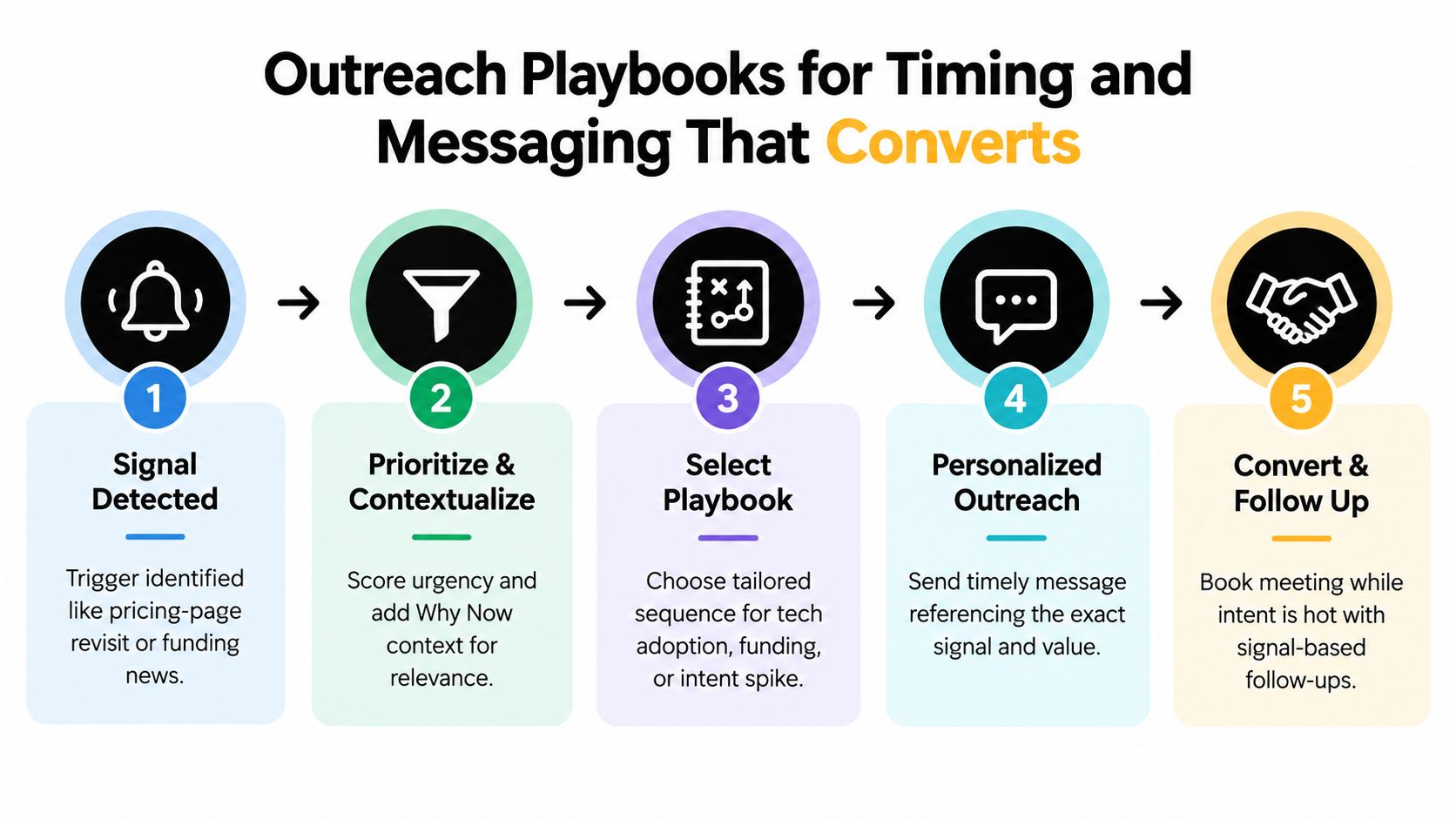
The point of a buying signal isn't to impress the buyer with how much you tracked. It's to make your message feel timely, relevant, and easy to respond to. Signal-triggered outreach can materially outperform pure cold outreach. One 2026 industry summary reported that proactive outreach triggered by a signal closed at a 33 to 41 percent win rate, compared with 18 to 25 percent for deals where the buyer initiated contact cold, according to this summary of what buying signals are.
Playbook for pricing-page revisits
This is a timing play, not a volume play.
If an account revisits pricing after earlier product exploration, contact the person already closest to the deal if one exists. If there's no active conversation, choose the role most likely to own evaluation rather than blasting every contact.
A workable first line sounds like this:
- First line: “Noticed your team has been spending time on pricing and integration details. That usually means people are pressure-testing fit internally. Happy to share the quickest way teams evaluate this without a long sales cycle.”
Why it works: it references the stage of thinking, not just the page itself.
Playbook for AI adoption or tech-stack change
This is often a sharper opening than generic growth news.
When a company adopts an AI tool or adjacent software, write to the leader who would feel the downstream effect. That may be RevOps, operations, data, or the functional owner of the workflow.
Try this angle:
- First line: “Saw your team is leaning into new AI tooling. When that happens, teams usually run into workflow and handoff questions fast. I can share how others structure the next step without adding more operational overhead.”
That message respects the trigger without sounding creepy. It also connects the change to a practical consequence.
Playbook for funding or leadership change
These triggers are common, so lazy messages are easy to ignore.
Instead of “Congrats on the funding,” tie the event to the likely job ahead. If it's a new VP, write to the VP or the team under them. If it's funding, write to the operator who now has to turn capital into execution.
The buyer doesn't care that you saw the event. They care whether you understand what the event creates for them next.
For broader outbound frameworks that help reps pair timing with message structure, The Social Search prospecting playbook is a useful reference.
If you're building repeatable message paths for SDRs, CapyScout's help doc on playbooks explained shows the kind of workflow logic worth documenting.
Playbook for review drops or reputation issues
This is especially useful for agencies and service-oriented offers.
When a business gets a cluster of negative reviews or visible reputation friction, your message should be calm and specific. Don't dramatize the issue. Name the business consequence.
- First line: “Saw some recent review friction that could affect response volume and trust. If helpful, I can share a simple triage plan teams use to stabilize public perception before it spreads.”
That works because it points to an immediate, observable problem and offers a practical next step.
Integrating Signals With Your CRM and Alerting Workflows
A signal only helps if the right person sees it while it still matters.
Teams often struggle at this stage. They spot buying moments, but the information lives in browser tabs, Slack screenshots, and rep memory. The fix is to push signals into the systems your team already checks every day.
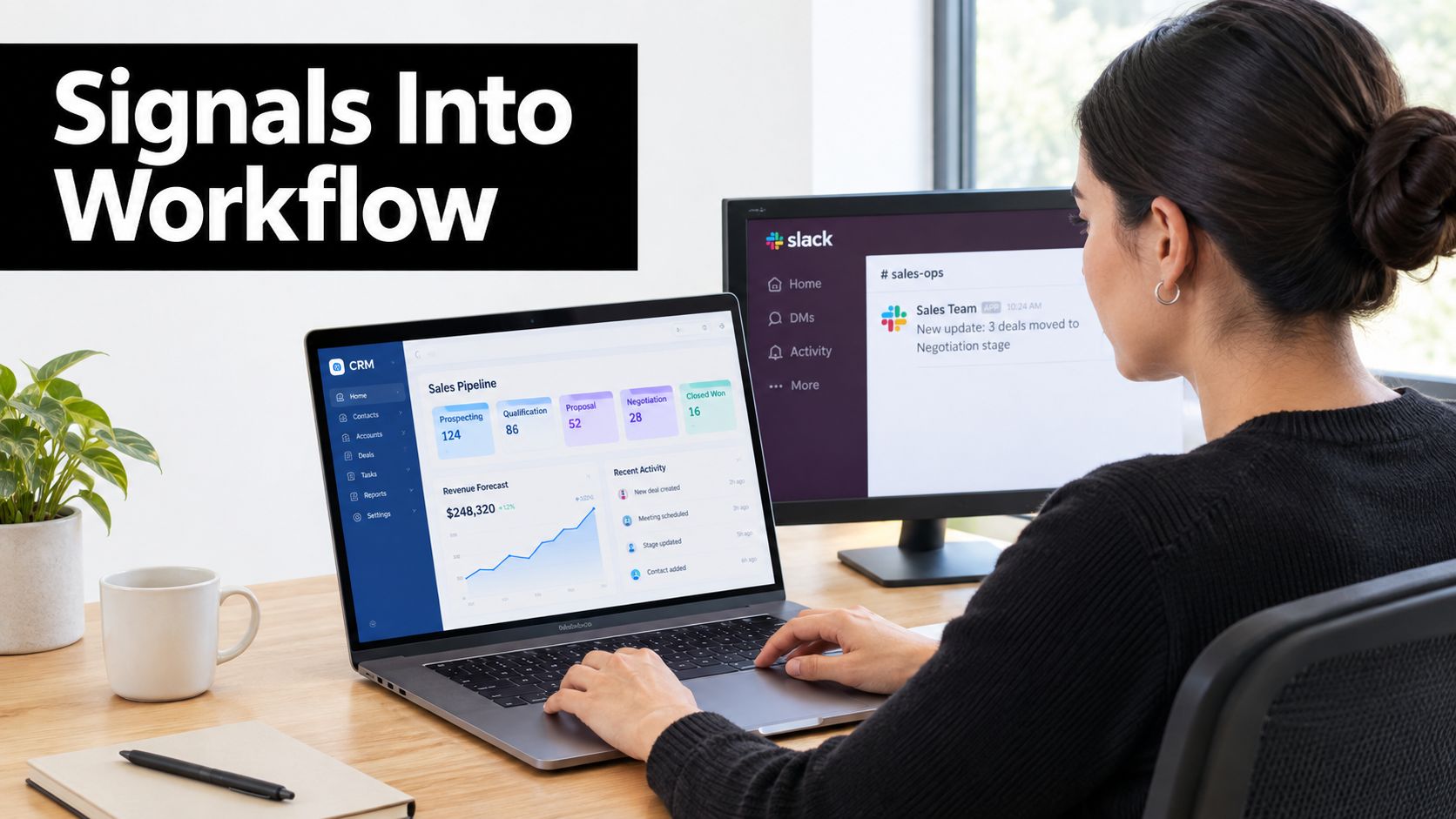
What a workable workflow looks like
At minimum, your setup should do four things:
- Refresh company context daily so firmographics and ICP grading don't drift.
- Write a “Why now” note into the account record so a rep doesn't have to reconstruct the trigger.
- Route alerts into active channels such as Slack, Teams, email, or webhooks.
- Create a daily queue so reps start with scored, current accounts instead of digging manually.
Tools matter less than workflow design. HubSpot, Pipedrive, and Attio are useful only if the signals arrive in a format reps can act on quickly. If a rep has to reopen five tabs to understand why an alert fired, the system is too heavy.
Keep source context attached
Source context matters because not all signals are equally trustworthy. If the alert says “leadership change,” the rep should be able to see where that came from and how recent it is.
That's why some teams prefer platforms that monitor live account changes and push source-backed notes into CRM records. One example is CapyScout, which monitors signals like hiring, funding, leadership changes, technology shifts, reviews, news, and website intent, then writes context into company records and routes alerts to Slack, Teams, email, or webhooks.
If your stack spans multiple tools, it helps to see all integrations in one place so RevOps can decide how alerts should move through the system. For teams connecting account intelligence into daily sales workflows, CapyScout's guide to CRM integrations shows the kind of sync pattern that keeps records useful instead of stale.
What to automate and what to keep human
Automate detection, enrichment, scoring, and routing.
Keep the judgment call human. A rep or manager should still decide whether the signal deserves a direct ask, a soft check-in, or a handoff to an AE. Automation should narrow the field, not replace account judgment.
A strong system does one simple thing well. It reduces the time between signal detection and informed action.
Measuring Impact and Avoiding Common Pitfalls
You don't need a complicated analytics project to tell whether your signal system is working. You need a few clean comparisons.
Track reply rate by signal type, win rate by signal type, time to first touch after a signal appears, and CRM freshness. Those measures tell you whether reps are acting quickly, whether the right signals are being prioritized, and whether account records still reflect current reality.
Mistakes that quietly ruin signal quality
Some errors show up everywhere:
- Treating all signals equally: A fresh high-intent event and an old broad-growth event shouldn't sit in the same bucket.
- Ignoring decay: Signals lose value over time. If the trigger is old, the message gets weaker.
- Over-weighting weak correlates: Generic job-posting volume can be much noisier than technology adoption or recent stack changes.
- Relying on a single trigger: One event rarely tells the whole story. Strong prioritization comes from combining fit, intent, and change.
Measure signal programs the same way you'd coach a rep. Did they contact the right account, with the right message, while the reason was still fresh?
A short operating checklist
Before a rep reaches out, check four things:
- Is the account a fit?
- Is the signal recent enough to matter?
- Does the signal show depth or repetition?
- Is the outreach tied to the likely business consequence of that signal?
Teams that do this consistently don't just “use buying signals.” They build a timing discipline. In an AI-driven buying environment, that discipline matters more because more teams can collect signals now. The edge comes from weighting them better and acting faster.
CapyScout helps teams monitor live account changes, score buying signals, and write source-backed “Why now” context into the workflow your reps already use. If you want a cleaner way to spot timing windows without adding more manual research, visit CapyScout.
Not ready to start? Get a free target list: 10 companies to sell to, picked from your website.