

Best LinkedIn Prospecting Tools for 2026
Compare the Best LinkedIn Prospecting Tools for 2026 by compliance, live buying signals, and lead scores instead of contact volume.
Most advice about the best LinkedIn prospecting tools starts with the wrong question: how many invitations can you send? That's a purchasing criterion for activity software, not a revenue strategy. A bigger sending allowance won't fix a weak account list, an unsupported outreach claim, or a workflow that puts a salesperson's account at risk.
Buy better prioritization before you buy more execution. My recommendation is native LinkedIn research for account mapping, source-backed account intelligence for timing, and a CRM queue that explains why each account deserves attention. Refuse tools that substitute automated activity for evidence.
Table of Contents
- Best LinkedIn Prospecting Tools at a Glance
- Why Compliant Tools Beat Invite Volume
- Lead Scoring for a Crowded LinkedIn Channel
- Five Signal Categories That Feed a Score
- A Worked Scoring Model and Thresholds
- How to Roll Scoring into CRM and Alerts
- Fix Bad Scores Then Start a Scored Queue
Best LinkedIn Prospecting Tools at a Glance
The best LinkedIn prospecting tool helps a rep decide which account merits attention and why. Start with account research and timing; treat contact exports and invite limits as secondary criteria.
A contact database can still fill gaps, and native LinkedIn search can map buying roles. Choose based on the work your team needs done.
LinkedIn prospecting tool types compared
| Tool type | Best when | Main risk | Scoring it supports | Compliance posture |
|---|---|---|---|---|
| Native LinkedIn search and Sales Navigator | Mapping roles inside known accounts | A directory alone doesn't establish why now | Manual firmographic filtering for this workflow | Official product; avoid third-party automation |
| Browser extensions and invite bots | Chasing high daily connection volume | Account restriction and privacy exposure | None in a volume-only workflow | Scraping and automated activity can violate LinkedIn's rules |
| Static B2B contact databases | Bulk export into a CRM | Stale, incomplete, or duplicate records | Firmographics that need revalidation | Weak when LinkedIn member data is copied or appended without authorization |
| Live-web account intelligence such as CapyScout | Deciding who to contact today | Fewer raw contacts than a scrape | Fit, website intent, hiring, funding, and technology signals, with sources | Public company research is distinct from LinkedIn actions, which need separate authorization checks |
| In-house CRM scoring only | Teams with already clean records | Blind spots around external buying moments | Only the fields and events the team stores | Controlled internal processing, subject to data permissions and privacy obligations |
Choose Sales Navigator for account mapping. Start with the company, identify relevant roles, and inspect the people involved in the buying decision. A correct job title alone doesn't show that an account has an active project.
Choose live-web intelligence when timing is the problem. Hiring, funding, and technology changes can give a rep a concrete reason to investigate an account before choosing whom to approach.
A static database can supply contact details after that decision. Check identity, customer status, and contact permissions before adding an export to a campaign.
Match the source to your sales motion
For a warm-network motion, CapyScout's LinkedIn source finds your connections and people engaging with competitors. Under Signals - LinkedIn, users can watch a competitor page, a person their buyers follow, or a topic, then select people who posted, commented, or reacted to start a new campaign.
For cold, timed outbound, daily searches and feeds surface new companies. Companies visiting your website and new signups provide additional campaign starting points, so prospecting doesn't have to begin with a LinkedIn search.
For CRM-led prospecting, improve record quality before adding another discovery subscription. Pazi's resource on automating prospecting through CRM upkeep explains how to separate record maintenance from the seller's judgment about whom to contact.
Buying rule: Prefer fewer verifiable buying moments to a larger unscored list.
Run a trial against a real account queue. Can the rep identify an account, inspect the evidence, choose a next action, and explain that choice without rebuilding the research manually?
Why Compliant Tools Beat Invite Volume
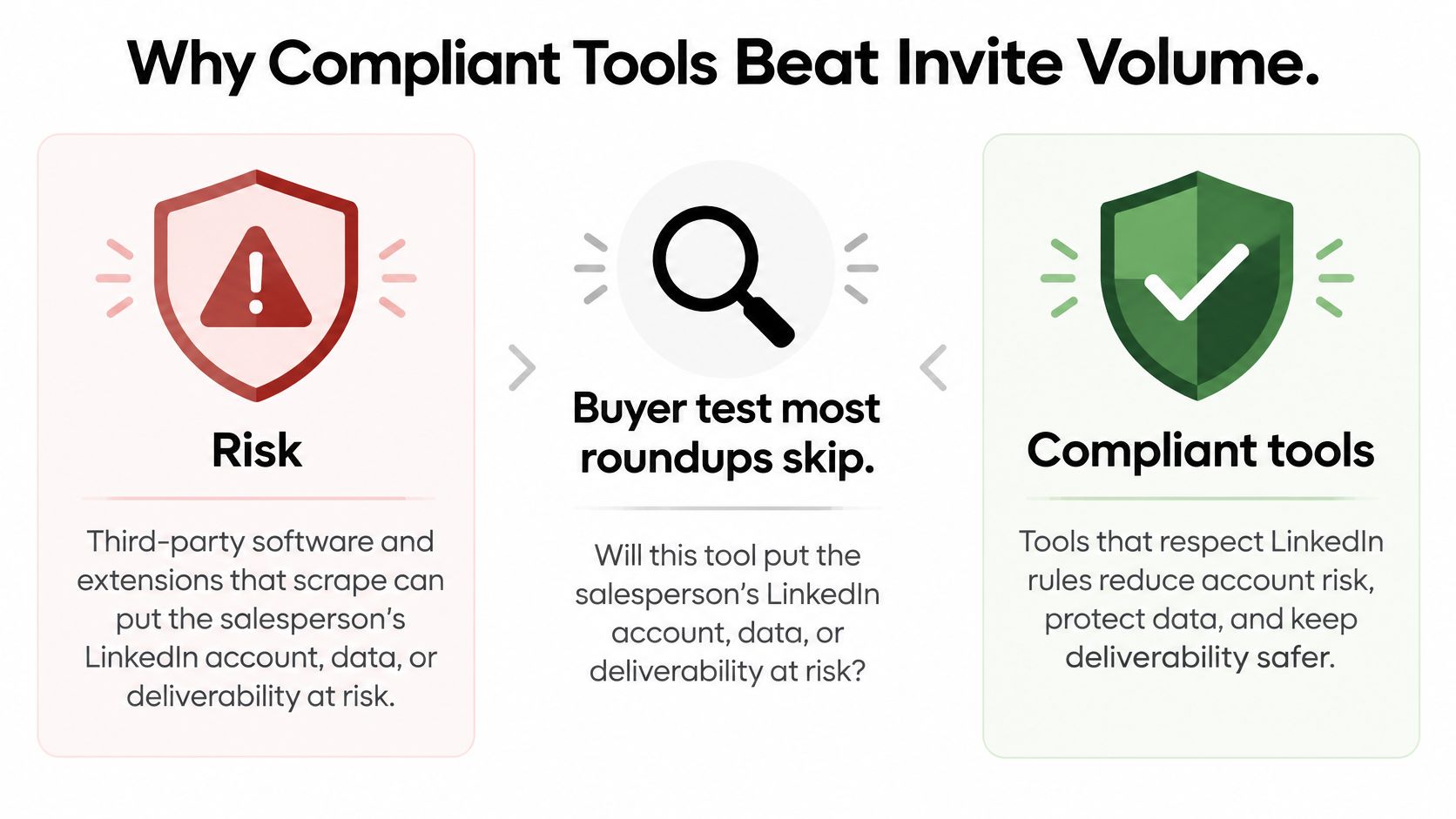
Will this tool put the salesperson's LinkedIn account, data, or deliverability at risk? Ask that before watching the sequence-builder demo. A polished interface doesn't answer it.
LinkedIn's prohibited software and extensions guidance prohibits third-party tools that scrape, modify the site, or automate activity, and warns that such use can also intersect with privacy legislation. That includes tools built around copying profiles or automating actions rather than authorized access.
Use this distinction when evaluating the architecture, not just the vendor's safety language.
Separate research from execution
A company hiring announcement and a LinkedIn member profile aren't interchangeable data sources. Account research should preserve the public company source, the fact extracted from it, and the reason that fact matters to your sales motion.
Member-data access deserves a separate review. The LinkedIn restrictions summarized in its help guidance are the basis for rejecting unauthorized extraction; don't accept a generic API claim as proof that prospect creation, CRM enrichment, or exports are permitted.
User approval isn't the same as platform authorization. Neither are warm-ups, cool-downs, or low sending limits. Those controls can constrain execution, but they don't turn prohibited automation into an approved integration.
Before a trial, demand:
- Data lineage: Show where each field originates and how it reaches the CRM.
- Authorization model: Identify the API permissions and permitted uses, not merely the presence of an API.
- Retention and deletion: Explain what persists after disconnection and how deletion requests propagate.
- Execution controls: Show rate limits, approval settings, pause behavior, and the activity log.
- Record justification: Preserve why the account or person entered the workflow.
Apply the same scrutiny to our controls
Our default is that LinkedIn invites, messages, profile visits, and likes wait for your approval, go from your own profile, and use caps, a warm-up, and cool-downs. We never post on LinkedIn for you.
Connected accounts can receive up to 200 invites a week on Premium or Sales Navigator, 150 on a free account, and 100 messages a day, with a warm-up for new accounts. These are product ceilings, not LinkedIn-approved safe allowances or recommended targets.
If your policy excludes third-party LinkedIn execution, keep the workflow on account research, CRM enrichment, reviewed drafts, and manual native actions. Our email drafts can open in Gmail or Outlook without inbox OAuth, but the sender still owns recipient selection and outreach quality.
Don't approve a tool because it promises to look human. Approve a workflow because you can explain its permissions, provenance, and controls.
Measure qualified opportunities per compliant hour of seller time. Invitations sent are an execution count, not proof that the tool deserves access to your team's accounts.
Lead Scoring for a Crowded LinkedIn Channel
A busy LinkedIn channel rewards relevance, not volume. Lead scoring helps reps work a short, defensible queue by pairing each prospect's fit with a clear reason to reach out now.
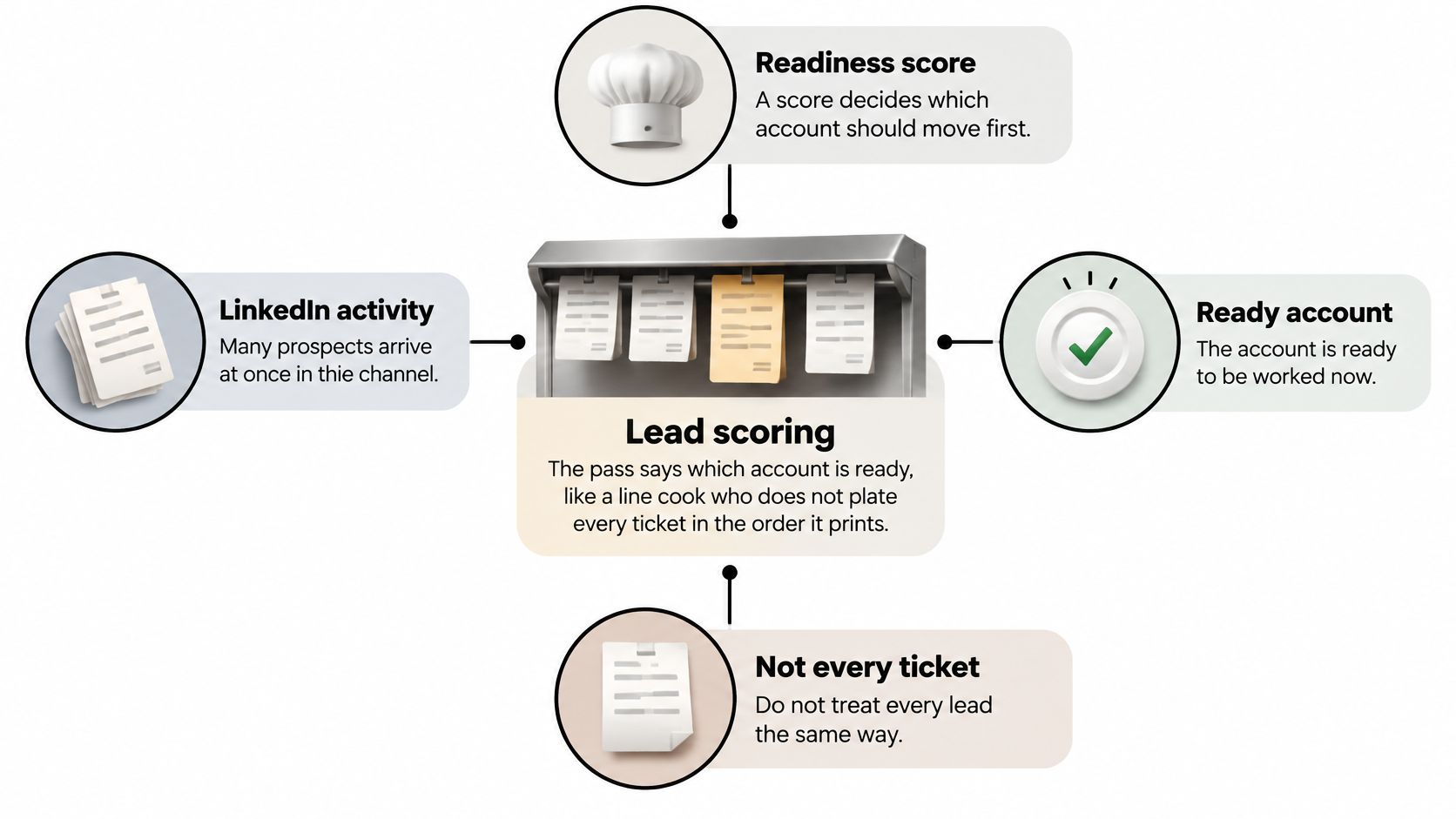
LinkedIn's 2024 B2B Marketing Benchmark announcement reports that nearly 70% of surveyed leaders were increasing lead-generation budgets. More activity makes a defensible reason to contact each buyer more valuable than another large list.
Keep fit, timing, and confidence separate
A suitable SaaS company appears in search, but its latest visible announcement says nothing about onboarding, hiring, or expansion. It may fit your market without deserving immediate outreach.
Now consider a suitable company hiring implementation staff and announcing an expansion. That documented change gives the rep a plausible reason to investigate a related operational need.
Score three things separately:
- Fit: Does the company match your ideal customer profile, including industry, geography, size, and relevant technology?
- Timing: Has something changed that makes your offer worth considering?
- Confidence: Can the rep inspect current evidence supporting the assessment?
A strong fit with weak evidence should not jump the queue. A fresh event at a company you cannot serve should not either.
Score for the motion you actually run
A local agency and an enterprise SaaS vendor need different qualification rules. For operators whose qualification depends on service area and business type, lead generation for trade businesses offers relevant context.
A score should capture a reason and its freshness, not turn a LinkedIn headline into a permanent grade. An account can remain a good fit after its timing evidence expires, but it should no longer sit at the top of today's queue.
The written reason should let another rep reach the same routing decision. “Senior person at an interesting company” describes a contact, not an opportunity.
Five Signal Categories That Feed a Score
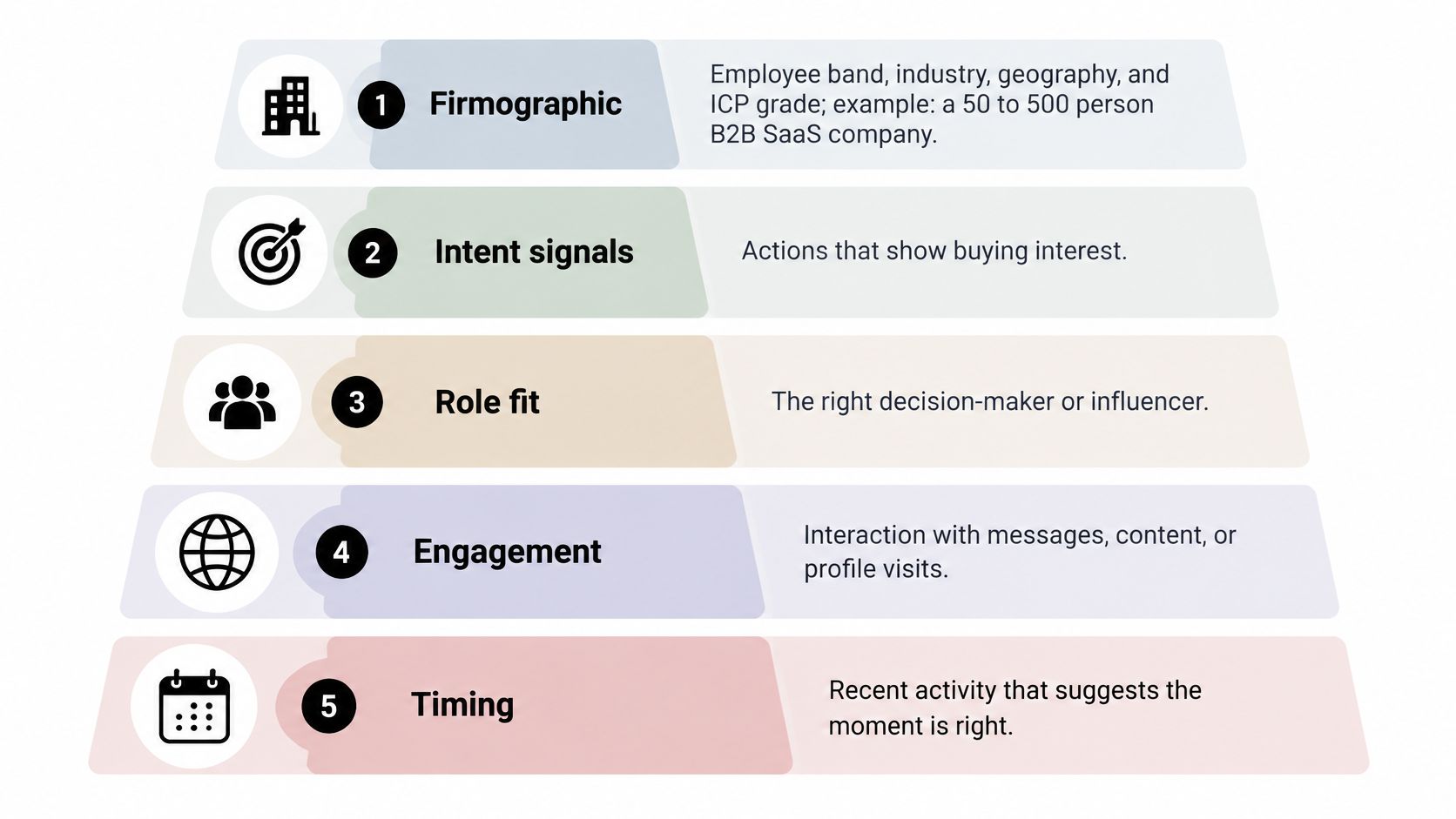
Build the score from firmographic, technographic, behavioral, intent, and reputation signals, in that order. Each answers a different question, and each can produce a convincing false positive.
LinkedIn's 2025 sales research, based on 1,250 global sales professionals, reported that AI users saved an average of 1.5 hours per week on lead research, while 38% reported significant improvement in finding quality leads. Saved research time is useful, but it doesn't prove that an uncited alert deserves outreach.
Signal families with examples and false positives
The examples below are qualification scenarios, not market benchmarks.
| Signal family | Concrete example | False positive to catch |
|---|---|---|
| Firmographic | A B2B SaaS company in your target geography and employee band | Employee count with no source date |
| Technographic | HubSpot already installed | Tool seen only on a retired page or old job posting |
| Behavioral | Connection headline matches a target title; engagement on a watched competitor page | Headline match who's already a customer, or a pricing-page hit from your own team |
| Intent | A company careers page shows hiring for a function your product supports | Funding headline with no source |
| Reputation | Rating drop or stalled reviews on a Google Business Profile | One angry review treated as a trend |
Firmographics establish eligibility. For example, your hypothetical ICP might be a B2B SaaS company with 50 to 500 employees in the US or UK. Verify the industry and location rather than inferring both from a familiar-looking website.
Technographics establish compatibility or displacement potential. HubSpot usage could support an integration-led offer, but an old job advertisement mentioning HubSpot isn't enough to assert current installation.
Behavior describes activity, not purchase intent. Our system reads LinkedIn connections once a night and marks people as good fits when their headline matches the job titles set in Your business. That's a role-matching shortcut, not permission to skip customer exclusions or employer verification.
Require evidence before interpretation
Intent signals need an explicit connection to your offer. Hiring salespeople might matter to a sales-enablement vendor; it doesn't automatically matter to every vendor selling into that company.
For local outreach, reputation evidence should stay attached to the relevant Google Business Profile. A review problem at a particular location shouldn't become an unsupported claim about the entire brand.
This visual provides another lens on role, engagement, and timing. Keep those assessments attached to the underlying evidence families.
For website behavior, our intent monitoring is limited to watched accounts and avoids cookies and person graphs. A return visit to pricing, demo, or integration pages is account-level context, not proof that a named LinkedIn contact visited.
Use the buying-signal guide and free discovery sources to define what evidence your team will accept. Preserve the event date separately from the date your tool discovered it, and label unverifiable items rather than awarding points as though they were facts.
A Worked Scoring Model and Thresholds
| Input | Points | Cap or rule | Action if this dominates |
|---|---|---|---|
| ICP firmographic match | +25 | Cap 25 | Cannot route alone |
| Technographic fit | +15 | Cap 15 | Cannot route alone |
| Hiring, funding, or leadership change within 90 days | +20 | Cap 20 | Needs fit as well |
| Watched-account website intent | +20 | Cap 20 | Needs fit as well |
| Reputation or review shift | +10 | Cap 10 | Useful for local outreach |
| Disposable or role-based email | -30 | Applied after positives | Hold or exclude |
| Current customer or open opportunity | -40 | Applied after positives; suppression overrides score | Leave prospecting queue |
| Competitor or student domain | -50 | Applied after positives; exclusion overrides score | Exclude |
| Missing source | -15 | Applied after positives; unsupported evidence blocks routing | Hold |
| Score 80 or above | 80 to 100 | Confidence must meet the gate | Route to sales the same day |
| Score 50 to 79 | 50 to 79 | No suppression or exclusion | Nurture without a hard ask |
| Score under 50 or confidence under 60% | Under 50, or any score failing confidence | Show the unverifiable field | Hold |
This is a proposed starter model, not a validated conversion benchmark or a statement of our default scoring settings. Treat its points, lookback window, and routing bands as operating choices for a pilot. Clamp the final score to a range of 0 to 100 after applying penalties.
Cap each family independently. Several hiring announcements shouldn't earn repeated timing points, and repeated pricing visits shouldn't compensate for a company outside your serviceable market.
Route evidence, not arithmetic alone
Use a second gate: hold any account with confidence below 60%, even when its raw score exceeds the sales threshold. Define confidence through inspectable evidence quality and coverage, not an unexplained AI percentage. Show the rep which assertion remains unverifiable.
In a hypothetical example, a 120-person SaaS company matches your ICP for 25 points, uses HubSpot for 15, posts two account-executive roles this month for 20, and returns to your pricing page for 20. Its total is 80, so it routes if the evidence clears the confidence gate and no exclusions apply.
The first message should reference the roles and offer a relevant hypothesis about the hiring effort. Don't tell the recipient that you know they personally visited pricing, and don't turn hiring into an assertion that they have approved budget.
Contrast a hypothetical 90-person company with a stale employee estimate and no inspectable source. Even provisionally awarding 25 fit points and subtracting 15 for the missing source leaves 10, so it stays on hold; the rep shouldn't have to repair the evidence during outreach.
Make the reason usable
In LinkedIn and Ipsos's 2024 buyer research, 78% of B2B buyers strongly agreed that sales outreach should be personalized. A written, source-backed explanation gives the rep substance for that personalization; a name token doesn't.
Use an account prioritization matrix to keep fit and urgency visible rather than hiding both inside a total. Customer status and active opportunities should remain hard routing controls, not merely deductions that a sufficiently busy account can overcome.
For this pilot, choose a review checkpoint after 30 closed-won and closed-lost deals combined. That's a suggested operating checkpoint, not a statistical guarantee: inspect which triggers produced qualified conversations before changing the weights, and don't retune the model after every disappointing reply.
How to Roll Scoring into CRM and Alerts
Put the score on the company record, alongside its evidence and next action. A person can change roles while the account's operational need remains relevant, and several contacts shouldn't create several competing versions of the same account decision.
A survey of 222 B2B sales professionals, reported by PPC Land, found respondents estimated 32% of their CRM records were inaccurate, incomplete, or outdated. That's a perception-based estimate, not an audited universal rate, but it's a good reason to measure record quality rather than celebrate database size.
Build the operating loop
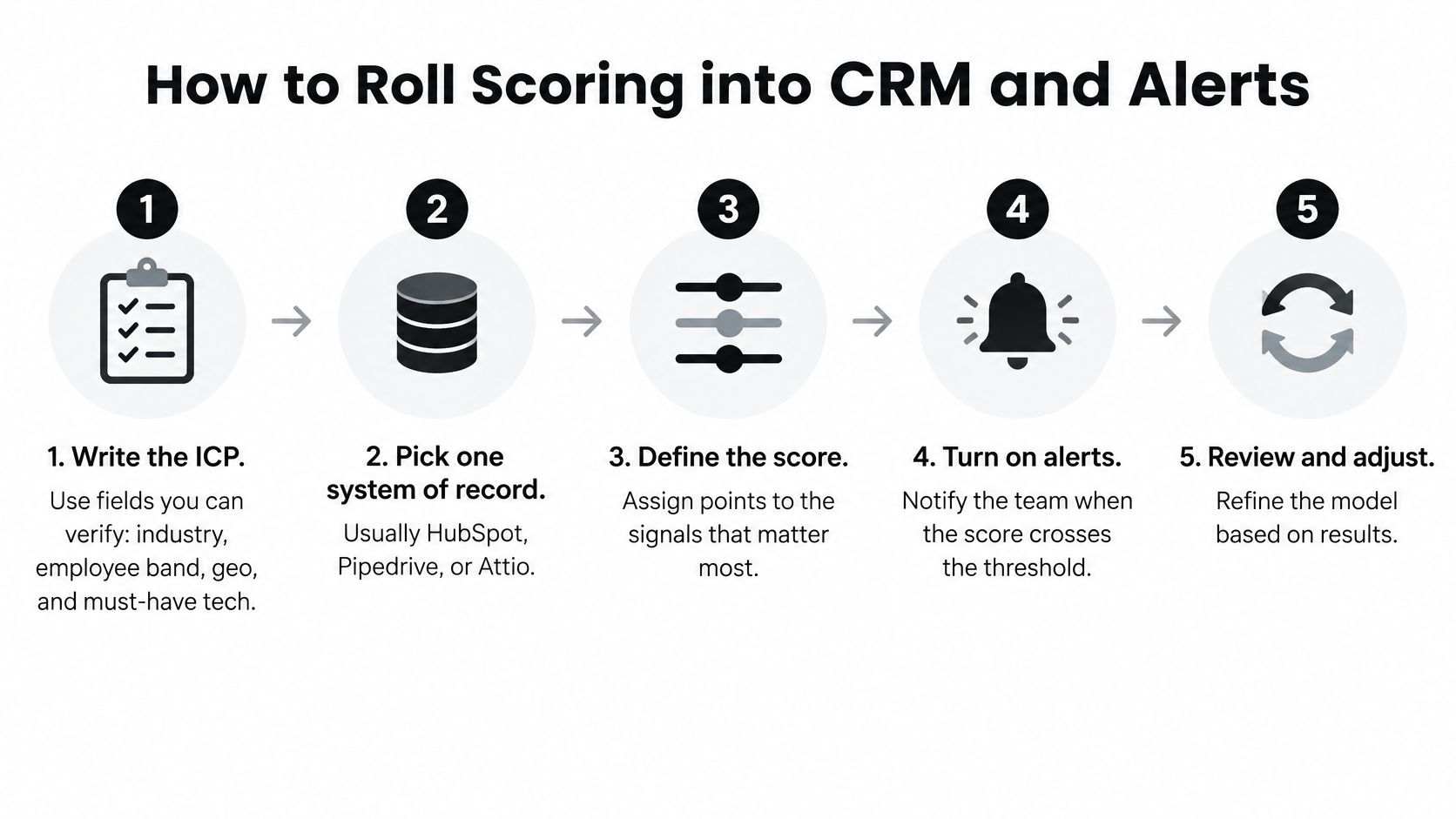
Write the ICP in verifiable fields. Specify industry, employee band, geography, and must-have technology. Record disqualifiers separately so a company can't collect enough positive points to bypass a restriction.
Pick a system of record. Use HubSpot, Pipedrive, or Attio as the authoritative destination for score, ICP grade, confidence, and the why-now note. Assign an owner for routing and a field owner for manual corrections.
Resolve identity before enriching. Match the company to the correct domain and distinguish subsidiaries or locations where necessary. A domain match doesn't verify headcount, technology usage, or buying intent; each assertion needs its own provenance.
Refresh high-value fields daily. Preserve the previous value, verification timestamp, and reason for change. Don't overwrite a rep's manual correction without notice; flag the conflict so the owner can resolve it.
Route to a concrete next action. Write sales, nurture, or hold on the record, along with what the rep should do. A held account needs a reason such as missing evidence, not an empty task list that invites improvisation.
Alert on meaningful changes. Send Slack, Teams, email, or webhook notifications when an account crosses a routing threshold or receives a new cited signal. Suppress alerts for cosmetic field changes and avoid repeatedly notifying the owner about the same event.
Review a sample each week. Inspect the source, company match, event date, score calculation, and destination. Record false positives by cause so the team fixes extraction, identity, or scoring rather than changing everything at once.
The implementation visual summarizes the operating sequence.
Measure the record and the decision separately
Track field accuracy, completeness, freshness, duplicate rate, and source coverage as separate measures. A record with a correct domain but an unsupported technology claim isn't accurate or inaccurate; the field-level distinction tells the operator what to repair.
For example, calculate source coverage as the share of routed alerts whose supporting evidence the reviewer can inspect. Also track median evidence age, time from event to alert, and conversion by trigger type, so fast but irrelevant alerts don't look successful.
Recruiting teams face a related distinction between relationship history and current readiness. erecruit's guide to recruitment CRM features and limitations offers useful context when evaluating whether a CRM stores context, supports workflow, or merely accumulates records.
Use our CRM integration documentation when mapping enrichment and sync. Developers can also use our REST API, webhooks, and MCP server to carry the same score and evidence into custom workflows.
Operational check: The CRM record, seller queue, and alert should agree on the account's route and the evidence behind it.
Keep a history of routing changes. That lets revenue operations distinguish an account that genuinely became ready from one that moved because someone changed a scoring rule.
Fix Bad Scores Then Start a Scored Queue
Score inflation: Every account reaches the sales queue because repeated events keep adding points. Enforce family caps and require a confidence value before routing.
Stale why-now: An old funding announcement still qualifies an account for immediate outreach. Apply the pilot's timing expiry and show evidence age on the record, rather than treating rediscovery as a new event.
Remove pollution before sending
- Warm-list pollution: Current customers and open opportunities sit beside untouched prospects. Exclude them before queuing invitations; our LinkedIn connections campaign already leaves out current customers.
- Local false alarms: A single angry review changes the priority of a national brand. Require a rating drop or stalled-review pattern on the watched profile, and keep the finding attached to that location.
Turn on a live source, not every available input. Choose LinkedIn network or competitor engagement for a warm motion, or a nightly company search for cold prospecting.
Our LinkedIn network and engagement warm campaigns are available from Basic upward; former-customer and website-visitor warm campaigns are available on every plan. Every plan can run campaigns in Review each, while Basic, Growth, and Scale include Agents and LinkedIn sending.
Judge the initial queue by whether each row has a cited reason, a route or hold decision, and a reviewed next action. Don't expand sourcing until those decisions are usable, and don't send an invite without approval during the pilot.
CapyScout combines live-web company discovery, account monitoring, CRM enrichment, and source-backed outreach drafts so your team can work a scored queue instead of chasing invitation volume. Visit CapyScout, choose a source that matches your sales motion, and review the evidence behind your first queue before enabling sending.