

How to Find Leads for Local Businesses: The Signal Playbook
Learn how to find leads for local businesses using live signals, scoring, and outreach timing. A step-by-step playbook with a CapyScout-powered workflow.
Most advice on finding local-business leads starts with “scrape Google Maps.” That's useful for discovering accounts, but it's a poor prospecting strategy by itself. A map export gives you names, addresses, and phone numbers. It doesn't tell you which owner has a problem today, who can approve a purchase, or whether your outreach will arrive before the business fixes the issue internally.
Local buyers now discover and compare businesses quickly. BrightLocal reported that 84% of consumers searched for a local business in the previous three months, while 73% started their most recent local search on mobile. The same research found that 52% began on Google Search and another 9% started in Google Maps. BrightLocal's consumer search behavior research makes the practical lesson clear: your job isn't to collect every nearby business. It's to identify the businesses whose search presence, reputation, or growth activity creates a timely reason to talk.
Table of Contents
- Why Finding Local Leads Is Harder Than It Looks
- Where Local Leads Actually Come From
- The Signal Sources Worth Watching Every Week
- Qualifying and Scoring Local Prospects Before You Reach Out
- Timing Your Outreach and Writing First Lines That Get Replies
- Automating the Workflow with CapyScout
- Measuring What Works and Iterating Monthly
Why Finding Local Leads Is Harder Than It Looks
A scraped list treats every listing as equal. A sales operator doesn't. One business may have a strong profile, fresh reviews, a responsive owner, and no obvious need. Another may have a recent rating decline, unanswered complaints, missing opening hours, and a new competitor appearing above it in local search. Both appear as rows in the same map result. Only one gives you a credible first conversation.
The buying window is short. BrightLocal found that 75% of consumers decide which business to use in under 30 minutes, and 72% look at three or fewer businesses before choosing. That means local visibility problems aren't abstract branding concerns. They affect the moment when someone is comparing providers and deciding whom to call.
Google has also reported that 4 in 5 consumers use search engines to find local information. For a local company, accurate listings, mobile usability, and map visibility form part of the lead-routing infrastructure. If a business is difficult to find, difficult to evaluate, or difficult to contact, the owner may be losing demand before a salesperson ever enters the picture.
The difference between a list and a lead
A raw listing becomes a workable prospect only after you can answer four questions:
- Is there a real fit? The business serves the location and category you understand.
- Is there a visible problem? Search, reviews, contact details, or reputation reveal a gap.
- Is there a recent trigger? Something changed, so the issue is more likely to receive attention now.
- Can someone act? You can identify an owner, general manager, marketing lead, or another person with authority.
Practical rule: Never enrich a local account until you know why it belongs on the list.
This approach changes how you research. Instead of exporting thousands of listings and hoping a sequence produces replies, you build a smaller queue around observable buying urgency. You qualify map results, rank accounts by fit and timing, then write an opening line that cites the change you found. The result is slower than indiscriminate scraping at the start, but far more useful once outreach begins.
Where Local Leads Actually Come From
Local lead generation is concentrated around search surfaces, not evenly distributed across every marketing channel. One industry summary reports organic search at 31% of local leads, local listings and maps at 28%, and paid search at 27%. Together, those search surfaces account for 86% of reported local-business leads, while social contributes 4%. See the industry summary of local lead sources for the underlying breakdown.
| Lead Source | Share of Local Leads | What It Means for Prospectors |
|---|---|---|
| Organic search | 31% | Look for weak service pages, poor location relevance, and competitors with stronger visibility. |
| Local listings and maps | 28% | Inspect Google Business Profiles, categories, hours, reviews, and map-pack presence. |
| Paid search | 27% | Identify businesses already paying for intent and potentially exposed to inefficient targeting or weak landing pages. |
| Social | 4% | Use it for context and relationship building, but don't make it the primary account-discovery channel. |
These figures don't mean every local company should abandon social media. They do mean a prospecting team should start where local intent is already concentrated. A restaurant, clinic, contractor, or professional service firm often gets evaluated through its Google Business Profile, map placement, website, reviews, and click-to-call path before a buyer checks its social feed.
Search surfaces reveal commercial weakness
Look for accounts with an incomplete or unclaimed profile, inconsistent hours, weak location pages, poor review responses, or paid ads that lead to a generic homepage. Each issue suggests a different conversation. A missing service page supports a visibility discussion. A broken call path supports a conversion discussion. A stale profile supports a reputation and customer-experience discussion.
Don't pitch every weakness you can find. Pick the one that has the clearest connection to lost enquiries and the strongest evidence of recent urgency. A useful resource on turning local visibility into booked work is this guide on how to fill your appointment book, particularly when you need to connect discovery activity with the operational outcome a local owner cares about.
Social can still help you validate an account. A recent post may reveal a new service, an ownership change, or a seasonal push. But it usually shouldn't be the first place you spend prospecting time when the business's search and map surfaces provide more direct evidence of buyer intent.
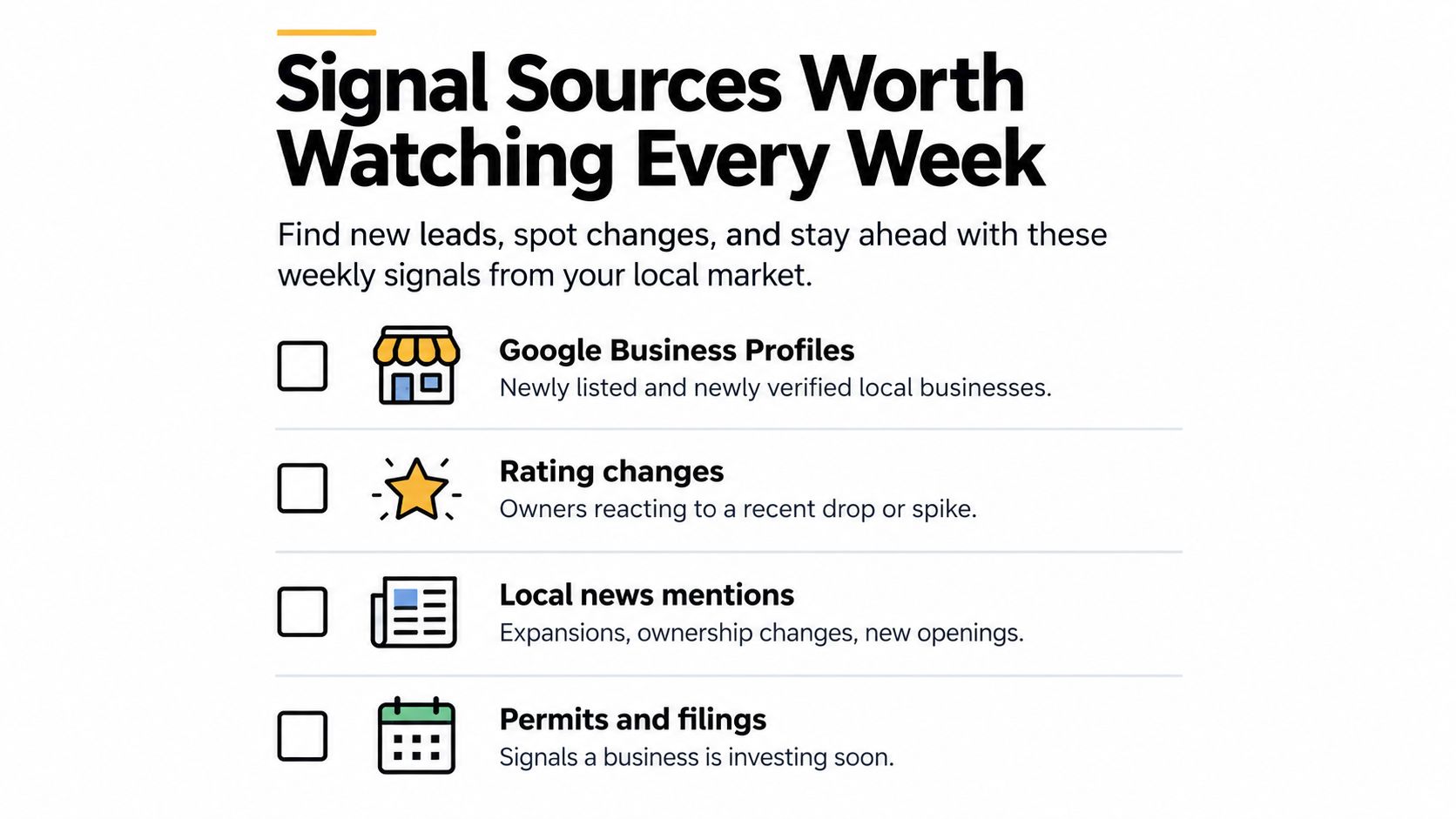
The Signal Sources Worth Watching Every Week
A useful signal is a change you can verify and connect to a business problem. Static attributes, such as “has a website” or “is located in the city,” help with filtering. Signals, such as a rating drop or a new hiring post, help with timing.
Google Business Profiles
Check newly listed businesses, category changes, missing hours, duplicate locations, and unclaimed profiles. A new listing can indicate a newly opened operator that needs visibility and reviews. A category change may signal a new service line or repositioning. Missing hours are more than a profile-detail problem if customers are searching outside the displayed schedule.
Record the old and new state where possible. “Your profile changed” is weak. “Your primary category now emphasizes emergency plumbing, but your service page and profile description still focus on general repairs” gives the owner something concrete to assess.
Reviews and reputation movement
Review activity deserves its own watchlist. BrightLocal reports that 97% of consumers read reviews, 71% use Google to read them, and 74% want reviews from the last three months. The same source says 65% reject businesses for review-related reasons, while 19% expect a same-day response. BrightLocal's local SEO statistics support a practical conclusion: the latest review and the business's response behavior may matter as much as the overall star rating.
Track rating drops, repeated complaints, unanswered negative reviews, sentiment shifts, and periods when review collection appears to have stalled. A business with a high historical rating but a recent cluster of complaints may be a better prospect than one with a lower but stable rating. Your offer should match the signal, whether that's response management, service recovery, review generation, or a broader local marketing program.
Hiring, local news, and website intent
A job post can reveal expansion, operational pressure, or a new capability. If a dental practice is hiring another hygienist, it may need more local demand. If a contractor is recruiting field staff, improved lead flow could help fill capacity. Contact the business while the role is active, not months later.
Local news can surface new openings, ownership changes, expansions, and leadership appointments. Website intent is useful when a watched account returns to pricing, booking, service, or demo pages. Treat that activity as a prompt for research, not proof that a specific person is ready to buy. The buying signal guide offers broader context for distinguishing a meaningful account change from background noise.
Run this checklist every week:
- Profile changes: New listings, categories, hours, ownership, or verification status.
- Review movement: Rating drops, complaint themes, unanswered reviews, and review stalls.
- Growth activity: Hiring posts, new locations, service launches, and expansion coverage.
- Public events: Local news, permits, filings, openings, and leadership changes.
- Digital intent: Return visits to high-intent pages, broken forms, or changed calls to action.
- Evidence quality: A source, date, and clear explanation of why the change matters.
Qualifying and Scoring Local Prospects Before You Reach Out
Discovery produces candidates. Qualification protects your calendar. Map results often contain franchises, duplicate locations, businesses outside the service area, operators with no meaningful web presence, and listings that don't expose a reachable decision-maker.
Start with basic exclusion filters. Confirm that the company has a working website or a credible reason for lacking one. Check whether its category matches your offer and whether the location falls inside the area you serve. Remove national chains when your service is designed for owner-operated businesses, and consolidate multiple locations under one parent account when the same decision-maker controls them.
Filter for commercial viability
Review count and freshness provide useful context, but don't treat either as a standalone verdict. A business with many reviews may have strong demand but a serious recent reputation issue. A business with few reviews may be new, inactive, or operating in a category where customers review less often. Inspect the pattern rather than applying a universal cutoff.
Use a compact qualification pass:
- Website check: Confirm that the site loads, identifies the location, explains the offer, and gives customers a clear next action.
- Category check: Match the profile category and services to the problem you solve.
- Location check: Verify the service area, address, and local-market fit.
- Ownership check: Identify whether the account is independent, franchise-controlled, or part of a multi-location group.
- Contact check: Find an owner, general manager, marketing lead, or relevant operator instead of sending everything to a generic inbox.
- Duplicate check: Merge listings that represent the same business before enrichment or outreach.
A business without a website isn't automatically a bad prospect. It may be an excellent fit for a digital presence service, but only if the owner is reachable and the commercial opportunity is clear. Qualification should create a reason to contact, not merely a reason to keep a row.
Rank urgency instead of alphabetizing
A simple scoring model can use two dimensions: fit and urgency. Fit asks whether the account matches your niche, location, size, and service capability. Urgency asks whether a recent rating decline, hiring post, expansion, profile change, or website issue creates a reason to act now.
You don't need false precision. Use labels such as high, medium, and low, or assign a small internal point system that your team applies consistently. Put recent, well-sourced events above static weaknesses. A company with a mediocre profile but no recent change may belong in nurture. A well-matched business whose rating just fell and whose owner is actively responding to reviews belongs near the top of today's queue.
A prospect list should answer “why this account, why this service, and why now?” before it answers “what's the email address?”
The final output should be a ranked, deduplicated list with a source-backed trigger, a fit note, a decision-maker hypothesis, and a suggested first action. If a row can't support those fields, it isn't ready for outreach.
Timing Your Outreach and Writing First Lines That Get Replies
A recent change gives you permission to be specific. Without it, most local outreach sounds like an unsolicited audit. With it, the message can address something the owner has already seen or is likely managing.

Consider three practical situations.
A home-services company receives a new negative review describing missed appointments. The owner hasn't replied. Your opening should identify the review and offer a focused response process, not a generic promise to “improve online visibility.”
“I noticed the recent review about the missed appointment hasn't received a reply. I help service businesses respond to issues like this quickly and build a process that turns future feedback into usable customer insight.”
A clinic posts a job for another practitioner. That suggests capacity or expansion, but don't pretend to know the owner's entire strategy. Tie your message to the observable event and ask whether demand generation is part of the hiring plan.
“You're hiring another practitioner at the Oak Street location. If filling that schedule is part of the plan, I found a few local search and profile gaps that may be limiting new patient enquiries.”
A prospect revisits a pricing or booking page on your website. Website intent is sensitive context, so don't reveal surveillance-style detail. Use it to prioritize an account and write a relevant message based on the pages and offer they explored.
“If improving local enquiries is on your list this quarter, I can show you where nearby competitors are easier to find and contact for the services you offer.”
The third example works because it doesn't announce private browsing behavior. It uses the signal internally while keeping the message natural.
Speed matters after intent appears
Local search often leads to offline action quickly. Google found that 50% of smartphone users who conducted a local search visited a store within a day, compared with 34% on computer or tablet. It also found that 18% of local smartphone searches led to a purchase within a day, compared with 7% for non-local searches. Google's local search research shows why stale follow-up and slow response handling create real commercial risk.
Industry reporting also indicates that 59% of consumers expect a brand to respond within 24 hours. This local-search study summary reinforces the operating standard: when a trigger appears, research it promptly, send a short message, and make the next step easy.
Keep the first line tied to one event. Don't stack five observations into an intimidating audit. Mention the source or date when it strengthens credibility, explain the business implication in plain English, and ask for a small next step, such as permission to send a screenshot or compare two local results.
For broader guidance on connecting signals to contact timing, see this sales guide to buying signals and outreach timing.
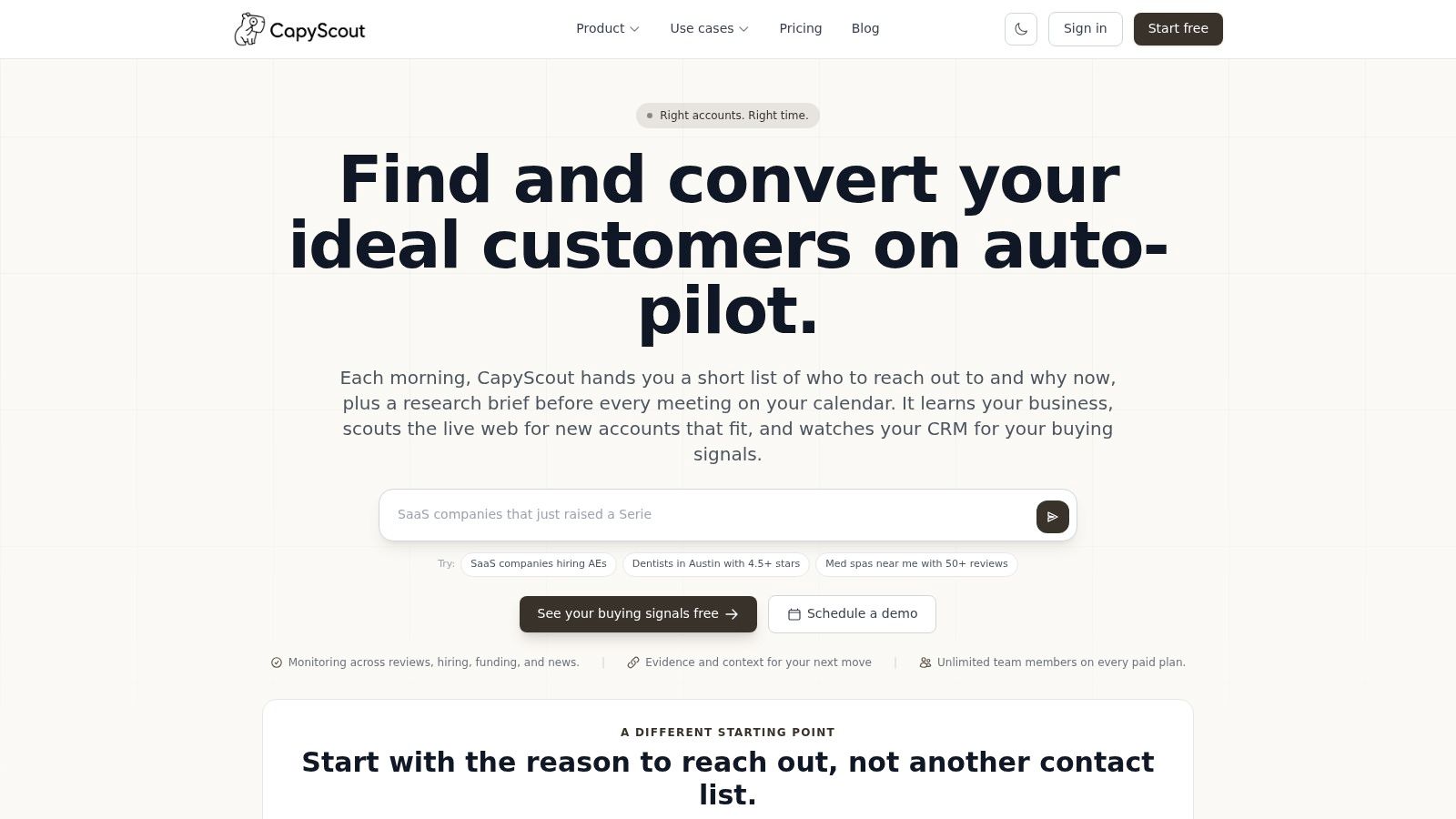
Automating the Workflow with CapyScout
Manual research works while the target market is small. It becomes difficult when you need to check profiles, reviews, hiring pages, local news, and website changes repeatedly. Automation should preserve the judgment in the playbook, not replace it with a larger unqualified export.
Start with reusable searches written in plain language. For example, save searches for independent physiotherapy clinics in a target city with weak review activity, home-service companies with recently changed profiles, or restaurants that opened recently and have incomplete contact information. Save the result into a list, then separate discovery from active monitoring.
Set up account and reputation monitoring
Use Local Reputation Watch for Google Business Profiles where reputation movement matters. Configure watches for rating drops, sentiment shifts, unanswered complaints, and review stalls. Each alert should carry the source and enough context for a salesperson to decide whether the signal justifies contact.
Add broader account monitoring for hiring, local news, leadership changes, technology shifts, and website intent. A hiring signal may justify a capacity conversation. A news mention may indicate expansion. A return visit to a pricing, booking, or integration page may move an existing account higher in the queue, but it still needs human interpretation.
Turn alerts into a daily queue
Autopilot can run saved searches nightly, check watched signals, and assemble a scored Today queue. The useful output isn't merely “new businesses found.” It should include the account, the recent event, the source, the fit rationale, and a draft opening line. Drafts can open prefilled in Gmail or Outlook without connecting the user's inbox, which keeps the final send under the operator's control.
Enrich the accounts with firmographics, category, location, website details, and a “why now” note. Sync those records daily to HubSpot, Pipedrive, or Attio so the CRM reflects current context instead of becoming a graveyard of old list imports. Route high-priority alerts to Slack or Teams when a trigger deserves same-day attention.
A practical automation blueprint looks like this:
- Discover: Create natural-language searches for niches, locations, categories, and reputation conditions.
- Filter: Remove chains, duplicates, weak-fit categories, and accounts with no workable contact path.
- Watch: Monitor profiles, reviews, news, hiring, and relevant website intent.
- Score: Combine account fit with recency and severity of the trigger.
- Draft: Generate a source-backed first line tied to the observed change.
- Route: Push the account to the CRM, Today queue, Slack, Teams, or email.
- Review: Approve the evidence and edit the message before sending.
The buying signal finder fits this workflow when the team needs live account discovery and monitoring rather than a static contact database. The key operating principle remains the same with or without software: automation should surface why an account belongs in the work.
Measuring What Works and Iterating Monthly
Lead volume is an easy metric and a poor verdict. A larger list can hide weaker qualification, slower follow-up, and less relevant messaging. Track the movement from trigger to conversation instead.
Use four operating measures:
- Speed to contact: How long passed between a verified signal and the first outreach?
- Signal-grounded reply rate: How often did messages tied to a specific event receive replies compared with generic prospecting?
- Qualification rate: What share of discovered accounts passed fit, authority, and urgency checks?
- Pipeline from triggered accounts: Which opportunities began with a monitored change rather than a static list entry?
Review these figures monthly by signal type. Compare rating changes with hiring posts, local news, profile changes, and website intent. Remove sources that produce repeated false positives. Increase attention on signals that consistently lead to qualified conversations, and adjust scoring when the team keeps promoting accounts that never engage.
Also audit the evidence. Did the source show a rating change, job post, or profile update? Could a salesperson explain the trigger in one sentence? If not, the alert may be technically interesting but commercially weak.
Choose one niche and location this week. Set up three signal watches, qualify the first batch manually, and send ten first lines that reference a recent, verifiable change. Then record what happens. The goal isn't to build the largest local list. It's to build a repeatable system that puts the right account in front of the right person while the reason to talk is still current.
CapyScout helps teams discover local businesses, monitor reputation and account changes, score buying urgency, and draft source-backed outreach from live web signals. Visit CapyScout to build a more timely local prospecting workflow.