

How to Find Leads for Sales with Live Signals

Learn how to find leads for sales using account triggers, buying groups, and timed follow-up instead of stale lists.
81% of B2B buyers had selected a preferred vendor before speaking with a sales representative, according to 6sense's 2024 study of 2,509 recent B2B buyers. If your prospecting starts with a contact export and a generic introduction, you may be arriving after the buyer has already built a shortlist.
Learning how to find leads for sales starts with a different question: what changed at this company that makes a conversation useful now? Find that change, identify the people it affects, and give them a concrete reason to reply. When someone raises a hand directly, stop prospecting long enough to handle that interest promptly.
Table of Contents
- Where Sales Leads Actually Come From
- Run an Account-First Prospecting Workflow
- Find Live Signals and Lookalikes Yourself
- Map the Buying Group and Write the Sequence
- Qualify Inbound Before Interest Cools
- Fix the Prospecting Mistakes That Waste Pipeline
- Set Up Tomorrow's Queue Tonight
Where Sales Leads Actually Come From
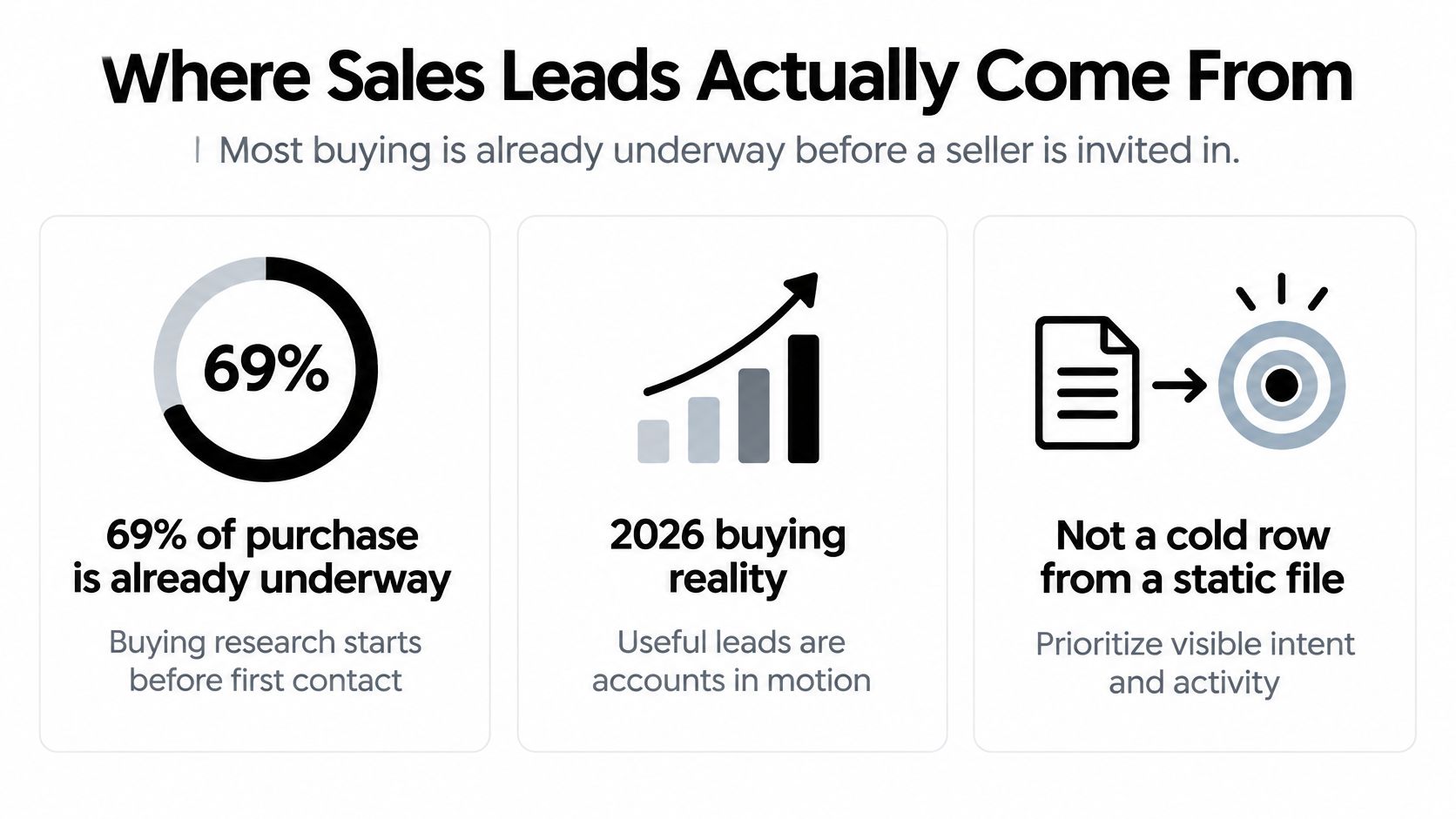
In 2024, 69% of the B2B purchase process occurred before buyers engaged with sellers, according to 6sense's B2B Buyer Experience Report. Your job isn't to manufacture interest with enough messages. It's to recognize accounts where a relevant problem is becoming visible.
A useful lead combines fit, observable change, and a plausible next action. A company can fit your market perfectly and still have no reason to speak with you today.
The distinction is easier to see when you separate buying activity from static company information.
Lead sources, the proof to require, and the first move
| Source | Best when | Proof to require | First move |
|---|---|---|---|
| Inbound signup | They just raised a hand | Company, role, use case, urgency | Route high-fit records to a person within minutes |
| Website visitor company | Pricing, demo, or integration pages are revisited | Repeat visits on watched accounts, no person-level tracking | Turn on contact finding, then write to the role that owns the page topic |
| Relevant hiring | A new role matches the problem you solve | A live job post you can cite | Contact the manager who owns that outcome |
| Funding or new office | Fresh budget or a new location | News or filing you can verify independently | Reach the economic buyer with the expansion consequence |
| Leadership change | A new owner of the problem | Appointment you can name | Open on the change, not a product tour |
| Reputation drop | Local service business, agency outreach | Rating drop, sentiment shift, or stalled reviews | Contact the owner about that specific issue |
| Lookalikes of best customers | The ICP is already proven in won deals | Best customers or imported won deals | Build the similar-company list, each with a reason |
| Former customers and lost deals | Fit was real and the timing changed | Churned, lost, or closed-lost in the CRM | Start a win-back tied to one new fact |
Missing proof changes the action. An anonymous visit doesn't identify a buyer. Funding doesn't prove an approved budget. A new executive doesn't automatically want to replace the existing stack.
Likewise, a poor review isn't permission to tell an owner their business is failing. Look for a specific operational issue you can discuss without exaggerating it.
Pick sources before adding capacity
Start with sources that reflect how your buyers reveal a problem. A local reputation agency can investigate review patterns; an integration vendor can investigate relevant hiring and integration-page activity.
If you're considering outside prospecting help, hireSDR.com's guide to sales recruitment agency pricing and models provides context for comparing staffing approaches. Define the evidence your sellers must find before deciding who should do the work.
Practical rule: A large export with no trigger is activity, not pipeline.
Choose a pair of sources and work them until you can judge the meetings they produce. Adding more channels before that makes diagnosis harder, not prospecting stronger.
Run an Account-First Prospecting Workflow
A contact-first workflow asks who has the right title. An account-first workflow asks which company has a relevant problem becoming more urgent, then finds the person responsible.
For teams that need a shared definition before changing their process, CleanMyList's explanation of what prospecting means in sales is a useful onboarding resource. Operationally, the distinction matters because collecting names and qualifying an outreach opportunity are different jobs.
Use this workflow to turn observable events into a daily queue.
Build the account brief
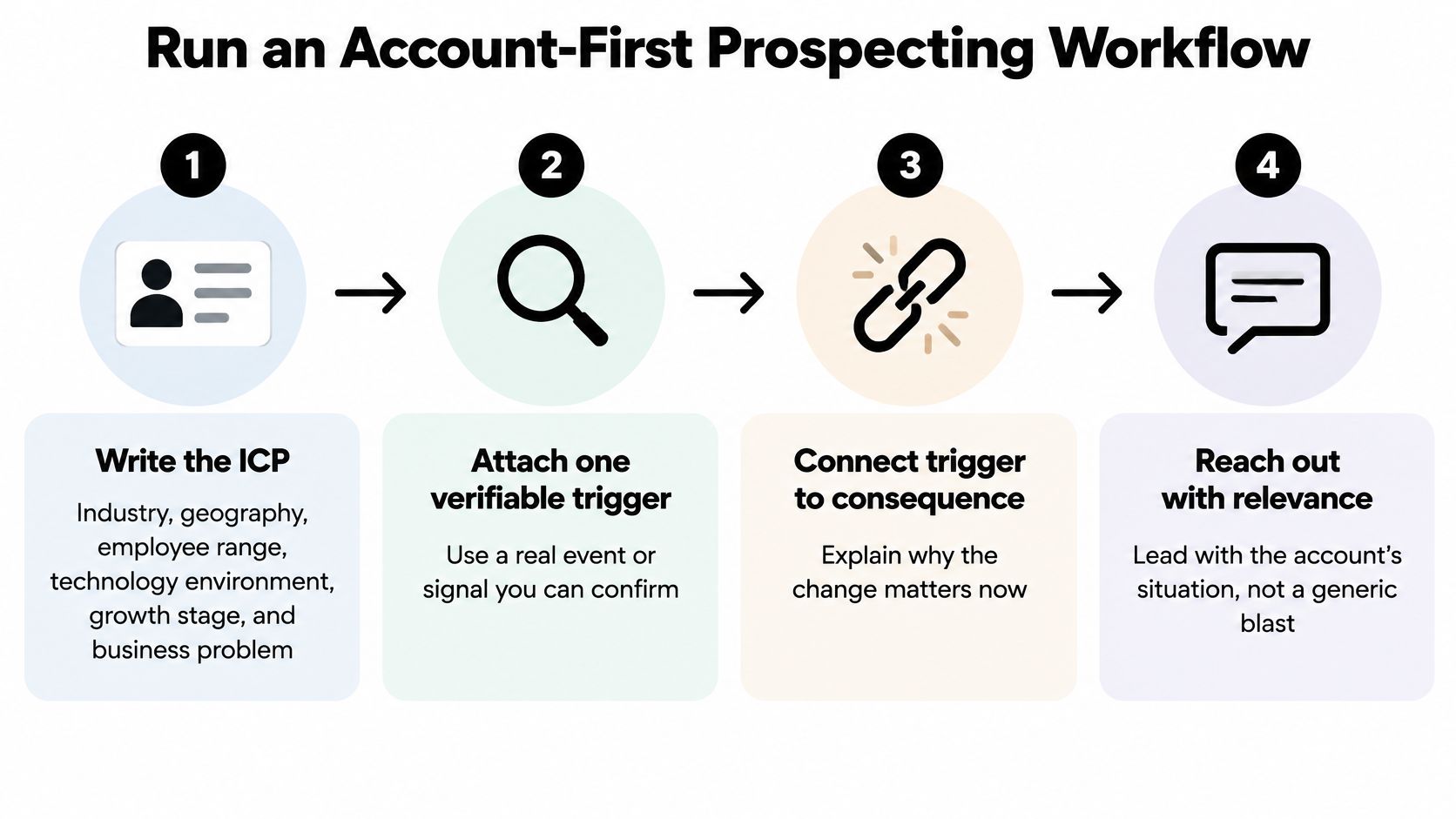
Write an ICP you can check from outside. Specify industry, geography, employee range, technology environment, growth stage, and the business problem those conditions create. Avoid descriptions such as companies with a novel approach or ambitious founders. A rep can verify a supported integration or regional office; they can't reliably verify ambition.
Attach a trigger, not just an attribute. Using a particular CRM is an attribute. Advertising for someone to rebuild revenue operations around that CRM is a trigger. Save the original evidence before finding a contact, so your eventual message starts with something concrete.
Translate the change into a business hypothesis. Say a software company is hiring implementation managers after expanding into a new market. The hypothesis might be that onboarding handoffs are getting harder, with customer operations owning the outcome. Phrase that as a possibility, not as inside knowledge.
Verify independently before outreach. Check the account and event against independent sources, rather than treating syndicated copies of an announcement as separate confirmation. A company careers page and a hiring manager's public announcement can corroborate hiring; repeated press-release copies don't add much confidence. Check that you've found the correct company, location, and business unit.
Rank before drafting. Prioritize trigger recency, ICP fit, source confidence, and urgency. Keep these dimensions visible rather than burying them in an unexplained score. Use an account prioritization matrix to make the trade-offs explicit.
Offer help while the problem is taking shape
In RAIN Group's research covering 488 B2B buyers and 489 outbound sellers across 25 industries, 71% of buyers who accept meetings wanted seller input while forming ideas, while 58% said their most recent seller meeting wasn't valuable. That's a reason to arrive with a useful hypothesis, not a reason to push everyone into a demo.
Offer a decision aid that matches the change: an implementation checklist, a comparison of rollout approaches, or a question that helps locate the bottleneck. Don't promise a diagnosis before speaking with the owner.
Use the walkthrough below as a companion to the account brief, keeping the verified event separate from your interpretation.
The same-day filter is simple: if you can't state why now in a sentence, the account waits. A salesperson shouldn't have to invent urgency to justify a place in the queue.
Find Live Signals and Lookalikes Yourself
You don't need paid tooling to test whether a signal is useful. You need a consistent lookup routine and a record another seller can inspect.
Start with a spreadsheet containing the company domain, trigger, source URL, observation date, likely owner, hypothesis, and status. Keep the event date separate from the date you discovered it. Finding an old announcement today doesn't make the event fresh.
Where to find each trigger and what to log
| Signal source | Trigger it reveals | What to log |
|---|---|---|
| Company careers page or job board | Hiring for a role tied to your problem | Role title, posting date, URL |
| Company newsroom and trade press | Funding, new office, or product launch | Headline, date, independent confirmation |
| Leadership announcements | New owner of the problem | Name, title, start date |
| Google Business Profile reviews | Rating drop or stalled reviews at a local service business | Rating trend, review text, date |
| Own site analytics or intent tool | Repeat visits to pricing or integration pages | Account name, pages, visit count, date |
| Customer list lookalikes | Similarities to best customers or won deals | Similar company and one written reason |
A careers page is often more useful than a broad news search because the posting describes work the company wants done. Search for responsibilities tied to your outcome, such as implementation, vendor consolidation, scheduling, or lifecycle reporting. Read the responsibilities, not just the title.
For funding and expansion, check the company newsroom alongside trade coverage or a relevant filing. For leadership appointments, confirm whether the person owns your problem rather than assuming every new executive is a prospect.
Separate evidence from interpretation
Google Business Profile reviews require context. A complaint about appointment availability might support a scheduling hypothesis; it doesn't establish a reputation crisis. Review stalls also require a baseline, so record the pattern before claiming it changed.
Your own site analytics may show page activity without identifying the visiting company. Use account identification only where available, keep return visits at company level, and never tell a named contact that you watched them browse.
For lookalikes, compare the operating conditions behind your successful deals. Use company websites, directories, and LinkedIn company pages to inspect business model, service footprint, technology, and team structure. Superficial similarity alone won't explain why a buyer needs you.
- Keep acquisition context. Separate accounts discovered through outbound from those already familiar with your content.
- Check the broader journey. The discussion from AI Optimization Services on long-term marketing can help frame prospecting alongside sustained digital visibility.
- Require re-checkable evidence. A colleague should be able to reopen the source and understand the trigger without asking you what you meant.
Map the Buying Group and Write the Sequence
A verified trigger tells you where to look. It doesn't tell you that the first person you find can approve the purchase.
According to Demandbase's 2025 buyer research, 72% of B2B purchases involve complex, multi-stakeholder buying groups, and 77% of buyers prioritize integration capabilities over standalone features. Build your contact map around the shared change, then tailor the evidence to each role.
Who to add after the account trigger
| Role | What they care about | Evidence to send | When to add them |
|---|---|---|---|
| Economic buyer | Cost, risk, and whether the change is worth budget | Consequence of the trigger in money or time | First, when funding, expansion, or a lost deal is the signal |
| Technical evaluator | Whether it fits the stack | A technology or integration change you can cite | When the trigger is a tool, hire, or integration-page visit |
| Daily user | The workflow that just got harder | The job post or process change, not a feature list | When hiring shows the team is absorbing new work |
| Security or procurement | Risk, terms, and vendors already in house | A compliance, leadership, or vendor-review signal | After the champion exists, not as the cold open |
| Internal champion | A story colleagues will accept | One example from a similar firm plus the shared change | As soon as one user or operator replies |
These are roles in a purchase, not necessarily separate people. A founder may own budget and operations; an engineering leader may evaluate both integration and security.
Don't contact everyone simultaneously with the same message. Start with the role closest to the consequence, then add another relevant stakeholder with a distinct reason.
An analysis of 12 million outreach emails summarized by FluidCRM found that 8.5% received any response, while contacting more than one relevant person at the same company increased response rates by 93%. Treat that as support for relevant account coverage, not permission to surround a company with automated messages.
A sequence built around a new office
Say an account has confirmed a new office and advertised for an operations manager. You sell help with coordinating service handoffs. These illustrative messages assume you've verified the event and can supply any example you offer.
Touch one, email about the change
Subject: Service handoffs for the new office
Your new-office announcement and operations-manager posting suggest you're adding another location to coordinate. That can complicate ownership when requests cross offices. Would a handoff checklist be useful while you set up the workflow?
The message contains an observation, a conditional consequence, and an easy next step. It doesn't pretend the company has already experienced a failure.
Touch two, LinkedIn connection
Send a connection request without a note. Don't disguise a second pitch as a networking introduction, and don't treat acceptance as agreement to a meeting.
Touch three, email with a comparable example
The new office made me think a comparable rollout example might be useful. This example from a similar firm shows how it assigned cross-location requests before adding another queue. Would you like the annotated workflow?
Only send that version when the example is real, shareable, and comparable. If it's hypothetical, label it as a worked example instead of implying customer results.
Touch four, an easy final question
With the new office opening, is cross-location handoff ownership yours, or does another colleague handle it? I can send the checklist to the right person and leave it there.
Use these outreach email examples for B2B SaaS and local services to adapt the structure without copying irrelevant claims.
Stop the sequence when someone replies. A response needs a human answer, not another scheduled touch.
Qualify Inbound Before Interest Cools
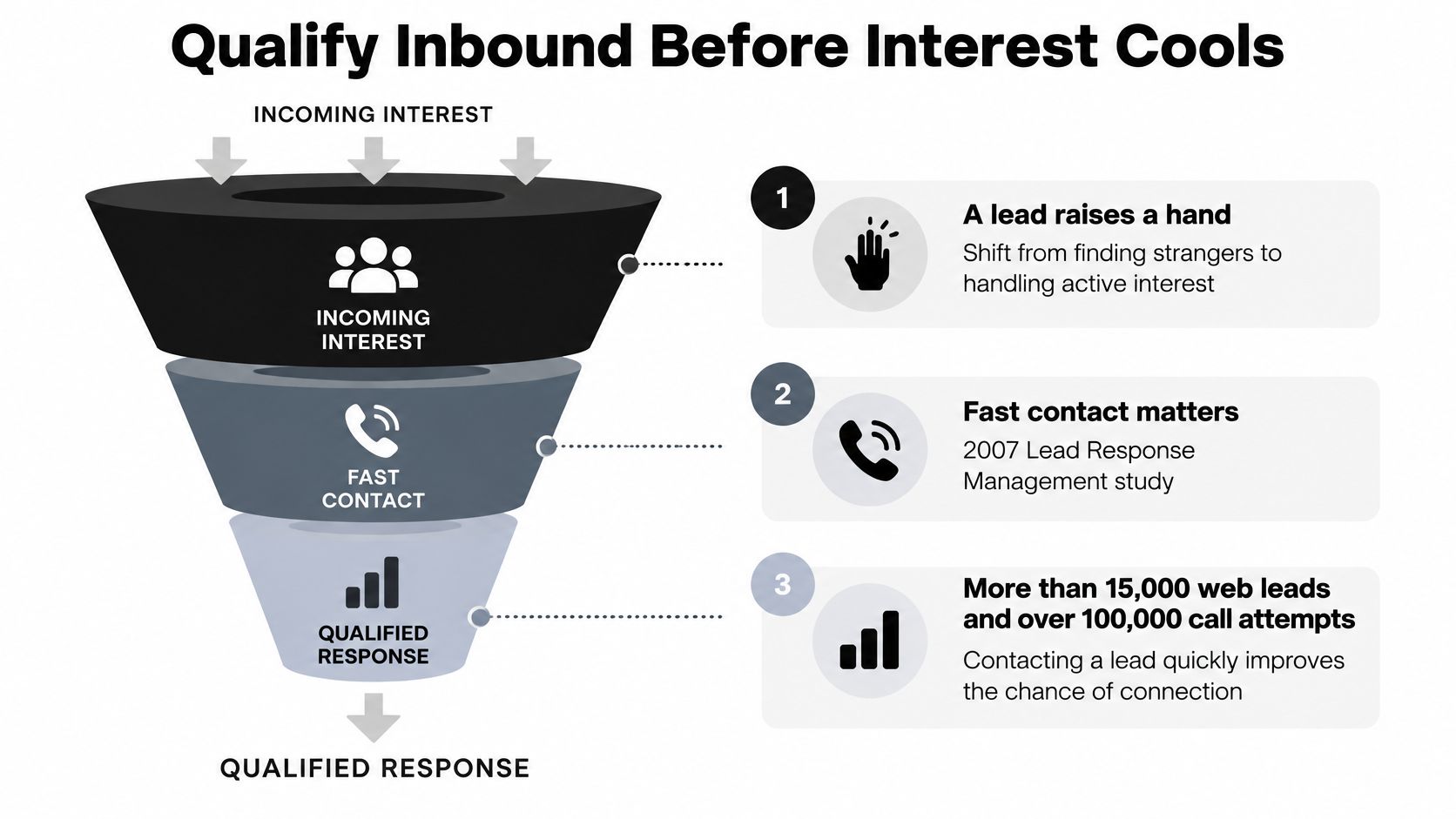
Treat a raised hand as a five-minute job. The 2007 Lead Response Management study, summarized in Callingly's review of speed-to-lead evidence, analyzed more than 15,000 web leads and over 100,000 call attempts and found that contacting a lead within five minutes made the odds of reaching that person approximately 100 times higher than waiting 30 minutes, with qualification odds about 21 times higher.
Those are historical findings about contact and qualification, not a promised revenue lift for your business. The operational lesson is still direct: don't leave an active inquiry waiting while a rep researches information your form already captured.
Build the handling process around the transition from interest to an owned response.
Capture, assess, and route
Collect explicit context first. Take company, role, use case, geography, and urgency from the form. Enrich missing firmographics rather than overwriting what the prospect told you. A stated implementation deadline is more useful than a speculative urgency score.
Keep scoring dimensions separate. Fit describes whether you can serve the company. Intent describes current interest, risk flags problematic or contradictory information, and confidence describes how well the record is supported. Heavy page activity shouldn't rescue poor fit or an unverifiable identity.
Route according to the combination. Send high-fit, high-confidence inquiries with clear intent to a named salesperson immediately. Nurture suitable accounts without timing evidence. Hold disposable identities, mismatched segments, or contradictory records for review rather than giving sales an undifferentiated signup feed.
A modern inbound lead-scoring guide can help turn those dimensions into routing rules. Keep the explanation visible so a rep knows why the lead reached them.
Make the handoff auditable
Write the context to the CRM. Log the trigger, source, timestamp, owner, and disposition in HubSpot, Pipedrive, or Attio. Distinguish an automated acknowledgement from a substantive seller response. A confirmation email doesn't mean someone has answered the buyer's question.
Review conversion by signal and cohort. Examine qualified meetings, opportunities, and revenue rather than celebrating captured forms. Separate direct demo requests from exploratory signups, and inspect whether rejected records later became legitimate buyers.
Relevance matters alongside speed. In Gartner's 2025 B2B buyer survey announcement, 73% of buyers actively avoided suppliers sending irrelevant outreach. A prompt, useful answer respects the inquiry; enrolling every signup in an aggressive sequence doesn't.
Ownership test: If the assigned rep is unavailable, the system should name the backup without requiring someone to ask in chat.
Assign an owner for new signups, make the response clock visible, and define backup coverage. Don't advertise immediate personal support during hours when nobody can provide it.
Fix the Prospecting Mistakes That Waste Pipeline
A silent inbox is a reason to inspect the list before rewriting subject lines. Check whether each account has a credible event and whether the message connects it to the recipient's responsibility.
Give each repair a deadline. Otherwise, process improvement becomes another way to postpone prospecting.

Diagnose the failure before buying another list
- No replies. Today, inspect the opening lines for account-specific evidence. Replace empty relevance claims with an observed event and a plausible consequence.
- The first contact stays silent. During the next queue review, add a relevant role affected by the same change. Don't replace the entire database because one person didn't respond.
- Meetings go nowhere. This week, audit whether reps verified the trigger and asked about its consequence. A real event can still support the wrong business hypothesis.
- Inbound leads disappear. Fix routing ownership today. Separate records needing review from prospects waiting for an answer.
- Contacts bounce or titles are wrong. Put current role, company, and ICP-grade checks into the daily refresh routine.
- Local outreach sounds interchangeable. Pause owner emails until you can name a specific review issue without exaggerating it.
- Activity rises but opportunities don't. Compare meetings and opportunity creation by signal on a weekly cadence. Stop rewarding a source merely because it supplies more names.
Apply a clear stop rule
Don't assume every stalled campaign needs more persistence. Some need a better hypothesis; others need to end.
Pause any source that can't produce a citable why-now. Resume it when you can explain which accounts deserve attention and what the seller should say.
Set Up Tomorrow's Queue Tonight
Spend a short setup session using customers you already won, not a blank search box. Choose the source pair that produced the clearest, most relevant events in your recent prospecting work.
Build a queue you can approve
- Save the inputs. Create a saved search or spreadsheet view for each source, with explicit qualification and exclusion rules.
- Start from proven fit. Add 5 to 10 of your best customers or import won deals, then inspect similar companies for a written reason to reach out.
- Prepare the next action. For qualifying accounts, confirm the target role and email, draft the message, and leave it ready for approval.
CapyScout lets you choose who you sell to and where leads should come from, then finds fitting companies and the right person, drafts each message, and sends from your own inbox or LinkedIn once you approve.
Keep former customers and watched website accounts in the same review discipline. Familiarity is helpful, but it doesn't replace a current reason to contact them.
Tonight's decision isn't how many contacts to export. It's which sources will supply tomorrow's most defensible conversations.
CapyScout helps you find fitting accounts, monitor buying signals, and prepare outreach grounded in a specific reason to connect. Visit CapyScout to start with your website or best customers and build a queue you can review before sending.
Not ready to start? Get a free target list: 10 companies to sell to, picked from your website.