

HubSpot vs Pipedrive: A Practical CRM Choice Guide for 2026
HubSpot vs Pipedrive compared across features, pricing, workflows, integrations, and adoption risk. Get a clear recommendation framework for your team in 2026.
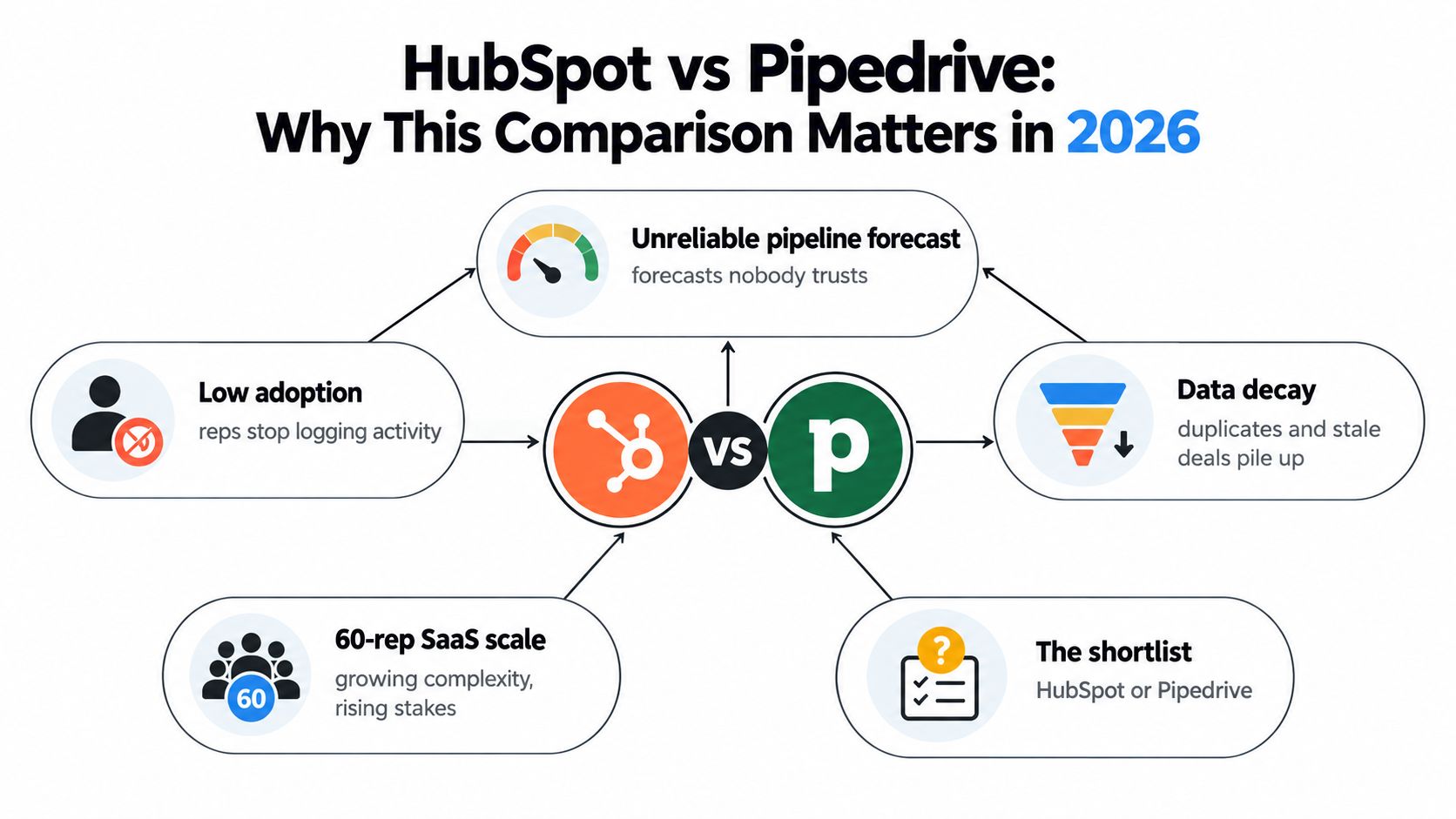
A VP of Sales inherits a CRM nobody trusts. Reps forget to update deal stages, marketing and sales argue about lead quality, and the forecast changes every time someone finally cleans a spreadsheet. The shortlist is down to HubSpot and Pipedrive, while a separate prospecting tool promises to identify buying signals the CRM can't see by itself.
That situation is common because CRM selection is usually treated as a feature decision. It should be treated as an operating-model decision. The better question in a HubSpot vs Pipedrive evaluation is which system will preserve usable data after rollout, when sellers are busy and nobody owns administration full time.
Table of Contents
- Why This Comparison Matters for Sales Teams in 2026
- Company Background and Strategic Positioning
- Core Features, Customization, and Reporting
- Sales Workflows and Pipeline Management
- Integrations, CapyScout Layer, and Migration Tips
- Pros and Cons by Buyer Persona
- Pricing Tiers and Total Cost of Ownership
- Which CRM Should You Choose and When
Why This Comparison Matters for Sales Teams in 2026
A capable CRM with incomplete records is less valuable than a narrower CRM that sellers update every day. That's the central test for this comparison: data survivability, or whether important fields, activities, ownership, and deal stages remain current after implementation.
The second test is operating-model fit. HubSpot is designed to connect marketing, sales, service, and operations around shared customer records. Pipedrive is built around sales execution, visible pipelines, activities, and deal progression. Neither philosophy is universally better. Each creates different demands on reps and administrators.
The third test is the difference between a system of record and a system of attention. A CRM stores accounts, contacts, deals, activities, and history. It doesn't automatically know that a target company has started hiring, changed technology, suffered a reputation decline, or returned to a pricing page. External signal discovery has to sit beside the CRM rather than being confused with it.
The final test is total cost. Subscription price matters, but so does the cost of stale context, missed buying moments, duplicate records, manual research, and forecasts built on fiction.
| Decision criterion | HubSpot | Pipedrive |
|---|---|---|
| Data survivability | Strong when governance and workflows are actively managed | Strong when the sales process stays focused and simple |
| Operating model | Marketing-led, cross-functional, lifecycle-oriented | Sales-led, pipeline-oriented, activity-driven |
| System of attention | Usually requires connected tools or custom workflows | Usually requires connected tools or custom workflows |
| Administrative burden | Higher as customization and hubs expand | Lower for straightforward sales processes |
| Best starting question | Do multiple teams need one customer platform? | Will reps maintain a focused sales workspace? |
A CRM rollout succeeds six months after go-live, not on demo day. If your team lacks a dedicated administrator, choose the platform that asks less of sellers and managers. If your revenue process depends on coordinated marketing, sales, service, and operations workflows, accept more configuration in exchange for broader control.
Company Background and Strategic Positioning
HubSpot and Pipedrive come from different stages of CRM development. HubSpot was formed in Delaware on April 4, 2005, and converted into a corporation on June 7, 2007. By December 31, 2024, it reported $2.63 billion in revenue, including $2.57 billion in subscription revenue, and served 247,939 organizations across more than 135 countries. Those figures come from HubSpot's 2024 annual report.
That scale tells you what HubSpot is becoming. It isn't merely a sales database with marketing features attached. It's a broad customer platform with marketing, sales, service, content, and operations capabilities. Its partner distribution also matters. Solutions partners and customers referred by those partners represented approximately 29% of customers and 48% of revenue in 2024, according to the same HubSpot company filing. That ecosystem can help complex teams, but it can also introduce more implementation choices.
Pipedrive was founded in 2010 by Timo Rein and four co-founders in Estonia, making it approximately five years younger than HubSpot's formation. Vista Equity Partners acquired it in 2020 at a reported valuation of $1.5 billion, while industry reporting estimates that it served more than 100,000 businesses across 179 countries around 2024. Those private-company figures are estimates rather than audited public-company disclosures, as described in Pipedrive's company history.
| Dimension | HubSpot | Pipedrive |
|---|---|---|
| Strategic center | Shared customer platform across revenue functions | Sales execution and pipeline management |
| Distribution | Self-serve adoption plus a substantial partner ecosystem | Direct SaaS distribution with a more focused agency channel |
| Typical operating model | Marketing-led or cross-functional revenue teams | Sales-led teams with clear pipeline ownership |
| Main advantage | Coordination across lifecycle stages and departments | Rep-level speed, visual clarity, and lower cognitive load |
| Main risk | Configuration expands faster than governance | Sales data stays clean, but broader lifecycle context lives elsewhere |
My practical read is simple. HubSpot competes on coordination. Pipedrive competes on participation. If your bottleneck is disconnected teams, HubSpot has the stronger strategic fit. If your bottleneck is sellers refusing to maintain a complicated CRM, Pipedrive deserves the default position.
Core Features, Customization, and Reporting
HubSpot gives buyers a broader operating surface. Contact and company records can sit alongside marketing email, landing pages, chat, quoting, service tickets, automation, and cross-functional reporting. That breadth is useful when one account record must support marketing qualification, sales execution, onboarding, and customer service.
Pipedrive keeps the center of gravity narrower. Contacts, organizations, deals, activities, email synchronization, and pipeline stages receive most of the attention. Its campaign and lead-generation capabilities can extend the platform, but a sales team shouldn't choose Pipedrive expecting it to replace a full marketing stack.
Customization creates leverage and maintenance
HubSpot supports extensive properties, multiple pipelines, workflow automation, associations, and broader object modeling. That lets an operations team encode a detailed revenue process. It also creates a documentation burden. Every new property, automation, lifecycle rule, and association needs an owner, a definition, and a reason to exist.
Pipedrive's vocabulary is easier to learn. Teams can configure fields, pipelines, activities, and automations without turning every process change into an operations project. That's a meaningful advantage when managers need to adjust the workflow quickly and no administrator is available.
For implementation detail, HubSpot data enrichment requires a practical field and governance plan, especially when external data will update company records.
Reporting should match the question
HubSpot is the better choice for attribution, lifecycle reporting, revenue analysis, and dashboards that connect marketing activity to sales outcomes. The catch is that someone has to curate definitions and keep source data consistent.
Pipedrive is faster for pipeline coverage, activity volume, stage movement, and manager-level inspection. It becomes less convincing when you need deep marketing attribution or broad customer-lifecycle analysis. In that case, teams often add external reporting or another system.
| Area | HubSpot | Pipedrive | Verdict |
|---|---|---|---|
| Core CRM | Broad customer records and connected revenue tools | Focused contacts, organizations, deals, and activities | HubSpot for breadth, Pipedrive for focus |
| Customization | Deep, flexible, and governance-heavy | Lighter and easier to learn | Pipedrive for lean teams |
| Automation | More cross-functional workflow depth | Faster to configure for sales actions | Depends on process complexity |
| Reporting | Stronger for attribution and lifecycle analysis | Stronger for quick pipeline inspection | HubSpot for revenue operations |
| Time to value | Longer when fully implemented | Faster for sales-only adoption | Pipedrive |
The judgment is clear. HubSpot wins when reporting must explain the entire customer journey. Pipedrive wins when the immediate goal is to get sellers working a clean pipeline.
Sales Workflows and Pipeline Management
A rep's daily experience reveals more than a feature grid. In HubSpot, a seller typically works from a company or contact record, links the relevant deal, logs emails and calls through connected tools, completes tasks, and advances the deal through a controlled process. Required fields, stage rules, and guided prompts can prevent a rep from moving an opportunity forward without recording essential context.
That structure helps managers forecast with more discipline. It can also frustrate sellers who see every stage change as another form to complete. The more dependencies you create between contacts, companies, deals, activities, and lifecycle stages, the more carefully you need to design the workflow.
Pipedrive puts the pipeline closer to the center of the screen. Reps see deals by stage, create or complete activities, drag opportunities forward, and use stale-deal indicators to decide where attention is needed. The experience feels closer to a sales task board than a cross-functional customer platform.
The trade-off is control versus momentum
HubSpot is better when stage progression must enforce a sales methodology. You can require qualification details, trigger tasks, route ownership, and connect deal movement to marketing or service actions. That control is valuable for larger teams, but only if managers explain why the fields matter.
Pipedrive is better when speed and visual clarity drive adoption. Its lighter process lets a rep move quickly, but managers must work harder to enforce consistent qualification, close reasons, and forecast categories. A simple pipeline can still produce poor data if nobody challenges stale opportunities.
| Workflow element | HubSpot | Pipedrive |
|---|---|---|
| Daily starting point | Task queues, records, guided workflows | Pipeline, activities, and deal cards |
| Stage governance | Stronger required-field and automation options | Lighter rules with faster movement |
| Stale opportunity control | Workflow and reporting driven | Visual stale-deal indicators |
| Manager inspection | Cross-object and lifecycle context | Fast pipeline and activity visibility |
| Best fit | Methodical, multi-team sales process | Rep-led sales execution |
Don't confuse movement with progress. A deal dragged into a new stage isn't healthier unless the supporting activity, next step, decision process, and timing are current. Teams designing qualification rules can use a practical Pipedrive lead-scoring setup to decide which signals belong in the CRM and which should trigger attention outside it.
Integrations, CapyScout Layer, and Migration Tips
Integration work starts with the data model, not the marketplace. Define the source of truth for companies, people, deals, activities, ownership, scores, buying signals, and notes before connecting anything. Then map the same event into each CRM's object and association structure.
HubSpot generally offers broader native connectivity. Independent comparisons place it at approximately 800 or more integrations, compared with 300 or more for Pipedrive, according to this HubSpot and Pipedrive integration comparison. Marketplace size isn't the same as integration quality, but the difference reflects each platform's strategic scope.
Design around quota behavior
HubSpot documents plan-dependent request limits and provides a limits-tracking API for CRM records, associations, pipelines, and properties. Pipedrive uses a token-based daily budget, with endpoint costs varying by operation and rolling burst limits. Exhausting that budget can produce HTTP 429 responses until the budget resets, so a sync must prioritize important updates and back off intelligently. The technical distinction is documented in HubSpot's limits-tracking guidance, while Pipedrive-specific behavior should be validated against the exact endpoints you plan to use.
For a practical reference point, teams can browse HubSpot integration options from Closer Innovation Labs Corp. before finalizing the application stack.
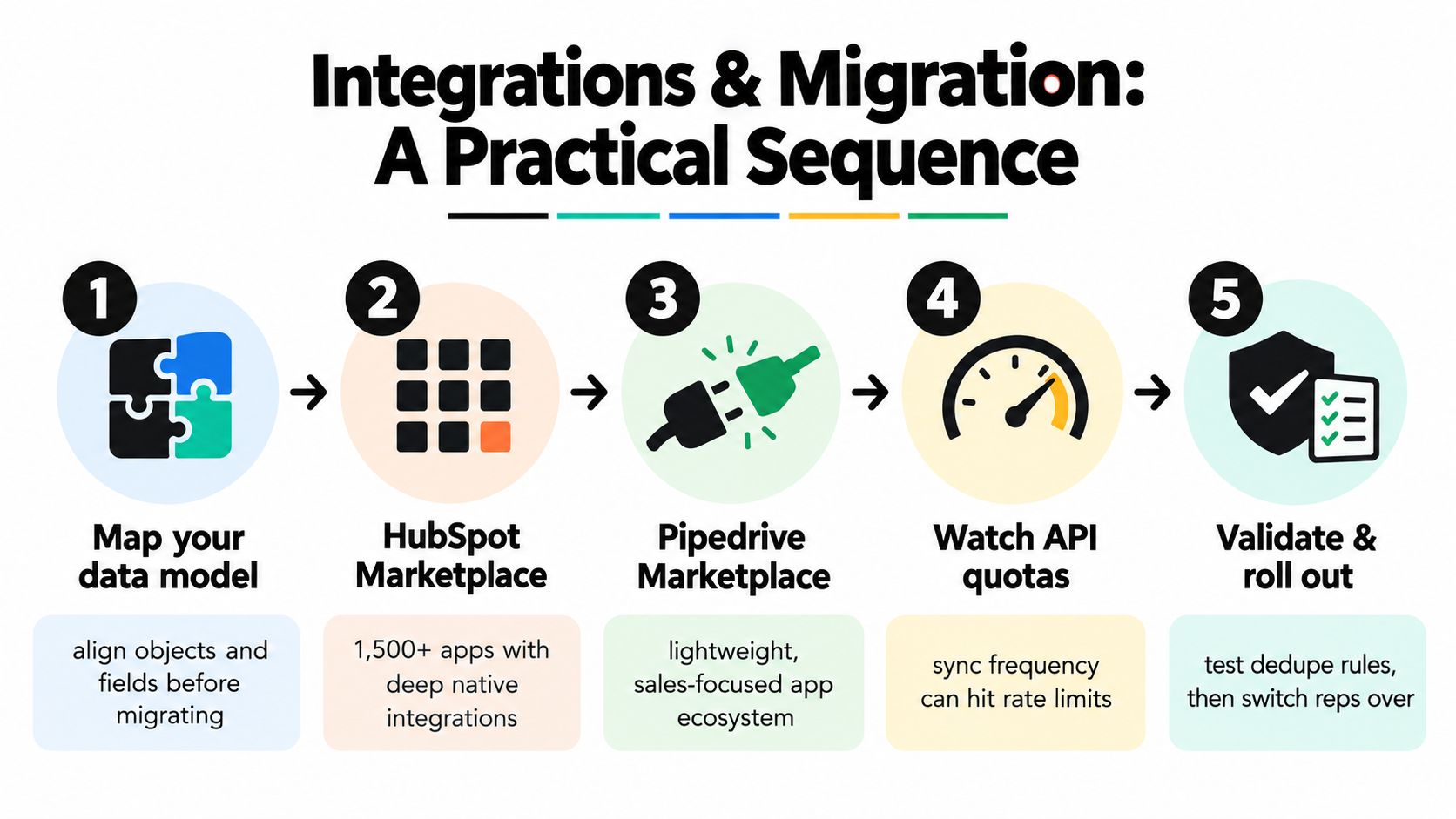
Use the following migration sequence:
- Map entities first. Match company, person, deal, activity, owner, and custom-field concepts before importing records.
- Re-key ownership. Create a clear translation between legacy owners and new CRM users.
- Translate fields deliberately. Don't import every old field. Keep fields that support routing, qualification, forecasting, or customer context.
- Handle history separately. Decide which activities, notes, and emails need to remain searchable and which can be archived.
- Run in parallel. Test deduplication, webhook retries, field protection, and source-of-truth rules before switching every rep.
A system of attention should sit beside either CRM. External account signals can be written into custom properties or deal fields, while source-backed briefs remain available for review. The integration at CapyScout's HubSpot page illustrates the type of CRM connection teams should validate, including matching, enrichment, and update behavior.
Test the full daily cycle with a representative account cohort. Measure synchronization latency, retry volume, duplicate creation, 429 responses, and the share of records updated within the agreed service target. A successful demo proves almost nothing about a busy production sync.
Pros and Cons by Buyer Persona
More features don't automatically create more revenue. They often create more configuration, more training, and more opportunities for reps to avoid the CRM.
Independent review data places Pipedrive ahead of HubSpot on ease of use, at 8.9 versus 8.7, and ease of setup, at 8.7 versus 8.3, as summarized in this comparison of adoption and usability. The same source reports CRM usage among companies with fewer than 250 employees at 52.5%, compared with 78.4% among companies employing 1,000 to 2,500 people. The implication is more important than the score: smaller teams are less likely to have the administrative capacity needed to rescue a complicated rollout.
| Buyer persona | HubSpot pros | HubSpot cons | Pipedrive pros | Pipedrive cons |
|---|---|---|---|---|
| Solo founder or very small startup | Unified contact and marketing context | Broader features can distract from selling | Fast to understand and maintain | Limited cross-functional depth |
| Sales-led startup | Stronger shared reporting across teams | Requires more setup discipline | High rep participation and clear pipeline | Weaker lifecycle attribution |
| Mid-market RevOps team | Better governance, object depth, and coordination | Needs active administration | Efficient for focused sales operations | Can require external tools for broader governance |
| Founder-led sales motion | Can grow into a broader platform | Too much surface area too early | Immediate visibility into follow-up work | May need another system as teams expand |
For a founder doing founder-led sales, I would choose Pipedrive unless marketing automation is already central to the business. The founder needs a place to see open deals, next actions, and neglected follow-ups, not a platform that requires a design project before it becomes useful.
For a sales-led startup, Pipedrive remains the safer adoption bet when sales is the only team using the CRM. HubSpot earns the recommendation when marketing and sales need shared lifecycle data and somebody can own the operating model.
For a formal RevOps team, HubSpot is usually the stronger long-term choice. Its complexity is a liability for an unsupported team, but an advantage for an operations function that can document objects, permissions, workflows, and reporting definitions.
Pricing Tiers and Total Cost of Ownership
The sticker price is rarely the decision. The critical question is what your team must buy to make the selected workflow usable.
Pipedrive is easier to model because the commercial structure centers on users and sales functionality. HubSpot can begin with a free or lower-cost entry point, but advanced automation, reporting, marketing, service, and operations capabilities can move the purchase into different hubs and tiers. Current commercial terms change, so confirm the live quote before committing rather than relying on an old comparison.
Count the cost of missing context
A sales team can pay less for a CRM and still spend more overall. That happens when reps manually research accounts, marketing buys a separate automation platform, managers rebuild forecasts in spreadsheets, and sellers work around missing fields.
The hidden cost appears in several places:
- Implementation labor: Someone must clean records, define fields, configure workflows, and train users.
- Administrative ownership: A flexible platform needs a person who reviews automations, permissions, duplicates, and reports.
- Tool duplication: A sales-focused CRM may require separate products for marketing automation, intent signals, enrichment, or attribution.
- Rep workarounds: Sellers lose time when they copy information between systems or maintain private spreadsheets.
- Stale opportunity context: Managers make decisions using old company information, missing next steps, or unverified buying assumptions.
| Cost category | HubSpot tendency | Pipedrive tendency |
|---|---|---|
| Entry adoption | Easier to start narrowly, broader platform available | Focused sales setup from the outset |
| Expansion | Costs can rise as hubs and advanced capabilities are added | Costs can rise as add-ons and external tools are added |
| Admin effort | Higher with complex lifecycle design | Lower for a straightforward sales process |
| Reporting cost | More capability inside the platform | More likely to require external reporting for cross-functional analysis |
| Best value | Teams replacing several revenue tools | Teams that need a dependable sales workspace |
My recommendation is to price both platforms against the operating model you will really run, not the feature set you might use someday. If sales is the only active department, Pipedrive usually carries the cleaner total-cost logic. If HubSpot can replace disconnected marketing, service, reporting, and operations workflows, its broader platform may justify the additional administration.
Which CRM Should You Choose and When
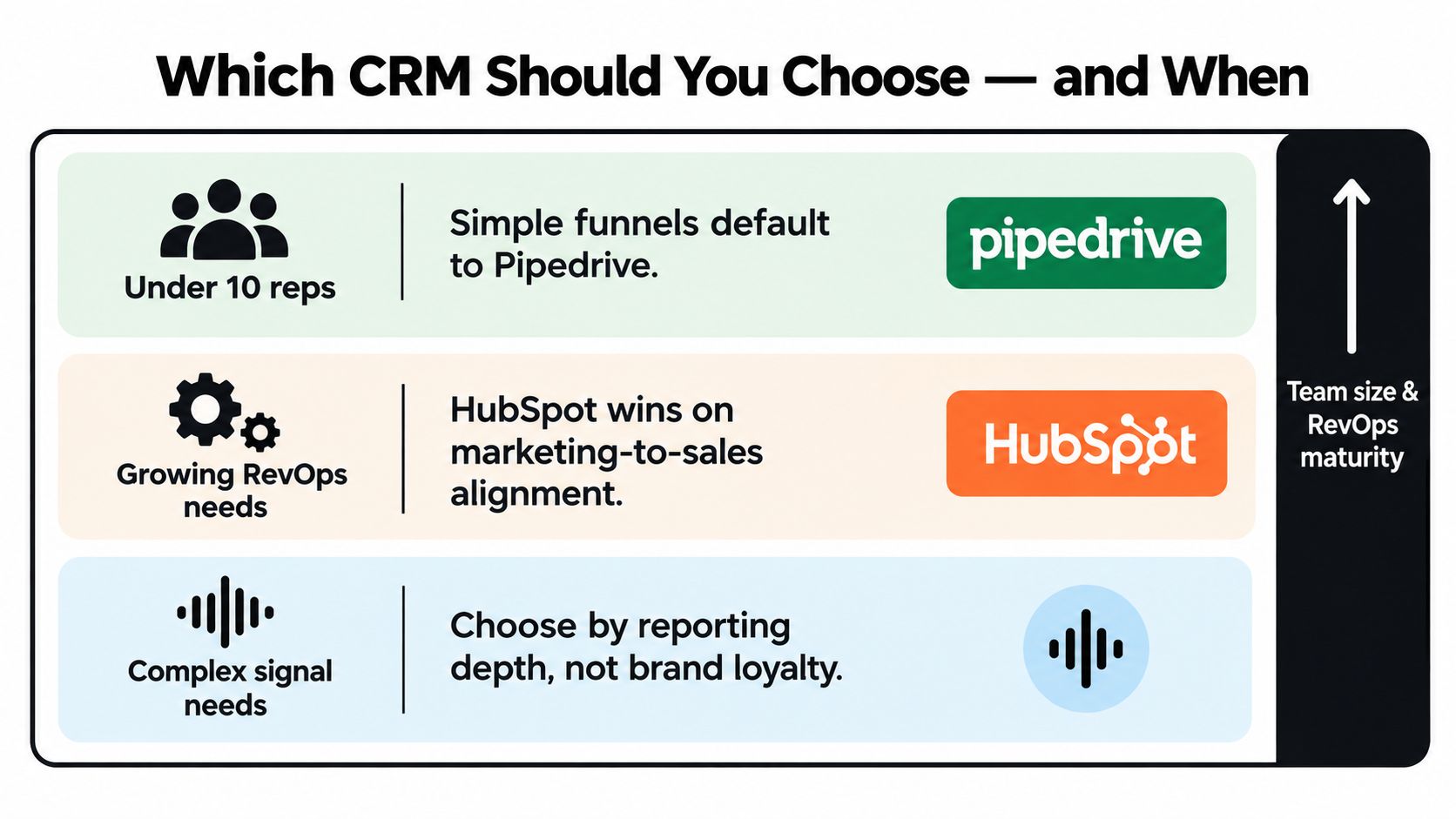
Choose Pipedrive when the sales process is straightforward, the team is small, and the primary failure is low participation. A visual pipeline and activity-centered workflow give managers a better chance of preserving current data than a broader platform that nobody maintains.
Choose HubSpot when marketing and sales need one customer history, when lifecycle reporting matters, or when the organization has the RevOps capacity to govern a more complex system. HubSpot is the better operating platform for cross-functional revenue teams, not because every seller needs every feature, but because the business needs shared context.
Use these decision rules:
- Small sales team with a simple funnel: Start with Pipedrive. Keep required fields limited to information sellers can realistically maintain.
- Cross-functional revenue motion: Start with HubSpot. Design lifecycle stages and ownership rules before importing records.
- No dedicated administrator: Favor the platform with the smallest usable configuration, usually Pipedrive for sales-only teams.
- Complex reporting and account context: Choose based on the reporting and governance model, not brand preference.
- External buying signals: Add a system of attention to either platform instead of expecting the CRM to discover every reason an account deserves outreach.
Teams evaluating free and lightweight options can also use the EmailScout free CRM guide as a broader reference point before narrowing the shortlist.
The most important distinction is between the system of record and the system of attention. HubSpot or Pipedrive can store what your team knows. Neither should be expected to identify every relevant hiring change, technology shift, reputation problem, leadership move, or website-intent event without an external signal layer.
My default recommendation is Pipedrive for small, sales-led teams without a full-time administrator. My default recommendation is HubSpot for growing organizations where marketing, sales, service, and operations must share lifecycle data. In both cases, protect CRM data survivability by sending reps prioritized actions and source-backed context, not another unfiltered stream of fields.
CapyScout adds live prospect discovery, account enrichment, source-backed buying signals, CRM updates, and prioritized Today queues beside HubSpot or Pipedrive. If your team needs to keep records current and know which account deserves attention now, visit CapyScout and evaluate the workflow against your CRM shortlist.