

MCP Server Setup: Automate CRM Enrichment
MCP Server Setup. Learn how to set up an MCP server for automated scoring and enrichment. Covers configuration, security, troubleshooting, and CapyScout
You've got a local MCP server running, the tools appear in your client, and a test enrichment request returns the expected result. Then the first real customer connects. Suddenly, the hard questions surface: Which identity does the request represent? Can the client renew its token? Can a read-only agent reach a CRM write tool? What happens when one tenant's credentials are accidentally reused for another?
That's the gap between a demo and reliable MCP server setup. Local installation is useful, but production automation requires deliberate transport selection, capability design, authorization, validation, observability, and rollback. For CRM enrichment and account research, the server should behave less like a convenient developer utility and more like a carefully governed API gateway.
Table of Contents
- Setting Up Your MCP Server for Automation
- Choosing Between Transport Options
- Implementing Authentication and Security
- Resolving Common Troubleshooting Issues
- Integrating MCP with CapyScout Workflows
- Best Practices for Production Deployment
Setting Up Your MCP Server for Automation
The Model Context Protocol was open-sourced by Anthropic in November 2024, creating a standardized way for AI applications to connect with external data sources and capabilities through dedicated servers (MCP specification). Its architecture separates the AI application into host and client layers, while MCP servers independently expose resources, tools, and prompts.
That separation should shape the server you build. Resources provide contextual information, such as prospect records or account intelligence. Tools perform actions or computations, such as enrichment, scoring, search, or a controlled CRM update. Prompts package repeatable research workflows so clients can invoke them consistently instead of relying on fragile instructions buried in conversation history.
Start with a focused server boundary
A common mistake is building one oversized server that exposes every data source and business action. That creates unclear permissions, difficult testing, and tool descriptions that don't tell the client what an operation can really do. A better design gives each server a focused responsibility and keeps operations narrow.
For a CapyScout workflow, you might expose account intelligence as resources, enrichment and scoring as tools, and a repeatable “research this inbound company” workflow as a prompt. The server should declare its capabilities explicitly, return predictable structured responses, and avoid hiding important fields in prose. Results should make room for source URLs, timestamps, confidence, and error states.
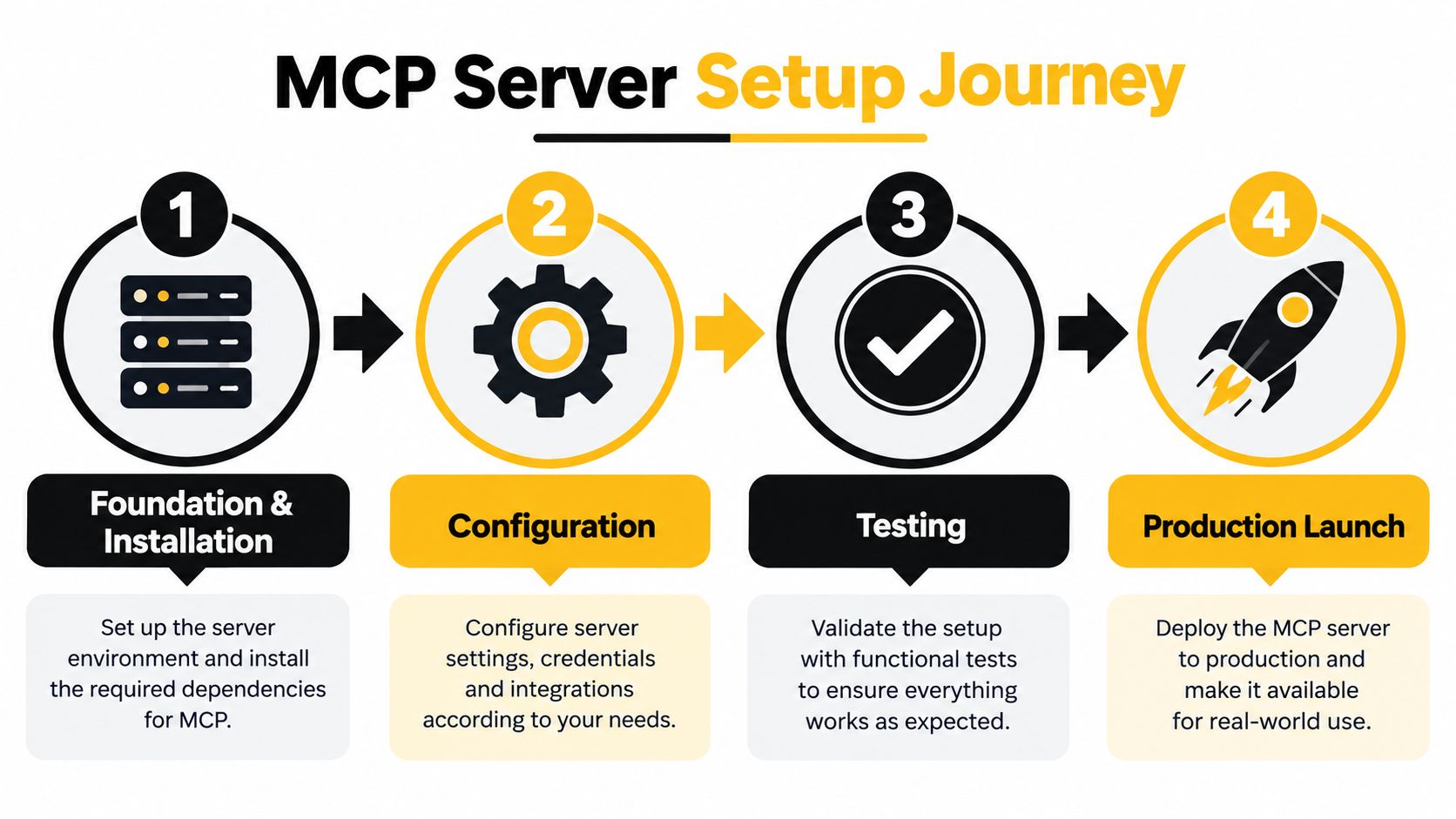
Your initial implementation should establish a JSON-RPC 2.0 endpoint, select a transport suited to deployment, and support the protocol lifecycle. The server accepts initialize, negotiates a supported protocol version, and then processes notifications/initialized before normal operations begin. Treat that handshake as a contract, not a formality, because clients use it to discover capabilities and determine how they can interact with the server.
Make the contract testable
Tool metadata needs to explain what the operation does, which fields it accepts, whether it changes data, and what the response means. Validate inputs against strict schemas before business logic runs. Avoid unbounded company searches or enrichment requests, since a model can supply unexpectedly broad parameters and create latency or token-budget problems.
Local examples can help you understand the shape of a working integration. The Clearcote Labs browser MCP documentation is useful when evaluating a browser-oriented server and comparing how external capabilities are presented to an MCP client. For business systems, keep the same discipline, but model the boundary around your own data, permissions, and failure modes.
Finally, test initialization, capability discovery, malformed requests, authorization failures, upstream outages, pagination, and duplicate requests. If your broader integration also needs direct application access, keep the server aligned with the CapyScout developer API rather than duplicating business logic inside every tool.
Choosing Between Transport Options
Transport isn't a cosmetic configuration choice. It determines where the server runs, how credentials reach it, which network controls apply, and how easily different MCP clients can connect.
| Transport | Best fit | Main advantage | Main trade-off |
|---|---|---|---|
| STDIO | Local, single-process integrations | Simple process-to-process communication | Poor fit for shared remote access |
| Streamable HTTP | Internet-facing and hosted deployments | Works across network boundaries and supports remote clients | Requires transport validation, authentication, and operational controls |
STDIO is the practical default for a local development loop. The MCP client starts the server as a process and communicates through standard input and output. That keeps the setup compact and avoids exposing a listening service, which makes it appropriate for a developer workstation or a single automation process that owns the server lifecycle.
STDIO still needs credential discipline. Store credentials in the environment or a managed local secret mechanism, keep them out of tool arguments and logs, and make the process identity explicit. It generally shouldn't use the HTTP authorization flow, because the trust boundary is local rather than an internet-facing bearer-token request.
Streamable HTTP is the stronger choice when multiple clients, hosted agents, webhooks, or CRM integrations need to reach the server. The endpoint should accept the MCP media types application/json and text/event-stream, while JSON-RPC remains the application envelope. The server must also handle concurrent requests, connection timeouts, authentication, structured logging, and controlled deployment.
Deployment rule: Use STDIO to prove the tool contract locally. Use Streamable HTTP when the server becomes a shared business service.
The ecosystem's trajectory reinforces that distinction. Early MCP deployments from December 2024 through March 2025 were mainly local, developer-oriented installations using STDIO, while adoption later expanded through coding environments and enterprise systems (MCP adoption report). The practical lesson isn't to abandon local setup. It's to avoid mistaking a successful local process for a production architecture.
For CapyScout-style automation, remote transport is useful when scoring, enrichment, and CRM events need to connect through a hosted integration. Map that design to the CRM systems and event paths described in the CapyScout CRM integrations guide, then decide whether each operation needs a remote endpoint at all. A local server can be safer for developer-only research, while a hosted server is more suitable for shared workflows and scheduled automation.
Implementing Authentication and Security
For an internet-facing MCP server, authentication belongs at the front door. It shouldn't be added after the tools work, because the tool surface itself determines the permissions your identity model must enforce.
HTTP implementations should follow the MCP authorization specification. That means publishing OAuth 2.0 Protected Resource Metadata, using HTTPS for authorization-server endpoints, validating tokens before processing requests, and ensuring each token was issued for the target MCP server (MCP authorization specification).
Build the request pipeline in the right order
A sound request path rejects invalid Host or Origin values, enforces TLS, resolves protected-resource metadata, authenticates the bearer token, verifies audience and resource, checks scopes, applies per-tool authorization, validates the input schema, and only then invokes business logic.
That order matters. A valid token isn't automatically a valid token for your server. Accepting a token minted for another resource can turn authentication into a misleading presence check. Likewise, placing CRM writes under the same scope as read-only search gives an agent more authority than the workflow requires.

Use separate permissions for different classes of work:
- Read-only discovery: Search companies, retrieve account context, and inspect enrichment results.
- Scoring and enrichment: Run bounded computations and fetch approved upstream data.
- CRM mutation: Write fields, create notes, or change lifecycle status only with a separate scope.
- Outbound actions: Trigger webhooks or notifications only through an explicitly auditable permission.
For local STDIO deployments, obtain credentials from the environment and keep the HTTP OAuth flow out of the process. For remote deployments, choose an identity model that matches the client and tenant relationship. API keys can be straightforward for tightly controlled service integrations, but they make user identity, renewal, and per-tool authorization harder. OAuth or Microsoft Entra can provide stronger delegated access, but client support and resource-audience behavior must be verified before adoption.
Microsoft's MCP authentication guidance documents several authentication patterns and recommends storing credentials in project connections rather than hard-coding them. It also describes a practical compatibility problem: some clients can't use the Entra flow required by Microsoft's remote Azure DevOps server. In that situation, changing clients, running a local server, or redesigning authentication may be more realistic than forcing an incompatible flow.
Separate tenant and agent identities
A multi-tenant enrichment service needs two boundaries. The user or agent identity determines who initiated the request, while the tenant context determines which CRM and web-data credentials may be used. Never let a tenant identifier supplied only in a model-generated argument select credentials.
Resolve tenant context from an authenticated connection, then load that tenant's approved credentials from a secret store or project connection. Apply scopes per tool, redact enrichment data from errors, bound pagination, and make CRM writes auditable. A read-only default is safer than asking every client to remember which mutation tools it should disable.
Resolving Common Troubleshooting Issues
MCP failures become easier to diagnose when you start with the symptom rather than rerunning installation commands.
The client connects but lists no tools
Check the lifecycle first. The server must accept initialize, negotiate a supported protocol version, process notifications/initialized, and return capability metadata that matches the tools it exposes. If the handshake succeeds but discovery is empty, inspect capability declarations, tool registration, and the response schema.
Descriptions also matter. A tool can be technically available but effectively unusable if its metadata doesn't explain required parameters, side effects, or response fields. Keep descriptions precise and test discovery with more than one supported client when portability matters.
Authentication works in one client but fails in another
Treat this as a compatibility problem, not proof that one side is just misconfigured. Confirm the authorization metadata, token audience, resource indicator, scopes, and renewal behavior. Then check whether the client supports the required OAuth flow and whether it sends the expected authorization headers over the selected transport.
Microsoft's documented client limitations show why a fallback must be designed in advance. You may need a local STDIO bridge, a different identity flow, or a client change. Don't solve the issue by weakening audience validation or accepting a token intended for another service.
The tool succeeds locally but fails remotely
Compare the transport assumptions and environment, not just the business code. A local STDIO process can read environment credentials and upstream services directly, while a remote HTTP server must pass TLS, origin, authorization, network egress, timeout, and deployment checks.
For hosted servers, verify that Streamable HTTP accepts the required MCP media types and that proxies preserve the request and response behavior. Add structured logs for request correlation, tool name, tenant context, authorization result, duration, upstream status, and a redacted error category. Never log bearer tokens or sensitive enrichment payloads.
Requests time out or return oversized results
Bound search parameters and pagination at the schema layer. A model can request a broad company search or pass a URL that causes an expensive upstream fetch, even when the user intended a small lookup. Return structured continuation information rather than expanding the result set implicitly.
Idempotency also matters for retries. A CRM write should carry a stable operation key so a client retry doesn't create duplicate notes or updates. Separate read-only operations from mutations, and make upstream failure states explicit instead of returning plausible prose that looks like a successful enrichment.
Integrating MCP with CapyScout Workflows
A useful integration starts with workflow boundaries, not with a long list of tools. CapyScout provides developer options including a REST API, webhooks, and an MCP server for automated scoring and enrichment workflows. The platform searches the live web for fitting companies, scores inbound signups, enriches CRM records, and monitors accounts for buying signals, delivering source-backed briefs and alerts that indicate who to contact and why.
Consider an inbound signup workflow. A client invokes a read-only tool with the submitted company domain and approved account context. The server requests enrichment and fit, risk, and confidence scoring, then returns structured fields with source URLs, timestamps, and a suggested next action such as routing to sales, nurture, or hold.
The model shouldn't decide independently which customer credentials to use or whether a CRM write is allowed. The server should derive tenant context from the authenticated connection, apply the tool's scope, validate the company input, and return a result that an orchestration layer can evaluate. If the workflow permits CRM updates, keep that mutation behind a separate tool and an explicit approval threshold.
Turn research into reusable capabilities
Prospect discovery is a good example of why the three MCP primitives are useful together. A resource can expose the current account or prospect context. A tool can search the live web by competitor, technology stack, hiring, location, or niche, then save qualified results into a reusable list. A prompt can define a repeatable research workflow that asks for evidence, confidence, and a clear next action.
The same pattern applies to account monitoring. A scheduled process can watch hiring, funding, leadership changes, technology shifts, reviews, reputation, news, and website intent. When a signal changes, the server can expose the source-backed account brief as a resource and send an alert through an approved webhook or collaboration channel.
Practical boundary: Let MCP coordinate decisions and retrieve structured context. Keep credential management, source fetching, scoring rules, and CRM mutation inside controlled application services.
A CRM enrichment path might write firmographics, ICP grade, and “Why now” notes to company records, with refreshes handled by the underlying platform workflow. The MCP layer then exposes the result to an authorized client instead of reimplementing enrichment logic in every agent. This approach also makes the REST API and webhook paths useful fallback or complementary interfaces when a particular MCP client has authentication limitations.
For teams building recurring research and prioritization, the CapyScout campaigns and autopilot documentation provides relevant workflow context. The important engineering decision is to keep automated actions bounded. A nightly process can prepare a scored queue and draft context, while a CRM write or outbound notification remains separately permissioned and observable.
The video below provides a visual reference for the kind of developer workflow teams often use while wiring together server capabilities, clients, and deployment environments.
Best Practices for Production Deployment
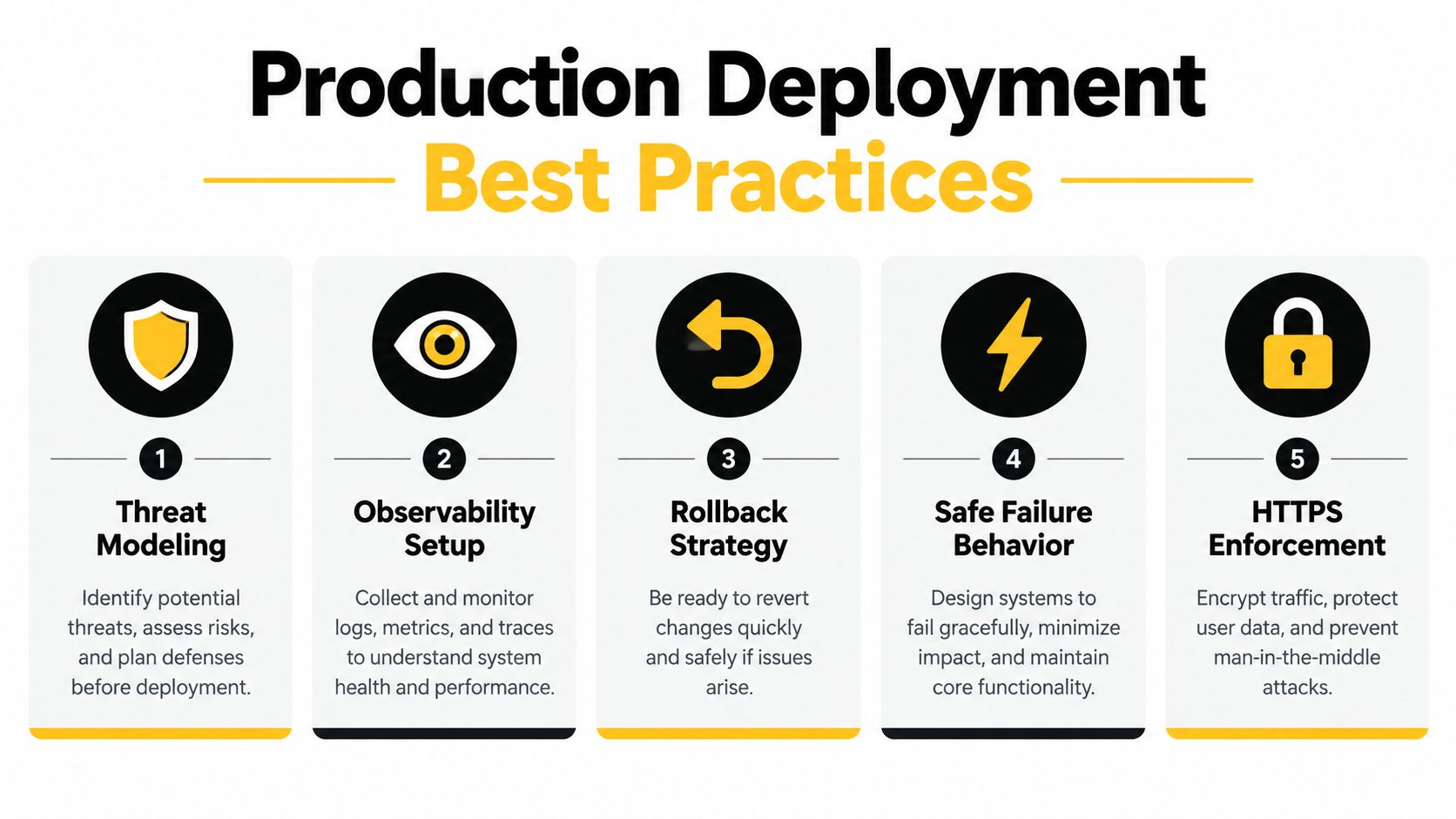
Production MCP server setup doesn't end when a client successfully invokes a tool. It ends when the team can explain what the server may access, detect misuse, stop a dangerous operation, and restore a safe version without guessing.
Recent security reporting identified more than 30 CVEs involving MCP servers, clients, and infrastructure during January and February 2026, while a separate scan of more than 7,000 servers reported 36.7% vulnerable to server-side request forgery and 41% lacking authentication (security reporting). These figures are reported security findings, not a complete census, but they make the operational point clear: an exposed tool surface needs continuous control.
Design for hostile inputs
Treat web-derived content as untrusted. Apply URL and destination-IP allowlists, restrict egress, validate schemas, cap response sizes, and prevent tools from fetching arbitrary internal destinations. Prompt injection can arrive through a page, company description, job listing, or CRM note, so the server must not let retrieved text redefine authorization.
State handles need the same care. The security guidance says possession of a state handle isn't sufficient authorization and recommends unpredictable handles generated with secure randomness. Bind handles to the authenticated user, tenant, intended operation, and expiry instead of treating them as bearer permission.
Make operations reversible
Record structured audit events for authentication results, tenant, tool, authorization scope, input classification, upstream calls, outcome, and latency. Add rate limits and emergency tool revocation so operators can disable a risky mutation without taking every read-only capability offline.
Use canary deployments and maintain a rollback path for both code and tool contracts. Contract tests should cover initialization, capability discovery, malformed input, upstream failure, duplicate requests, and authorization boundaries. Safe failure means the server returns an explicit error state and avoids partial CRM writes, not that it produces a confident-looking fallback.
The final mental model is simple: MCP setup is the operation of an agent-facing API gateway. Transport, identity, least privilege, untrusted content handling, observability, and rollback belong in the first design, not in a later hardening sprint.
CapyScout combines live-web prospect discovery, inbound scoring, account monitoring, CRM enrichment, REST access, webhooks, and MCP-based automation for workflows that need source-backed context and controlled actions. Visit CapyScout to evaluate how its enrichment and scoring capabilities can fit into a permissioned production MCP deployment.