

CRM Integration Benefits: What Connected Systems Deliver
Explore CRM integration benefits, including cleaner data, faster lead routing, less manual entry, better reporting and ROI, with sourced figures.
Companies spent an average of 3.5 times their annual CRM license costs on extended integration, according to a 2019 Nucleus Research analysis of CRM return-on-investment case studies. That's a useful correction to the idea that connecting systems is a matter of switching on a connector. The most important CRM integration benefits come from making customer data trustworthy enough to use, not merely making it move.
For sales and marketing managers, the practical question is straightforward: will the connection help someone make a better decision with less cleanup? Answer that before counting saved hours or promising revenue gains.
Table of Contents
- What CRM Integration Means in Practice
- Core Benefits at a Glance
- Keeping Customer Data Accurate Across Systems
- Measuring Gains and Connected Reporting
- Cutting Manual Work and Speeding Up Sales
- Risks, Costs and How to Avoid Them
- Choose Your First Integration and Next Step
What CRM Integration Means in Practice
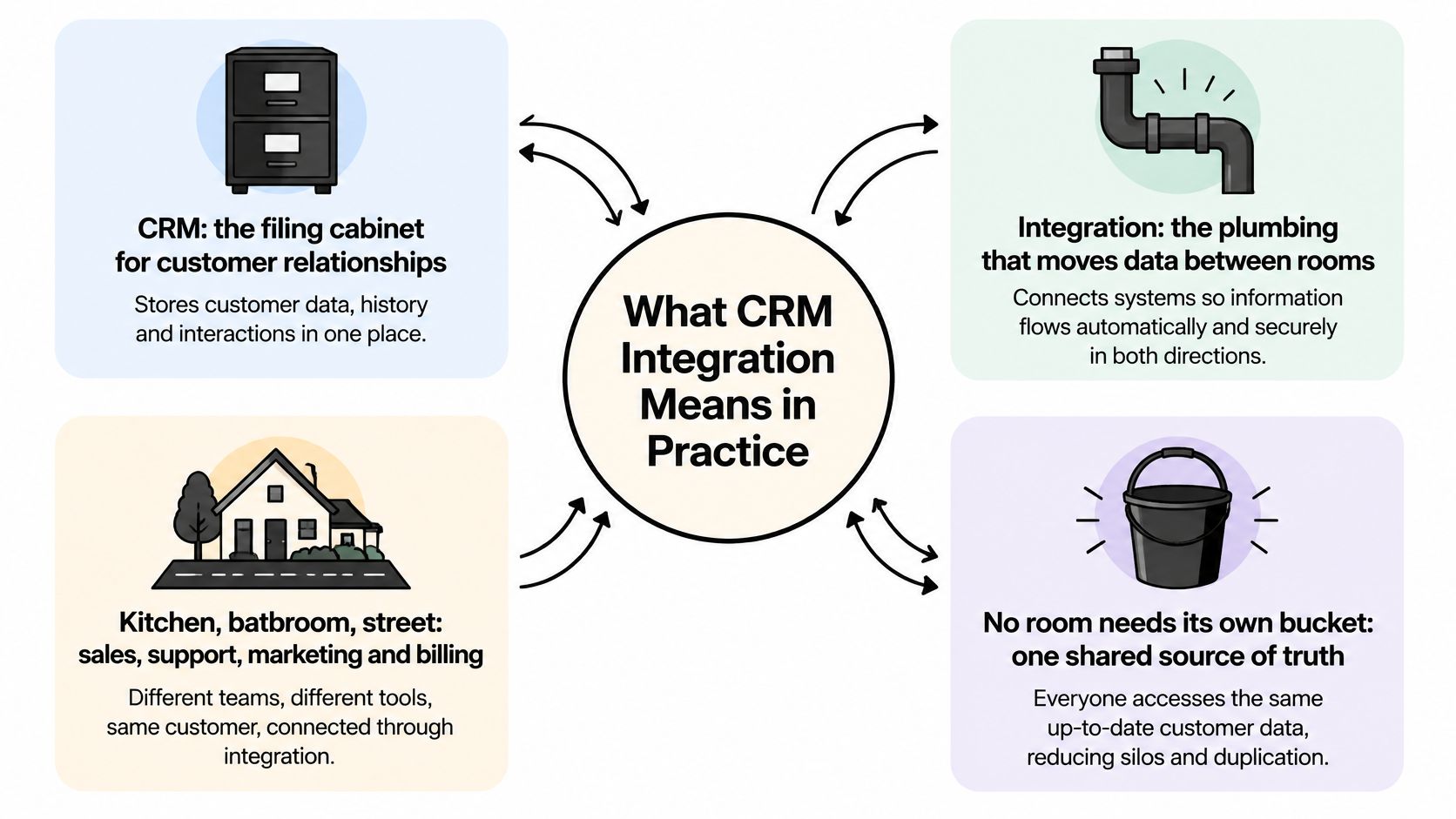
A CRM is a filing cabinet for customer relationships. Integration is the plumbing connecting the kitchen, bathroom, and street, so nobody needs to carry a separate bucket into every room. The analogy isn't perfect, but it captures the point: storing information and moving it reliably are different jobs.
CRM integration connects your CRM with other applications so contacts, companies, deals, activities, and signals can move between them. Those applications might include Gmail, Outlook, calendars, marketing automation, billing software, an ERP, a support desk, or an enrichment service.
The diagram shows how those departmental connections fit together.
Choose the connection pattern and direction
Most implementations use a combination of these approaches:
- Native connections are prebuilt connectors configured within an application. Check which objects they support, rather than assuming contacts, companies, deals, and activities all sync.
- Workflow tools and middleware move information between applications using triggers, conditions, and field mappings.
- Custom API builds handle unusual systems or business rules that prebuilt connectors can't accommodate.
A one-way push lets one application update another. Two-way sync permits changes in both directions, which requires explicit rules about whose changes take precedence. Two-way doesn't mean every field should be writable everywhere.
Say a rep marks a deal won. The integration sends the approved commercial details to billing, billing creates an invoice, and payment status later returns to the CRM account. The rep doesn't retype financial information or decide whether an invoice is paid.
Practical rule: Draw an arrow for every data movement and write the permitted fields beside it.
For activity capture, VoxNote's resource on avoiding duplicate CRM entries after calls provides a useful workflow-specific starting point. Before choosing a connector, name the applications you want to connect and the direction each update should travel. Value comes from information arriving where people work, not from owning another application.
Core Benefits at a Glance
Each benefit below works through a different mechanism, so the evidence behind it looks different too. Read the table as a map of what to measure, not a menu of guaranteed outcomes.
| Benefit | How integration delivers it | Research figure |
|---|---|---|
| Data quality | One governed record replaces re-keyed copies across tools | Surveys of CRM users repeatedly find missing governance policies and hours lost weekly to searching or correcting records |
| Automation | Updates and tasks move without manual copying | 50 of 62 studies reported measurable improvements in process speed, task automation, or service-response time in an ERP–CRM integration meta-analysis |
| Sales productivity | Less time on data entry and context switching | Studies link synced records to reduced manual entry and recovered selling time, though reported gains vary by team and toolset |
| Reporting and insight | Activity and pipeline data joined for analysis | Case examples connect integrated analysis with lower sales costs and revenue improvements |
| Lead routing and response | Signals and signups reach the owner without a manual handoff | The payoff is measured as routing-to-contact time: how fast a signal reaches a rep who acts on it |
| Customer experience | Account history visible before each contact | The payoff is measured by whether a rep can see prior tickets, calls and purchases before replying |
| ROI | Connected systems support business growth | Net return equals measured operating gains minus licence, build and maintenance spend |
Notice that the rows are ordered by dependency, not alphabetically. Data quality sits first because every other benefit borrows its record. Automation is plumbing: connect pipes to a contaminated supply and the contamination reaches every tap faster. A workflow that assigns leads off a wrong company match or triggers a renewal email from a stale field just makes mistakes at machine speed. This is why the honest order of work is to measure record accuracy first and claim productivity gains second.
Clean records make automation safer because a workflow can act on a dependable account identity and current fields. Joined activity and pipeline data then gives managers something meaningful to analyze. A successful connection message proves the pipe is open; it says nothing about what flows through it.
Compare outcomes without combining unlike studies
The evidence has different scopes: an integration study review isn't the same as a sales-team example or a regional company survey. Compare the direction of improvement, not an imagined universal return. Don't add productivity and revenue percentages together or treat a reported result as your forecast.
Routing and customer experience deserve attention even without a published benchmark. For a busy inbound team, an unassigned signup or a rep missing an unresolved support complaint can cost more than any headline productivity figure recovers.
- Choose your biggest pains. Select the benefits tied to work your team struggles with.
- Set observable tests. Measure routing-to-contact time, and check whether account history is on screen before customer contact.
- Include operating constraints. If you use Dynamics in a UK organization, F1Group's guide to UK compliance for Dynamics integrations can help frame implementation questions.
Record your baseline before connecting anything: current duplicate rates, field completeness, response times. Otherwise you'll have a launch date and a set of hopes, but no defensible account of what improved.
Keeping Customer Data Accurate Across Systems
Connecting systems can spread bad data faster. A mistaken company match stops being an isolated record problem when marketing, sales, and finance all receive the same incorrect update.
A March 2026 SDA Bocconi survey of 65 Italian companies found that 37.5% had no data-governance policy, while 65.5% of employees spent at least an hour per week searching for or correcting information. That's a warning about operating discipline, not a prediction for every sales team.
Conflicting screens are a symptom of missing ownership rules.

Decide who owns each field
Assign a system of record per attribute, not necessarily one application for everything. Billing can own invoice status while the CRM owns deal stage. A support platform can own ticket resolution without controlling the account's commercial owner.
Document the rules in a field map:
- Identity: Use stable account identifiers, with normalized domains or email addresses as matching aids where appropriate. Don't merge companies solely because their display names resemble each other.
- Write authority: Specify which application may create, replace, or clear each field.
- Freshness: Preserve both the source observation date and the integration update time.
- Validation: Check allowed values, formats, and confidence before accepting a write.
- Conflict handling: Send uncertain changes to an exception queue with a named reviewer.
Finance handoffs deserve particular care because a commercial stage and an accounting status describe different events. Loopfour's explanation of ERP-to-CRM integration for finance teams is useful context when assigning those responsibilities.
Protect verified values from weaker updates
Suppose enrichment finds an employee count on an older directory page, but a rep recently verified a different figure with the company. A last-write-wins rule would accept the directory value because it arrived later. A governed integration keeps the verified value, records the proposed change, and queues the conflict.
Arrival time isn't evidence quality. Preserve provenance, uncertainty, and refresh timing for firmographic values and account notes. A source-backed change still needs an acceptance rule.
A trustworthy record tells the user where a value came from and why it was accepted.
Use a CRM and customer-database integrity checklist to turn these decisions into repeatable checks. Before approving a new connection, answer: which fields may it write, who resolves conflicts, and what will alert you when it's wrong?
Measuring Gains and Connected Reporting
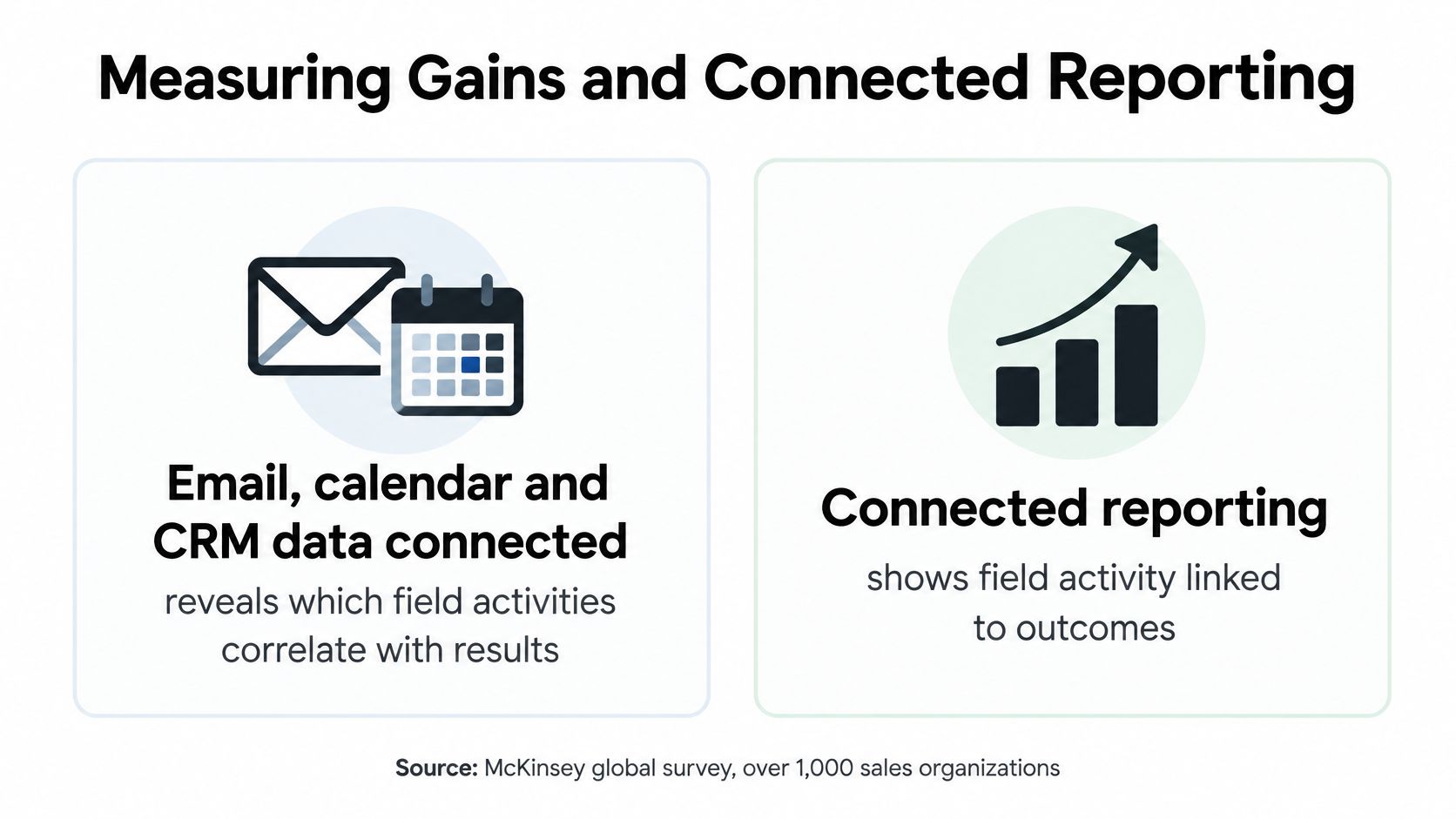
An organization that combined integrated email, calendar, and CRM interaction insights with predictive pipeline management reduced its cost of sales by 6% and increased revenue by 2%, according to McKinsey's analysis of data use in sales. The same analysis describes a high-tech company whose account- and product-level coverage redesign increased sales productivity by 5% to 10% and reduced sales-planning time by two-thirds.
Those are specific organizational examples, not returns promised by installing a connector. Managers used connected information to change how they planned and sold.
The reporting relationship is easier to understand when activity and commercial records appear together.
Join records before drawing conclusions
A manager can't reliably investigate which field activities precede wins when meetings live in calendars and opportunity outcomes live elsewhere. Join them through consistent account and opportunity identifiers, then distinguish activity timing from deal timing.
Account intelligence adds context. A hiring announcement, leadership change, funding event, or review pattern attached to the account can help explain why outreach became relevant. It doesn't prove that the signal caused the sale.
Track health as well as results
Take a baseline before enabling the flow and review the same definitions monthly. Otherwise, a changed denominator or a new definition of contact can look like improvement.
Monthly CRM integration health metrics
| Metric | What it reveals | How to measure |
|---|---|---|
| Record completeness | Whether required fields support routing and reporting | Percentage of records with all required fields |
| Duplicate rate | Whether a company or contact appears in several records | Duplicate records found divided by total records, tracked weekly |
| Synchronization latency | How old information is when a rep sees it | Elapsed time between source change and CRM update |
| Sync failure and exception rate | Whether updates fail or require review | Failed or queued syncs divided by total syncs |
| Automated updates accepted without correction | Trust in automated writes | Accepted, uncorrected automated updates divided by total automated updates within a defined review window |
| Hours on data administration | Time potentially returned to selling | Weekly hours reps log on entry and cleanup |
| Lead-to-first-touch time | Response speed after routing | Median time from routing to first logged contact |
For customer experience, sample account records before contact and check whether relevant tickets, billing status, and recent conversations are available. Record missing context rather than relying only on satisfaction anecdotes.
Calculate ROI using attributable financial benefit against total implementation and operating cost. Include mapping, testing, maintenance, review work, and connector charges. Returned hours are capacity, not automatically cash savings, so document how the team used that capacity before assigning a financial value.
Choose a small set of primary measures, give each an owner, and set targets before launch. Keep quality measures alongside speed measures so faster processing doesn't conceal worse decisions.
Cutting Manual Work and Speeding Up Sales
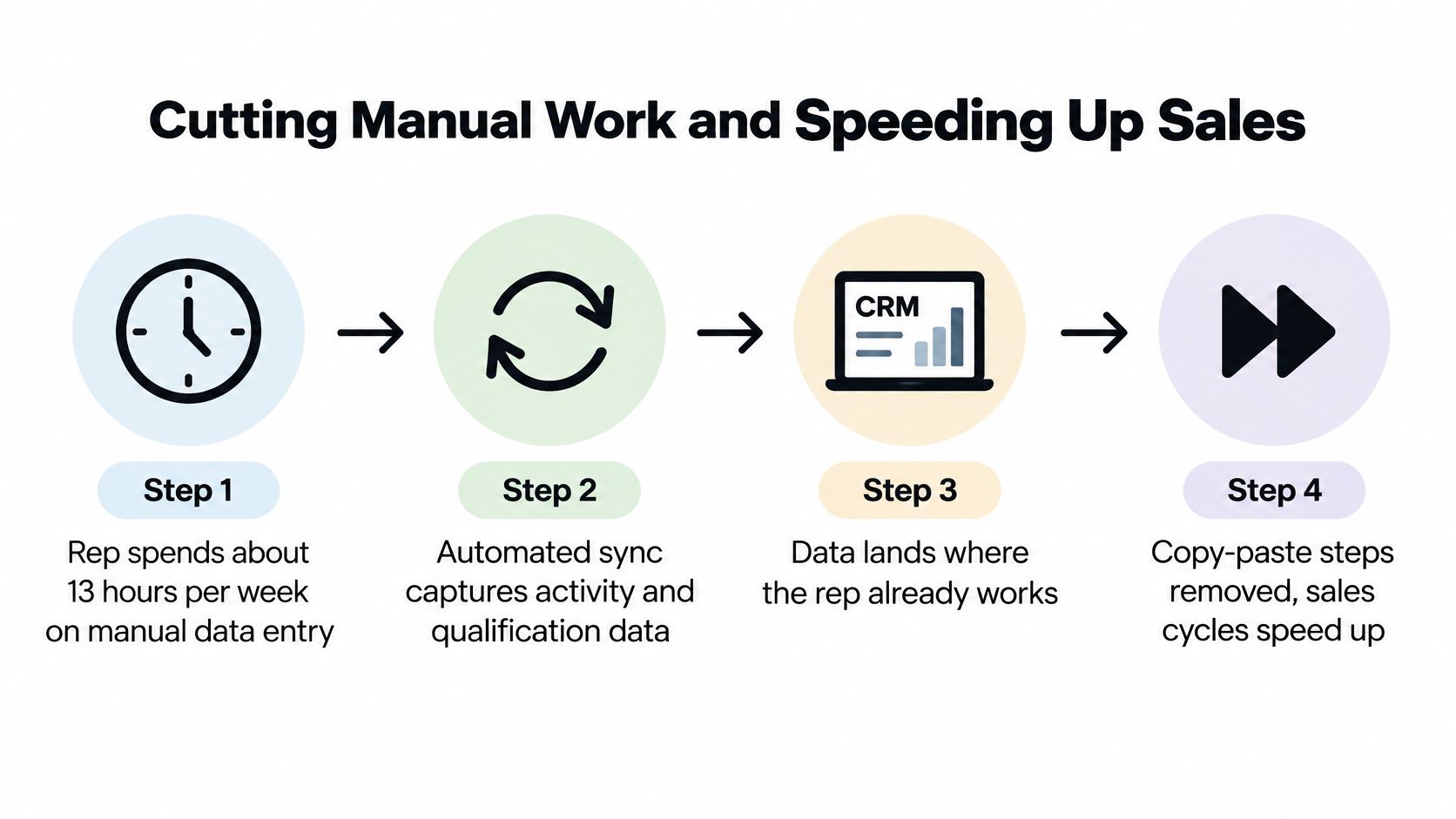
Salespeople spend about 13 hours per week on manual data entry, according to the findings summarized by SuperOffice, which also cites Forrester-related findings associating properly integrated CRM environments with a 26% productivity improvement. These findings describe the opportunity, not the amount of time your team will necessarily recover.
Start with the rep's actual work: copying a signup, researching its company, finding the owner, and pasting context into a message. The useful automation moves qualification information to the place where the rep will act.
This flow illustrates the work you're trying to remove.
Build the signup handoff around decisions
- Receive the signup. Capture the source event and assign an identifier so later retries refer to the same event.
- Enrich the company with the attributes needed for qualification, rather than collecting every available field.
- Evaluate fit, risk, and confidence separately. A potentially valuable company with uncertain identification shouldn't be treated as a verified match.
- Send high-fit signups to the assigned owner in the CRM and the team's notification channel, with the evidence needed for follow-up.
- Hold risky trials for review. Include the reason for the hold so someone can resolve it.
- Route support-related requests to the responsible person instead of adding them to a sales queue.
Use event-driven updates for time-sensitive signup routing and high-intent activity. Use scheduled batches for enrichment that only needs to be ready when the team starts work.
A watched account's visit to a pricing, demo, or contact page can justify an owner alert, but the message should describe observed account activity rather than inventing a visitor's identity or purchasing intention.
Make retries safe
Authenticate incoming events, log their processing, and support retries. Make each action idempotent, meaning that processing the same event again won't create another record or repeat the business action.
Test failures deliberately: an unavailable CRM, a missing owner, an ambiguous company match, and a rejected field value. Confirm that the event reaches a visible queue rather than disappearing.
For a complementary operational walkthrough, use the video below.
Use the practical sales-productivity guide to connect workflow changes with rep activity. Before enabling automatic handoffs, verify that your timestamps capture both routing and first contact. Without those events, you can't tell whether the team responds sooner or receives more notifications.
Risks, Costs and How to Avoid Them
The budget line teams often miss is ongoing ownership. Someone must maintain mappings, investigate exceptions, rotate credentials, and update the connection when a business process changes. A low-cost connector can still support an expensive workflow if every failure needs manual investigation.
Treat implementation as an operating responsibility, not a purchase that ends at installation. Name a business owner who can approve field behavior and a technical owner who can diagnose failures. Agree on how to pause the flow without losing pending work.
Limit the exposure created by access
IBM's explanation of CRM integration identifies risks including duplicate or conflicting records, differences in permissions and encryption, and security problems that can affect data shared across connected platforms. The relevant question isn't just whether a connector works, but how much access it needs to perform its job.
Apply a minimum-access checklist:
- Separate read and write permissions. A reporting connection doesn't automatically need permission to edit customer records.
- Minimize transferred fields. Send the attributes required for the decision, not the full source record by default.
- Prefer account-level signals where sufficient. Don't build person-level tracking into a process that only needs company context.
- Document purpose and retention. Identify why each category of information moves and when it should be removed.
- Log consequential changes. Preserve the actor, previous value, new value, and originating event.
- Require review for high-impact actions. Account reassignment, deletion, and sensitive routing decisions need a deliberate approval policy.
Plan for disconnection too
A small team or local agency may not have a security specialist available for every setup. Make access review part of the launch checklist, and record how to revoke credentials, stop writes, and remove unnecessary copied data.
Access test: If the integration were compromised, could its permissions change more than the workflow requires?
Reduced access is a safeguard, not a compliance certificate. Avoid assuming that account-level activity is automatically free of privacy obligations or that a vendor's controls cover your own configuration.
Your CRM permissions, retention policies, regional privacy obligations, and staff access remain your responsibility. Approve the connection only when you can explain both its operational benefit and the limits of its authority.
Choose Your First Integration and Next Step
Connect the flow tied to your worst measured pain. If reps repeatedly enter meetings and messages, start with the mailbox and calendar they already use. If inbound leads wait unassigned, prioritize the signup-to-owner handoff.
Keep the CRM your team already runs unless it fails a separate business requirement. Switching platforms and introducing a new integration together makes it harder to identify why behavior or results changed.
Run a limited first-month pilot
- Write the ownership map. Name the authoritative application for every field the pilot will touch.
- Record the baseline using a consistent sample and agreed definitions.
- Connect a single flow. Restrict its scope to a known team, account group, or signup source.
- Review exceptions weekly throughout the first month, recording both technical errors and incorrect business decisions.
- Expand only when the measures hold. Check that faster processing hasn't increased corrections, duplicate accounts, or misrouted leads.
For our setup, consult the CRM integration instructions: HubSpot, Pipedrive, or Attio can be connected in one click, with CRM changes landing on the record and in Slack alongside a drafted first line. No integration is required to start scoring signups, and you can begin by choosing companies and signals without connecting a CRM or inbox. To add website visitors, install the snippet under Integrations, then press Add high-intent companies to start a campaign with companies that viewed pricing, demo, or contact pages.
Before enabling writes, confirm the objects, field mappings, and sync direction in your settings. Put a dated review invitation on the calendar at launch, attach the baseline, and name the person who will decide whether to expand, revise, or stop the flow.
CapyScout finds and monitors companies, scores inbound signups, and delivers source-backed account context that can support a governed CRM workflow. Visit CapyScout to choose a few accounts and signals, evaluate the evidence, and connect your CRM when you're ready to put that information into daily use.
Not ready to start? Get a free target list: 10 companies to sell to, picked from your website.